
Choosing the right cloud GPU provider can make or break your AI or machine learning project. With a growing number of platforms offering powerful GPUs on-demand, it’s important to evaluate providers based on the factors that matter most:
- Performance and Hardware: Look for the latest NVIDIA GPUs (A100, H100, H200), high memory capacity, and multi-GPU support (e.g. NVLink or InfiniBand for scaling). Top-tier GPUs can accelerate deep learning training by up to 250× compared to CPUs.
- Pricing: Favor transparent, usage-based pricing with flexible billing (per-second or minute) and discounts for reserved or spot instances.
- Scalability and Flexibility: Ensure the platform supports easy scaling to multiple GPUs or nodes. Providers like Runpod, Google Cloud, and CoreWeave enable multi-node clusters and container orchestration for distributed training.
- User Experience: Prioritize platforms with simple dashboards, quick provisioning, and integration with AI tools. Developer-friendly features (pre-configured environments, one-click deployment, etc.) reduce setup time.
- Security and Compliance: Reputable providers implement encryption, access controls, and industry certifications (ISO 27001, SOC 2, etc.) to protect data. Enterprise-focused offerings run in Tier 3/4 data centers and support secure boot and role-based access control (for example, Runpod’s Secure Cloud operates in certified Tier 3+ facilities and provides secure boot guidance).
If your workload is AI inference, start with Runpod Serverless, our serverless GPU platform for AI inference. It scales GPU workers from zero with sub-200ms FlashBoot cold starts and per-second billing.
What are the best cloud GPU providers?
This side-by-side comparison breaks down 12 top cloud GPU providers, highlighting key hardware, pricing structures, and standout features:
| Provider | GPU Types Offered | Pricing Model | Key Features |
|---|---|---|---|
| Runpod | A100, H100, H200, MI300X, RTX A4000/A6000 | On-demand, per-second billing | FlashBoot tech for instant start, dual Secure/Community Cloud, LLM-ready Serverless Endpoints |
| Hyperstack | H100, A100, L40, RTX A6000/A40 | On-demand, reserved, enterprise contracts | High-performance EU GPU cloud, 100% renewable energy, managed Kubernetes, enterprise HPC infrastructure |
| Thunder Compute | H100, A100, RTX6000 | On-demand, pay-as-you-go | Ultra-low pricing, instant GPU spin-up, developer-friendly tools (VS Code extension, quick snapshots) |
| CoreWeave | A100, H100, RTX A5000/A6000 | On-demand, spot instances | HPC-optimized, InfiniBand networking, low-latency provisioning, enterprise-grade scalability |
| Lambda Labs | A100, H100 | On-demand, reserved | Hybrid cloud & colocation, pre-configured ML environments, enterprise hardware and support |
| Google Cloud | A100, H100, L4, TPUs | On-demand, spot, reserved | TPU v5e/v5p options, Vertex AI integration, global reliability and tooling |
| AWS | A100, H100, V100 (P3, P4, P5) | On-demand, reserved, spot | Deep AWS integration, extensive global availability, up to 90% savings with spot instances |
| Azure | A100, H100, V100 (NC, ND, NV) | On-demand, reserved, spot | Hybrid support, Microsoft ecosystem integration, robust enterprise compliance |
| DigitalOcean | H100, A100, RTX A6000 | On-demand, simple pricing | GPU Droplets for easy setup, developer-friendly UX, ideal for small teams and startups |
| NVIDIA DGX Cloud | H100, A100 | Subscription ($36,999 / month) | Pre-built AI stack (NGC), 256-GPU scaling, direct NVIDIA enterprise support |
| TensorDock | RTX 4090, L40, H100 | Marketplace (~60% lower cost) | Crowdsourced GPUs, diverse hardware availability, significant cost savings for AI training |
| Northflank | A100, H100, L40S, MI300X | On-demand (pay-as-you-go) | Integrated CI/CD pipelines, autoscaling GPU containers, zero DevOps overhead |
Now, let’s go through each one to help you choose the right Cloud GPU provider in 2026:
1. Runpod
Runpod is a cloud platform purpose-built for scalable AI development. Whether you’re fine-tuning LLMs or deploying agents to production, Runpod gives teams high-performance GPU infrastructure without slow provisioning or complex contracts.
Key Features
Here’s how Runpod stands out as a cloud GPU provider for AI/ML workflows:
- GPU Pods: Containerized GPU environments give you root access, persistent storage, and full control. Pre-load datasets or train large models across multiple GPUs.
- Secure vs. Community Cloud: Choose Secure Cloud for compliance-focused workloads in Tier 3+ data centers, or Community Cloud for peer-to-peer compute suited to R&D and experimentation.
- Real-Time GPU Monitoring: Track memory usage, thermal metrics, and performance in the Runpod dashboard–no need for external tools.
- Per-Second Billing: Only pay for what you use. Great for quick tests, batch jobs, or budget-conscious projects that don’t need always-on instances.
- Wide GPU Selection: Runpod supports A100, H100, H200, RTX A4000/A6000, and more–covering everything from small models to massive transformer training.
Who Runpod Is Best For
Runpod supports a wide range of AI users, from solo developers to enterprise teams. It’s especially useful for:
- AI Developers & Researchers – building or fine-tuning foundation models (e.g. LLaMA, Mistral) with PyTorch, TensorFlow, Hugging Face, etc.
- Startups – running lean while needing production-grade infrastructure for rapid iteration and deployment.
- Enterprise Teams – requiring compliance (SOC 2, HIPAA) and high-throughput training on multi-GPU clusters with fast provisioning.
- Hobbyists & Students – exploring fine-tuning or image generation on a budget, with access to high-end GPUs by the second.
What Runpod Is Best For:
Runpod’s performance, pricing, and flexibility make it a top choice for:
- Fine-tuning large language models (LLMs) like LLaMA or GPT variants.
- Distributed training across multiple A100, H100, or MI300X GPUs (Runpod supports multi-node “Clusters” that spin up in seconds using Infiniband Networking).
- Rapid prototyping and experimentation without long setup times or infrastructure management overhead.
Pricing Snapshot
Runpod offers transparent, usage-based pricing with no hourly minimums or long-term commitments. Starting rates for Secure Cloud pricing include:
- NVIDIA RTX 4090: $0.74/hour
- NVIDIA RTX 5090: $0.99/hour
- NVIDIA A100: $1.59/hour
- NVIDIA H100: $2.89/hour
- NVIDIA H200: $4.59/hour
- NVIDIA B200: $6.79/hour
- NVIDIA B300: $7.89/hour
- View full pricing for options across all GPU types.
Per-second billing makes Runpod highly cost-efficient for short training runs, inference jobs, and bursty workloads.
Get Started with Cloud GPUs on Runpod
Looking to launch your next AI or ML project on Runpod? These resources will help you choose the right GPUs, optimize your setup, and get the most out of Runpod’s infrastructure:
- Compare Runpod’s GPU options: See how A100, H100, and RTX GPUs stack up for different workloads.
- Choose the right Pod configuration: Find the best GPU, memory, and storage combo for your needs based on workload and budget.
- Understand Runpod’s pricing: Explore on-demand and spot pricing–billed per second for maximum cost efficiency.
- Get started with AI training on Runpod: See how developers accelerate deep learning projects using Runpod.
These guides will help you set up faster, train more efficiently, and reduce compute costs–whether you’re building models from scratch or scaling production pipelines.
Want to get started with the latest AI models on Runpod? Check out our tutorials below:
- Fine-Tuning LLMs with Axolotl on Runpod
- Training Video LoRAs with diffusion-pipe on Runpod
- Deploying an LLM on Runpod (No Code Required)

2. Hyperstack
Hyperstack is a cloud-GPU infrastructure provider built specifically for high-performance GPU compute, with strong emphasis on AI/ML training, large-language-model (LLM) workloads, rendering and HPC workflows. The platform offers a broad GPU catalogue, sustainable infrastructure, and enterprise-grade features optimized for speed, flexibility and cost-efficiency.
Key Features:
- High-end GPU fleet & scale: Support for NVIDIA H100, A100, L40, RTX A6000/A40 and more.
- Enterprise-grade stack: Fully owned/operated infrastructure (servers, networking, platform) optimized for GPU workloads, with managed Kubernetes, one-click deploy and role-based access.
- Green + cost-efficient: Operates on 100 % renewable energy, claims up to ~75 % more cost-effective than hyperscalers.
- Use-case breadth: Tailored not just for AI training but also rendering, HPC, LLM fine-tuning and inference workflows.
What Hyperstack Is Best For:
- Medium to large-sized teams needing high-performance GPU access (H100/A100) across Europe & globally, with strong networking and enterprise features.
- AI/ML teams working on LLMs or large-scale models needing scalable GPU infrastructure, but value a more optimized/leaner stack than the big hyperscalers.
- Studios and rendering houses needing powerful GPU nodes, a broad set of GPU SKUs, and cost-efficient infrastructure for production workloads.
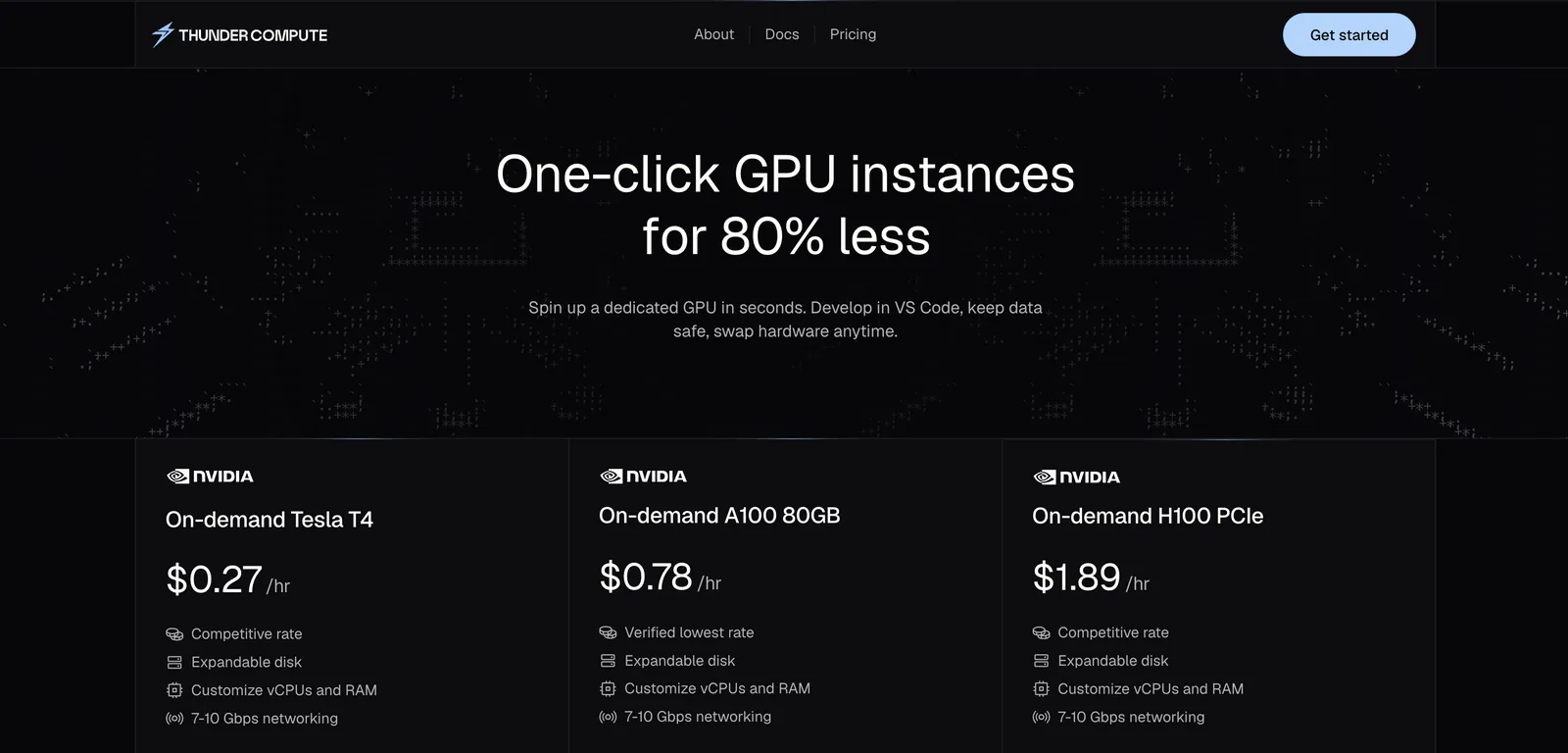
3. Thunder Compute
Thunder Compute is a cloud-GPU platform built for developers, researchers, startups and data-science teams that need rapid, low-cost access to GPU compute for prototyping, training, fine-tuning and inference. Its emphasis is on simplicity, cost-efficiency and developer-friendly tools.
Key Features:
- Super-low cost for GPU access: Ads claiming up to 80% less than AWS for on-demand GPU usage. Eg. A100 instances for ~$0.66/hr in their public pricing.
- Developer-centric UI & workflow: One-click GPU VM, VS Code extension, quick snapshot/instance switching, ability to change specs easily.
- Innovative architecture: Uses network-attached GPU virtualization (GPU over TCP) behind the scenes to improve hardware utilization and reduce idle cost overheads.
- Flexible scale for prototyping → production: Focused on giving startup / research teams access to GPU compute without huge commitments.
What Thunder Compute Is Best For:
- Early-stage AI/ML teams, students or researchers needing affordable GPU compute to train/fine-tune models without breaking the bank.
- Teams doing frequent prototyping/experimentation (fine-tuning, rapid iteration) where cost is a major constraint and ultra-low latency or full enterprise networking may be less critical.
- Developers who prioritize ease of use, quick spin-up and minimal infra overhead, rather than massive multi-node clusters or ultra-low latency networking.

4. CoreWeave
CoreWeave is a cloud infrastructure provider built specifically for high-performance computing (HPC), with an emphasis on large-scale AI and ML workloads. The platform offers extensive flexibility and ultra-low latency networking tailored to enterprise AI use cases.
Key Features:
- HPC-First Architecture: CoreWeave’s infrastructure is optimized for compute-heavy tasks like AI training, visual effects rendering, and scientific simulations. It offers bare-metal performance with minimal virtualization overhead.
- Custom Instance Types: Users can tailor VMs with specific CPU, RAM, and GPU combinations to match their workload (e.g. GPU-heavy vs CPU-heavy tasks). This granularity ensures you’re not paying for unneeded resources.
- Multi-GPU Scalability: CoreWeave supports large multi-GPU clusters connected by high-bandwidth, low-latency interconnects (InfiniBand and NVIDIA GPUDirect RDMA) for distributed training. Tightly coupled workloads can scale efficiently across nodes.
- Broad GPU Selection: Offers NVIDIA H100 (SXM and PCIe), A100, RTX A6000, and other GPUs, including newer architectures as they become available. Users can choose latest-generation GPUs for maximum performance.
- Kubernetes Integration: The platform provides managed Kubernetes and container orchestration with GPU support. This makes it easier for teams to deploy and scale AI workloads using familiar tools, with CoreWeave handling the underlying hardware provisioning.
What CoreWeave Is Best For:
CoreWeave is ideal for organizations that need extreme scale and performance:
- Large-Scale Model Training: Running enormous models or hyperparameter sweeps across many GPUs (CoreWeave’s InfiniBand networking allows near-linear scaling across multiple servers).
- Visual Effects & Rendering: Studios leveraging GPU rendering for CGI, VR, or animation can utilize CoreWeave’s GPU pools with low latency to meet tight production deadlines.
- Scientific HPC Projects: Research labs performing simulations or data analysis benefit from the HPC-oriented design (bare-metal clusters, fast inter-node communication).
- AI Startups with Custom Needs: Teams requiring unusual configurations (e.g., specific GPU models or multi-GPU nodes with custom storage) can find flexible options here beyond what general cloud providers offer.

5. Lambda Labs
Lambda Labs offers a GPU cloud platform tailored for AI developers and researchers, with a focus on streamlined workflows and access to high-end hardware. Known for its hybrid cloud and colocation services, Lambda allows teams to scale compute resources without losing control or performance.
Key Features:
- High-End GPUs: Lambda provides on-demand access to NVIDIA A100 and H100 GPUs (among others), making it suitable for training cutting-edge deep learning models. These GPUs come with large VRAM and tensor core acceleration for AI.
- Lambda Stack: Every instance can come pre-loaded with Lambda’s curated stack of AI software (PyTorch, TensorFlow, CUDA, cuDNN, etc.), saving you setup time. This ready-to-use environment means you can launch an instance and start training immediately.
- Hybrid & On-Prem Support: Lambda can integrate on-premise GPU servers (via their Hyperplane software or via colocation in Lambda’s data centers) with cloud instances. This hybrid approach gives flexibility to burst to cloud when needed while using owned hardware at other times.
- Designed for Scale: The platform is built with large-scale training in mind – for example, it supports multi-node training jobs and offers InfiniBand networking on certain instances for low-latency GPU-to-GPU communication (useful for multi-server distributed training).
- Enterprise Support: Lambda Labs is used by many research institutions and businesses; they offer hands-on support and advisory for optimizing model training, as well as assistance with custom setups or cluster deployments.
What Lambda Labs Is Best For:
- Training Large Models: Ideal for training LLMs or vision models that require sustained multi-GPU usage over long periods. Users have reported success training billion-parameter models on Lambda due to the reliable access to A100/H100 hardware.
- Hybrid Cloud Deployments: Companies that already have some on-premise GPU infrastructure can use Lambda to extend capacity without switching ecosystems – Lambda’s tools make it easier to manage a mix of local and cloud GPUs.
- Researchers and ML Engineers: Those who want less DevOps overhead – you get ready-made environments and can even set up one-click GPU clusters, so you spend more time on research and less on infrastructure.
- Enterprise AI Teams: Lambda’s enterprise-grade offerings (including professional support, SLAs, and private cluster options) make it a good fit for organizations that need to balance cutting-edge hardware with reliability and customizability.

6. Google Cloud Platform (GCP)
Google Cloud Platform combines enterprise-grade NVIDIA GPUs with Google’s proprietary TPUs, offering a flexible, high-performance foundation for AI training and inference. With deep integration into Google’s ecosystem, GCP can support everything from experimental model training to global-scale deployment.
Key Features:
- NVIDIA GPUs + TPUs: GCP is the only major cloud that offers both NVIDIA GPUs (K80, T4, V100, A100, H100, etc.) and Google’s custom Tensor Processing Units (TPU v4, v5e). This allows you to choose the best accelerator for your workload – GPUs for broad framework support, or TPUs for optimized TensorFlow performance.
- Next-Gen A3 Instances: Google’s A3 VM instances, powered by NVIDIA H100 GPUs (available as of 2023-2024), deliver up to 3.9× the speed of the previous generation A2 (A100) instances. This means significantly faster training times for new model development.
- Vertex AI Platform: GCP offers Vertex AI, an end-to-end managed ML platform. You can train models (including AutoML for custom models without coding), then deploy them with a few clicks to Vertex AI Endpoints for serving. Deploying a model on Vertex is straightforward – a single command or UI action yields a scalable, auto-scaling endpoint that’s fully managed by Google.
- Big Data Integration: Seamless integration with BigQuery (for data warehousing), Google Cloud Storage, Dataflow, and other GCP services means you can build data pipelines feeding directly into GPU training jobs. This is great for AI projects that are part of a larger data infrastructure.
What Google Cloud Is Best For:
- TensorFlow/TPU Workloads: If your training is built on TensorFlow or JAX and can leverage TPUs, GCP can be the optimal choice (TPU v4/v5e pods offer massive parallelism for model training). Some users report dramatic speed-ups and cost savings for LLM inference using TPU v5e for large models.
- Hybrid AI Pipelines: Teams already using Google’s ecosystem (BigQuery, Google Drive, etc.) benefit from running AI workloads on GCP due to easy data access and unified IAM/permissions. For example, training data in BigQuery can be accessed by a GPU training job without complex transfers.
- Scalable Web Services: If you need to deploy a model as an online service at scale (e.g., an NLP model behind an API), GCP’s Vertex AI and Google Kubernetes Engine (GKE) make it easy to host model inference with autoscaling, request routing, and monitoring all handled for you.
- Global Reach & Reliability: GCP’s global network and many regions are advantageous if you need GPUs close to certain locations for low latency. It’s also backed by Google’s reliability – good for enterprises that need strong uptime guarantees for production AI systems.

7. Amazon Web Services (AWS)
Amazon Web Services provides GPU-accelerated computing with the broadest global footprint and a mature ecosystem of cloud services. For teams already in the AWS ecosystem, it offers a convenient, integrated path to scale machine learning workloads from prototyping to production.
Key Features:
- Variety of GPU Instances: AWS’s EC2 P-series and G-series instances cover many GPU options. For instance, P5 instances (NVIDIA H100), P4d/P4de (A100 80GB), P3 (V100), G5 (A10G) and G4 (T4) instances let you pick the right performance/cost balance. Whether you need a single NVIDIA T4 or an 8×A100 powerhouse, AWS likely has an instance type to match.
- Deep Learning AMIs: AWS offers Deep Learning AMIs (Amazon Machine Images) pre-loaded with popular frameworks (e.g. PyTorch, MXNet, TensorFlow) and GPU drivers. Launching one of these images on a GPU instance means you can start training with all software configured, saving setup time.
- Flexible Pricing Models: A big advantage of AWS is the range of pricing options. On-Demand instances let you pay by the second with no commitment. Reserved Instances (1 or 3 year commitments) can save up to ~72% vs on-demand for steady workloads. Spot Instances let you bid on unused capacity at up to 90% discounts – great for fault-tolerant batch jobs.
- Ecosystem Integration: AWS’s GPU instances integrate with its vast suite of services. For example, you can stream data from Amazon S3 during training, monitor GPU metrics in CloudWatch, manage access with IAM roles, and deploy models using AWS SageMaker or ECS. This tight integration is convenient if you already use AWS for storage, databases, etc.
- AWS SageMaker: SageMaker is Amazon’s managed machine learning service, which simplifies building, training, and deploying ML models. You can train models on SageMaker using AWS’s GPUs without managing the underlying EC2 instances, then deploy the model behind a managed HTTPS endpoint. SageMaker handles autoscaling, patching, and even supports multi-model endpoints.
What AWS Is Best For:
- Existing AWS Customers: If your infrastructure is already on AWS, using their GPU instances is often simplest due to network proximity and unified management. Your data in S3 is local to EC2, and you can avoid data transfer costs that might incur if using an external GPU provider.
- Large, Predictable Training Workloads: If you regularly need a lot of GPU hours (e.g. for nightly retraining or scheduled experiments), reserved instances or Savings Plans on AWS can significantly cut costs. Many established companies opt for reserved capacity to ensure availability and lower price for ongoing projects.
- Burst Capacity via Spot: For AI labs or startups on a budget, AWS Spot instances are attractive for non-time-sensitive tasks. You might train models by using a fleet of spot GPU instances at a fraction of the price – as long as your training script can handle occasional interruptions.
- Production Deployment with MLOps: AWS’s robust tools for deployment (SageMaker, ECS, EKS) and monitoring make it a strong choice for serving ML models in production. For example, you can use SageMaker to deploy a trained model as a real-time inference endpoint with autoscaling and get integration to AWS’s security (VPC, IAM) and CI/CD pipelines.
8. Microsoft Azure
Microsoft Azure offers GPU-accelerated computing with enterprise-grade security and hybrid cloud capabilities. It’s a great choice for organizations already using Microsoft’s ecosystem or those in regulated industries requiring strict compliance, without sacrificing on AI performance.
Key Features:
- Powerful GPU VMs: Azure’s N-series virtual machines include the latest GPUs. The ND-series targets deep learning (offering NVIDIA A100 80GB and previous V100s), the NC-series for compute-intensive AI (now featuring H100s in preview), and NV-series for visualization (with GPUs like M60 or newer for graphics workloads). Essentially, Azure has a GPU VM type optimized for every scenario – training, inference, or visualization.
- Hybrid Cloud Support: Through services like Azure Arc and Azure Stack, Microsoft makes it possible to run Azure services on your own hardware. For AI, that means you could deploy a Kubernetes cluster on-prem with GPUs and manage it via Azure, or seamlessly burst from an on-prem cluster to Azure cloud GPUs when extra capacity is needed. This is valuable for industries that require certain data to remain on-site but still want cloud flexibility.
- Integration with Microsoft Stack: Azure’s GPU offerings integrate with tools like Active Directory (for identity management), Power BI (for analytics on results), Visual Studio Code, and Azure DevOps. If your team uses a lot of Microsoft software, Azure provides a familiar and unified environment. For example, data scientists can use Azure ML Studio – a GUI and SDK – to prepare data, train on GPU instances, and deploy models all within Azure’s interface.
- Compliance and Security: Azure meets a broad range of compliance standards (GDPR, HIPAA, FedRAMP High, ISO 27001, etc.), and offers features like private link (to keep traffic off the public internet), encryption for data at rest and in transit, and even confidential computing options. Enterprises in finance, healthcare, or government often favor Azure for these capabilities.
- Azure Kubernetes Service (AKS) with GPU Support: For containerized workloads, AKS can provision GPU-backed nodes. This means you can schedule GPU jobs in a Kubernetes cluster easily, and scale out inference services or training jobs using containers – benefitting from Azure’s easy management of the cluster.
What Azure Is Best For:
- Enterprises in Regulated Industries: If you have strict compliance needs, Azure’s certifications and feature set (like Azure confidential computing or on-prem support) can tick the boxes. Many banks, healthcare companies, and governments use Azure for sensitive AI workloads because they can control data residency and enforce security policies thoroughly.
- Microsoft-Centric Teams: Organizations that heavily use Office 365, Dynamics, .NET applications, or other Microsoft products may find Azure’s ecosystem integration to be a major productivity boost. For instance, using Azure Active Directory to manage access to GPU VMs means one less separate system to handle.
- Hybrid Deployments: If you cannot go “all-in” on public cloud, Azure is particularly strong for hybrid scenarios. You can keep some GPU infrastructure on-premises (or in Azure Stack at your own data center) and still use the same Azure management and AI services across both environments.
- Global-Scale Applications: Azure has a wide global data center presence and strong networking. If you need to deploy AI services to users around the world (with minimal latency), Azure’s backbone and its CDN/edge offerings can be leveraged alongside GPU instances to serve models close to end-users.

9. DigitalOcean
DigitalOcean is known for its developer-centric cloud services, and it has expanded to offer GPU instances (partly through its acquisition of Paperspace). It focuses on simplicity and predictable pricing, making it a strong choice for those new to cloud GPUs or those who value ease-of-use.
Key Features:
- Intuitive Platform: DigitalOcean’s hallmark is its clean and simple interface. Spinning up a GPU “Droplet” (their term for a VM) is straightforward, with less jargon and fewer steps than some larger clouds. This lowers the barrier for students, educators, or startups to start using GPU compute.
- GPU Droplets & Paperspace Gradient: DigitalOcean now offers Gradient GPU droplets, which come from the Paperspace lineage. These include configurations with NVIDIA A100, H100, RTX A6000, etc., and support both single-GPU and multi-GPU setups. The droplets can come pre-installed with popular ML frameworks if needed. Essentially, DO provides ready-to-go environments for AI without requiring you to configure drivers or libraries from scratch.
- Kubernetes Support: DigitalOcean Kubernetes Service (DOKS) supports GPU nodes. This means if your team prefers working with containers, you can attach GPU-enabled nodes to your Kubernetes cluster on DigitalOcean. It’s fully managed, so you get the simplicity of DO while using Kubernetes to schedule AI workloads (useful for deploying and scaling inference services, for example).
- Transparent Pricing: DigitalOcean is very up-front about costs. GPU Droplets have flat hourly rates, and there are no hidden fees for things like API calls. For instance, on DigitalOcean, an 8×H100 instance might be listed at \$1.99/GPU/hour with a commitment (as per a recent pricing for 8×H100 at \$15.92/hr). They also often provide cost calculators and clear documentation, which helps avoid billing surprises.
- Strong Community and Documentation: DO has a rich library of tutorials and an active community. If you’re learning ML or deploying your first model, chances are there’s a DigitalOcean tutorial or Q&A that can guide you (covering everything from setting up Python on a GPU droplet to optimizing training code). This community support can be invaluable for newcomers.
What DigitalOcean Is Best For:
- Beginners in AI/ML: If you’re a student or developer dipping toes into machine learning with GPUs, DigitalOcean’s simplicity is very appealing. The learning curve of using cloud GPUs is minimized, letting you focus on learning ML itself. Many educational programs use DO credits to let students train models on a straightforward platform.
- Startups & Hackathons: For rapid prototyping, DigitalOcean’s fast instance launch and predictable cost are great. If you need to demo a project with a GPU-backed app, you can get it running quickly on DO. It’s also easy to tear down when done, with clear cost tracking (useful in hackathon scenarios or short-term experiments).
- Integration with General Apps: DigitalOcean isn’t just for GPUs – they have droplets, databases, etc. If you have a small web app that also needs a GPU for an ML component, DO lets you host both in one place with minimal overhead. For example, you could run your web frontend on a \$10 droplet and your ML model on a GPU droplet, all within the same VPC/network for low latency.
- Educators & Researchers: DO’s education programs and credits make it accessible for classroom or research settings. If you need to provide a class of students with GPU access to train models, DO’s simpler UX means less support needed to get everyone up and running. Similarly, individual researchers who are not supported by big IT teams often appreciate DO for its no-nonsense approach.
10. NVIDIA DGX Cloud
NVIDIA DGX Cloud is a premium service that delivers a full-stack AI supercomputing experience on the cloud. It’s essentially renting NVIDIA’s state-of-the-art DGX systems (multiple GPUs with high-speed interconnects) on a monthly basis, complete with software and expert support. This is targeted at cutting-edge AI research and enterprise AI labs that need maximal performance and are willing to pay for it.
Key Features:
- Exclusive High-End Hardware: DGX Cloud gives you access to clusters of NVIDIA H100 or A100 80GB GPUs (each DGX node has 8 GPUs, totaling 640GB GPU memory). These are configured in NVIDIA’s DGX pod architecture with NVLink and NVSwitch for fast GPU-GPU communication. In short, you’re getting the Ferrari of AI hardware, which can train the largest models out there.
- Extreme Scalability: You aren’t limited to one DGX node – you can spin up multi-node clusters. The networking fabric (with InfiniBand/Quantum-2) is so fast that multiple DGX nodes can function as a single giant GPU in practice. For example, you could rent a cluster of 32 or 64 H100 GPUs and tackle workloads that are impossible on smaller setups. NVIDIA has demonstrated scaling to thousands of GPUs with this infrastructure.
- Full Software Stack Included: DGX Cloud isn’t just raw hardware; it includes NVIDIA AI Enterprise software, which covers optimized AI libraries, frameworks, and tools. You also get access to NVIDIA Base Command (a management tool for orchestrating jobs on the DGX cluster) and the NVIDIA NGC catalog of pre-trained models and containers. Essentially, a lot of the software engineering is done for you – the environment is tuned for performance out of the box.
- Proven Results: Early adopters have shown impressive outcomes. For instance, biotech company Amgen achieved 3× faster training of protein language models using DGX Cloud (with NVIDIA BioNeMo) compared to alternative platforms. They also saw up to 100× faster post-training analysis with RAPIDS libraries. These kinds of gains illustrate that if you need the absolute best performance, DGX Cloud can deliver, potentially saving weeks of time for large experiments.
- Premium Support (“White Glove”): With DGX Cloud, you get direct access to NVIDIA’s engineers and AI experts. This means advice on model parallelism strategies, help in optimizing code for GPUs, and prompt troubleshooting for any issues. For enterprises, this level of support can be critical – essentially having NVIDIA as an extension of your AI team. It also comes with enterprise-grade SLA and security, often required by Fortune 500 companies dabbling in AI.
What NVIDIA DGX Cloud Is Best For:
- Frontier AI Research: If you’re training models at the scale of billions of parameters or working on complex simulations, DGX Cloud provides the necessary infrastructure without a capital investment in on-prem hardware. Research labs pushing the envelope (e.g. developing new generative AI models or protein folding algorithms) benefit from having top-tier hardware on demand.
- Enterprises with Deep Pockets: The service is expensive (instances start around \$36,999 per node per month), so it’s typically used by enterprises where the cost is justified by the value of faster go-to-market or discovery. For example, a financial firm doing heavy AI-driven analytics might pay for DGX Cloud to drastically cut model training time from days to hours, giving them a competitive edge.
- Turnkey AI Infrastructure: Organizations that want the best infrastructure but lack the internal expertise to build and manage it themselves find DGX Cloud appealing. Rather than hiring a team to set up clusters and optimize software, they essentially outsource this to NVIDIA. This is also useful as a stopgap – while waiting for backordered AI hardware, a company might use DGX Cloud to start projects immediately.
- Hybrid with On-Prem DGX: Some companies have on-prem DGX servers and use DGX Cloud to burst or for overflow capacity. NVIDIA makes this hybrid fairly smooth via Base Command, which can manage workloads across on-prem DGX and cloud DGX. So if an enterprise has a couple of DGX boxes locally but occasionally needs more for a big experiment, they can seamlessly extend to DGX Cloud.
11. TensorDock
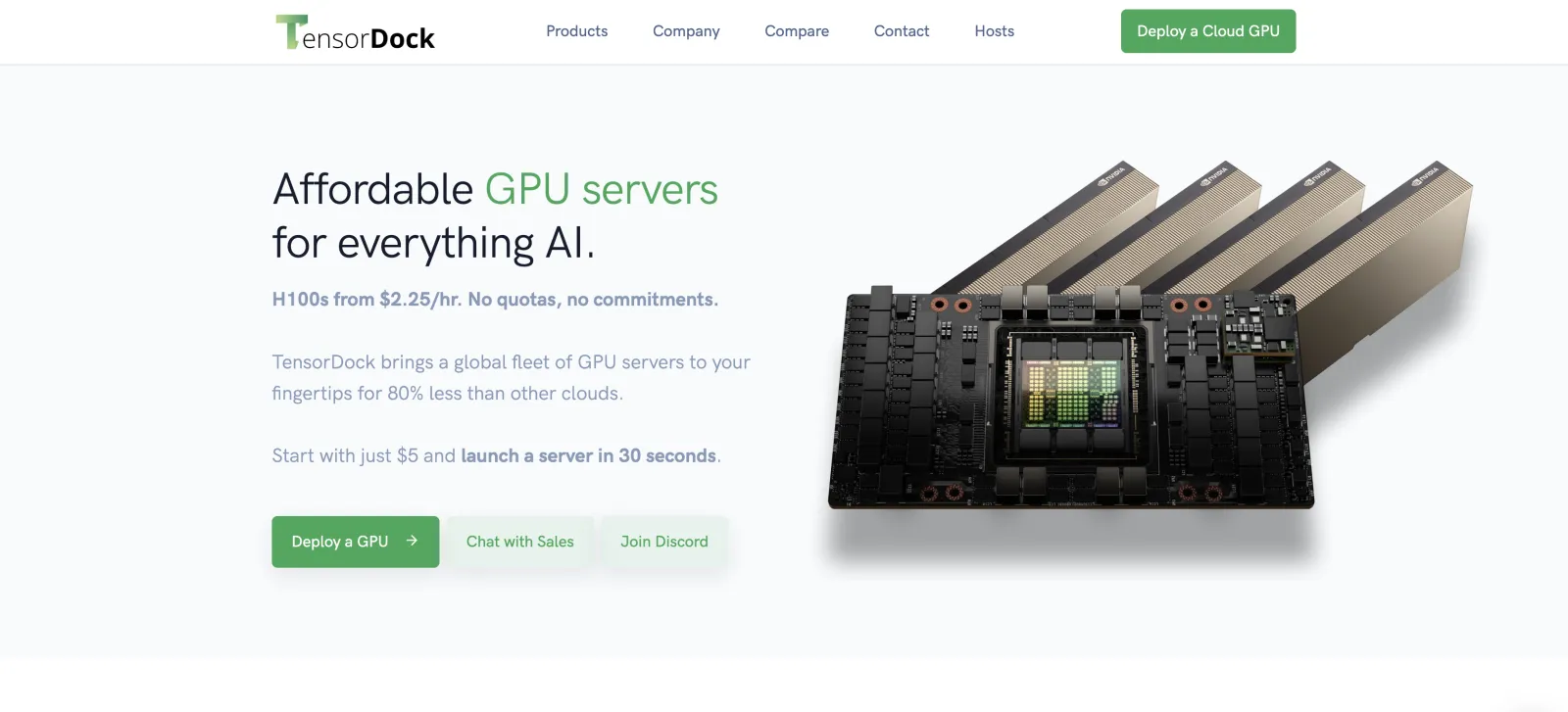
TensorDock takes a decentralized approach to GPU cloud infrastructure. It’s often described as a marketplace for GPU computing – connecting those who have spare GPU capacity with those who need it. This crowdsourced model can drastically cut costs for renters, making TensorDock a popular choice for budget-conscious developers and researchers.
Key Features:
- Marketplace Model: Unlike traditional providers with fixed fleets, TensorDock acts as a broker between suppliers (people or companies with idle GPUs/servers) and users. Suppliers list their hardware (with specs like GPU model, RAM, location) and set prices, and users can rent that capacity. This competition often drives prices down compared to major cloud providers.
- Diverse GPU Availability: Through the marketplace, you can access a variety of GPU models – sometimes consumer-grade GPUs like NVIDIA GeForce RTX 3090/4090, as well as data center GPUs like A100 or even H100 when individuals list them. For example, someone might list an RTX 4090 at a much lower price per hour than any cloud offers for an A100, and if your workload fits in 24GB VRAM, you can save money by using that.
- Significant Cost Savings: TensorDock advertises savings often in the range of ~60% compared to traditional clouds for comparable GPU performance. For instance, renting a high-end GPU on TensorDock might cost only a few dollars per hour when the cloud price is in the double digits. This makes it feasible to train models that would otherwise be cost-prohibitive. Researchers on tight grants or indie developers training large models benefit greatly here.
- Easy Deployment: The platform provides a web interface and API to launch instances on these distributed providers. Typically, you choose a region and GPU type, and TensorDock will provision a VM with that GPU, abstracting away the fact that it’s someone’s machine on the other end. They offer pre-configured images with popular ML frameworks, so setting up is similar to other clouds.
- Transparent Stats and Ratings: Since it’s a marketplace, TensorDock includes reliability metrics and user reviews for providers. You can see if a particular host has a history of interruptions or issues. This transparency helps maintain quality – hosts are incentivized to provide good performance to maintain a high rating. Also, the platform often provides status dashboards (like current supply, demand, pricing trends) which is interesting data for planning your compute usage.
What TensorDock Is Best For:
- Budget-Conscious Development: If every dollar counts, TensorDock can be a game-changer. Hobby projects or early-stage startup projects that need GPU power but have minimal funding can leverage TensorDock to access GPUs that would be out of budget on AWS/Google. For example, a solo developer could train a moderate neural network on a 3090 for a few cents/minute via TensorDock, whereas on a big cloud even a T4 might cost significantly more.
- Bursty or Unpredictable Workloads: If you occasionally need a lot of GPUs but not frequently, renting from a marketplace can save you from paying cloud premium rates for on-demand instances. Some users combine TensorDock with their local resources – e.g., do most development locally, then burst to 4× GPUs on TensorDock for a large experiment occasionally. The lack of long-term commitment fits these sporadic needs well.
- Access to Unique Hardware: Sometimes newer GPUs or niche hardware appear on TensorDock faster or at better rates than clouds. For example, a new RTX 6000 Ada or even MI210 might show up on TensorDock, giving you a chance to experiment with it. Or an 8×GPU rig might be available to rent as a whole, which is not common in other clouds except through expensive multi-GPU instances.
- Experimentation and Exploration: TensorDock lowers the cost barrier to try out things. You could, for instance, test a dozen different model training runs in parallel by renting a bunch of cheaper GPUs from the marketplace, whereas on a major cloud you’d feel the cost burn quickly. The lower cost per GPU-hour encourages more experimentation and potentially faster iteration.
- Community and Niche Use: The community aspect (knowing you’re renting from possibly another enthusiast) gives TensorDock a different vibe. Some AI enthusiasts prefer supporting the decentralized model. Additionally, certain niche communities (like crypto miners repurposing GPUs for AI) converge on platforms like this, so you might find community support or forums specifically around using TensorDock for AI.
12. Northflank
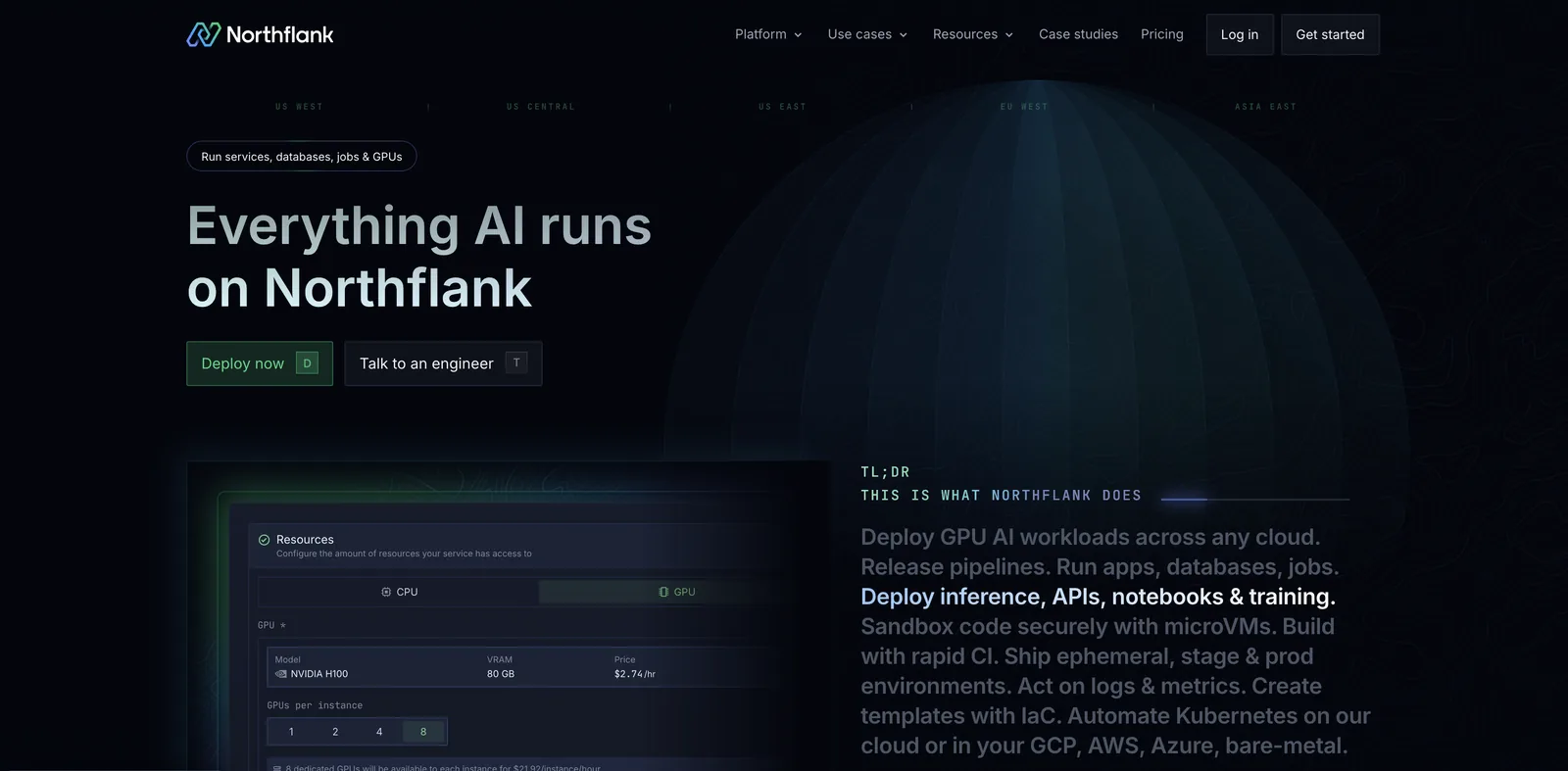
Northflank provides a modern developer platform that combines container orchestration, CI/CD pipelines, and GPU-powered cloud infrastructure. It’s positioned as a unified solution for developers who want to build, deploy, and scale applications without managing complex infrastructure themselves. Unlike pure GPU marketplaces or traditional hyperscalers, Northflank emphasizes workflow integration–making it easier to go from code to production in a single environment.
Key Features:
- Unified Developer Platform: Northflank integrates code hosting, build automation, deployment, and infrastructure management into one interface. Developers can connect a Git repository, set up pipelines, and deploy to GPU or CPU instances without context switching across multiple tools.
- GPU-Powered Workloads: The platform supports containerized workloads running on GPUs, which is particularly useful for machine learning, inference services, or generative AI apps. Users can select from available GPU types and scale services based on demand.
- Automatic CI/CD Pipelines: Every service on Northflank can have automated build and deploy pipelines triggered from Git pushes. This allows rapid iteration for ML models or APIs that need frequent updates.
- Scalable Microservices Architecture: Applications can be broken into services with autoscaling, health checks, and secure networking baked in. GPU-backed services are deployed alongside supporting APIs, databases, or queues within the same ecosystem.
- Managed Databases and Add-ons: Beyond compute, Northflank offers managed Postgres, MongoDB, and Redis, reducing the need to manage external resources. For GPU-centric projects, this helps streamline model storage and retrieval within one platform.
- Collaboration and Team Features: Designed for startups and engineering teams, Northflank includes role-based access controls, service dashboards, and metrics for both developers and operators.
What Northflank Is Best For:
- Full-Stack Teams: Teams that want CI/CD, databases, and GPU compute under one roof benefit from Northflank’s integrated platform. Instead of stitching together GitHub, Jenkins, Kubernetes, and GPU providers, Northflank centralizes the workflow.
- AI Application Deployment: Developers building AI-powered SaaS products or APIs can quickly containerize models and serve them on GPU-backed endpoints with minimal DevOps overhead.
- Rapid Iteration: With Git-based CI/CD, developers can push changes and see them deployed to GPU instances within minutes. This fits teams that need fast feedback loops for ML experiments or new feature rollouts.
- Startups Scaling From Zero to Production: Northflank’s pricing and workflow model appeals to early-stage teams that want to start small and grow. By offering databases, CI/CD, and GPUs in the same platform, it reduces the burden of managing multiple vendors.
- Developer Experience Focused Workloads: Northflank’s strength lies in making GPU workloads feel like any other microservice deployment. For teams without deep infrastructure expertise, the platform reduces operational complexity.
What are the best cloud GPU providers for AI and ML?
GPU providers differ in cost, scale, and developer experience. Some focus on raw performance, others on simplicity, compliance, or pricing flexibility. Here are the top options worth considering for AI and ML workloads in 2026:
1. Runpod GPU Cloud: Runpod is designed for developers who need high-performance GPUs without enterprise complexity. You can launch Pods (dedicated GPU VMs) in seconds, with per-second billing that minimizes idle costs. Runpod supports a wide range of GPUs, from consumer-grade RTX 4090s to data-center H100s, and instances boot in under a minute. Developers can containerize ML models and deploy them instantly, or use Runpod’s Hub templates for frameworks like PyTorch, TensorFlow, and ComfyUI. For startups and individual developers, Runpod is a cost-effective way to train and serve models without committing to long-term contracts.
Why Runpod is best for AI and ML:
- Per-second billing keeps costs aligned with actual GPU usage.
- Wide GPU selection (4090, L40S, A100, H100, B200) covers everything from prototyping to large-scale training.
- Clusters with 800–3200 Gbps bandwidth for distributed training.
- Templates and endpoints make deployment as easy as training.
- Fast boot times (<1 minute) mean faster experiment cycles.
2. CoreWeave AI Cloud: CoreWeave is one of the largest independent GPU cloud providers. Its platform is optimized for machine learning, VFX, and batch rendering, offering GPUs like A100s and H100s with Kubernetes-native orchestration. CoreWeave emphasizes enterprise-grade networking (InfiniBand and low-latency fabrics), making it suitable for distributed training jobs across many GPUs. The company has raised significant funding to expand its infrastructure, positioning itself as a competitor to hyperscalers for large-scale AI workloads.
Why CoreWeave is best for AI and ML:
- Built specifically for AI/ML rather than general-purpose workloads.
- Kubernetes-native deployments make it easy to run modern ML pipelines.
- InfiniBand + low-latency networking support for multi-node jobs.
- Clear public pricing and strong GPU availability compared to hyperscalers.
- Growing reputation as a hyperscaler alternative for AI-first startups.
3. Lambda Cloud: Lambda offers bare-metal and virtual GPU servers tailored for AI research and production. It has built a reputation for transparent hourly pricing and access to powerful multi-GPU machines. Lambda’s enterprise offerings include clusters with NVIDIA A100s and H100s, plus integration with ML software stacks like PyTorch and TensorFlow. For researchers and startups alike, Lambda’s focus on training-ready infrastructure makes it a go-to choice for deep learning experiments.
Why Lambda is best for AI and ML:
- Simple, transparent pricing that appeals to researchers and startups.
- Pre-configured deep learning images (PyTorch, TensorFlow, CUDA).
- Bare-metal clusters for maximum performance (no virtualization overhead).
- Focused on ML/AI rather than general cloud workloads.
- Offers on-demand and reserved pricing options for different budgets.
4. Vast.ai: Vast.ai runs a GPU marketplace where providers rent out unused capacity at discounted rates. This model often makes it the cheapest way to access high-end GPUs, including RTX 4090s, A100s, and H100s. While reliability can vary since hardware comes from distributed hosts, the pricing is highly competitive – sometimes 50–70% lower than mainstream cloud providers. Vast.ai is popular with independent researchers, hobbyists, and teams experimenting with large training jobs on a budget.
Why Vast.ai is best for AI and ML:
- Deeply discounted pricing compared to AWS/GCP/Azure.
- Access to diverse GPUs, including consumer and datacenter cards.
- Marketplace model encourages competition among providers.
- Ideal for hobbyists, indie developers, or budget-sensitive projects.
- Flexible short-term rentals make it easy to spin up for experiments.
5. NVIDIA DGX Cloud: NVIDIA’s DGX Cloud offers “AI supercomputer-as-a-service,” with clusters of DGX servers (each housing 8× H100 GPUs) available through partners like Azure, Oracle, and Google Cloud. It’s geared toward enterprises and research labs needing cutting-edge performance, with full NVIDIA software stack support (NeMo, CUDA, TensorRT). DGX Cloud is overkill for small workloads, but ideal for massive foundation model training or enterprise AI initiatives requiring guaranteed throughput and expert support.
Why NVIDIA DGX Cloud is best for AI and ML:
- Exclusive access to NVIDIA’s top-tier DGX servers (multi-GPU per node).
- Direct integration with NVIDIA’s AI software ecosystem (NeMo, CUDA, Triton).
- Enterprise-class support and guidance from NVIDIA engineers.
- Designed for foundation model training, large-scale research, and enterprise AI.
- Available globally through cloud partners with enterprise SLAs.
6. DigitalOcean (Paperspace): DigitalOcean acquired Paperspace to provide GPU access alongside its developer-friendly cloud. Paperspace supports RTX 4000-class GPUs and A100s with a simplified interface, making it approachable for students, hobbyists, and smaller teams. It integrates with Jupyter notebooks and APIs, lowering the barrier to entry for those just starting with ML or fine-tuning models without needing advanced infrastructure.
Why DigitalOcean/Paperspace is best for AI and ML:
- Beginner-friendly UX with notebooks and easy setup.
- Affordable entry-level GPU access (great for students/educators).
- Supports scaling up to more powerful GPUs like A100s.
- APIs and notebooks integrate smoothly into ML workflows.
- Perfect stepping stone before moving into larger-scale GPU platforms.
Ready to try it yourself? Explore Runpod’s GPU cloud offerings to find the perfect instance for your AI workload–or spin up a GPU pod in seconds and get started today.
What are the best cloud GPU providers for Multi-Node AI Infrastructure?
For some AI tasks, a single VM isn’t enough – you might need a cluster of GPUs working in tandem (for example, distributed training of a massive model across 16+ GPUs, or a Spark RAPIDS job across GPU nodes). The following platforms excel at providing “instant clusters” or otherwise make it easy to scale out to many GPUs:
- Runpod Clusters: Runpod’s platform lets you deploy multi-node GPU clusters in minutes. Their Clusters feature can network GPUs across 2, 4, 8, or more nodes with high-speed interconnect, and instances boot in as little as ~37 seconds. Impressively, Runpod reports up to 800–3200 Gbps node-to-node bandwidth in these clusters – crucial for keeping GPUs fed with data. This is perfect for real-time inference on large models or multi-GPU training runs that need to scale quickly. You only pay per second, and the cluster can be torn down when done, making it very cost-effective for bursty large jobs.
- CoreWeave Kubernetes & Bare Metal: CoreWeave supports launching GPU instances with bare-metal Kubernetes orchestration and InfiniBand networking. In practice, this means you can treat a group of GPU servers as a single cluster (with tools like Kubeflow or MPI) and benefit from low-latency links between them. CoreWeave’s backbone (using NVIDIA Quantum InfiniBand) is designed for large-scale AI clusters. For example, a user could run a distributed training job on 32 A100 GPUs spread across 4 nodes, and CoreWeave’s fabric would allow high-speed gradient exchange between nodes.
- NVIDIA DGX Cloud: NVIDIA’s DGX Cloud is essentially “AI supercomputer-as-a-service”. Each DGX Cloud instance is itself an 8×GPU server, and you can reserve clusters of them (with NVIDIA’s experts support). Notably, DGX Cloud (hosted on partners like Oracle or Azure) can scale to superclusters of over 32,000 GPUs interconnected. Companies like Amgen have used DGX Cloud to achieve 3× faster training of protein LLMs compared to alternative platforms. DGX Cloud is the go-to for enterprises that need instant access to a top-tier GPU cluster with full support – essentially renting a multi-node DGX supercomputer via a web browser.
- Hyperstack Supercloud: Hyperstack (by NexGen Cloud) allows deployment of very large GPU clusters on its “AI Supercloud”. They offer both PCIe and SXM form factors of GPUs (like H100 SXM with NVLink) for better multi-GPU scaling. In fact, Hyperstack advertises the ability to deploy from 8 up to 16,384 NVIDIA H100 SXM GPUs in a cluster for massive jobs. They provide high-speed networking and NVLink bridging between nodes, which is ideal for parallel training of giant models. Hyperstack’s focus on performance (350 Gbps networking, NVMe storage) makes it a strong choice when you need as many GPUs as possible working in concert.
- Google Cloud & AWS (HPC configurations): Both GCP and AWS support HPC clustering of GPUs in their own ways. GCP’s AI Platform can manage multi-worker distributed training (and with the A3 ultra clusters, you get high bandwidth between H100 nodes). AWS offers Elastic Fabric Adapter (EFA) for EC2, which combined with P4d instances (with 400 Gbps networking) enables near-supercomputer connectivity between GPU instances. These solutions require more setup (using AWS ParallelCluster or GCP’s Kubernetes with GPU scheduling), but they allow tapping into cloud HPC for those who need it. For example, AWS EFA has been used to run large scale Horovod training across dozens of P4d instances with good scaling efficiency.
What are the best cloud GPU providers for deep learning?
Deep learning thrives on GPUs, but not every cloud provider is equally suited for the job. From rapid prototyping on a single node to scaling massive multi-GPU training runs, the right platform can save both time and cost. Here’s a breakdown of the top clouds that stand out for deep learning workloads in 2026:
1. Runpod (Pods & Endpoints, plus Clusters)
- Why it stands out: sub-minute spin-up for Pods with per-second billing–great for iterative training and cost control. For scale-out jobs, Clusters provide ultra-fast east-west links (up to 3,200 Gbps) so gradients move quickly and GPUs stay busy.
- Best for: fast experiments → production, batch training + real-time inference on the same platform, bursty multi-node jobs.
2. AWS EC2 (P5/P5e/P5en + EFA/UltraClusters)
- Why it stands out: broadest ecosystem, EFA networking up to 3,200 Gbps and mature tooling (SageMaker, ParallelCluster) for distributed training at very large scales.
- Best for: enterprises needing VPC controls, quotas at scale, and tight IAM/observability integrations.
3. Google Cloud (A3 & A3 Ultra)
- Why it stands out: tuned H100/H200 platforms with NVSwitch/NVLink intra-node bandwidth and high bisection for collective ops; integrates well with Vertex AI and GKE.
- Best for: teams standardizing on GCP + Kubernetes who want strong per-node GPU fabric.
4. Microsoft Azure (ND H100 v5)
- Why it stands out: Quantum-2 InfiniBand (400 Gb/s per GPU, 3.2 Tbps per VM) and GPU Direct RDMA across scale sets; enterprise governance is first-class.
- Best for: regulated orgs (BYOK, compliance), massive LLM training with tight IT policy needs.
5. CoreWeave (AI-focused cloud)
- Why it stands out: GPU-dense fleet (A100/H100/GB200 options) with K8s-native workflows and high-performance fabrics; clear public pricing for AI SKUs.
- Best for: ML orgs that want Kubernetes + fast interconnects without hyperscaler overhead.
6. Lambda Cloud
- Why it stands out: transparent pricing, 1-Click Clusters with modern HGX (B200/H100) and Quantum-2 IB; strong deep-learning images out of the box.
- Best for: research groups and startups focused on training throughput per dollar.
7. Hyperstack (NexGen “AI Supercloud”)
- Why it stands out: SXM/NVLink focus for multi-GPU scaling; markets 8 → 16,384 H100 SXM clusters on DGX-style architecture.
- Best for: very large, reservation-based training runs where intra- and inter-node bandwidth is paramount.
8. NVIDIA DGX Cloud / Lepton
- Why it stands out: DGX nodes (8× H100/A100) with NVIDIA’s full software stack and expert support; recent strategy shift emphasizes Lepton, an aggregator that routes you to capacity across partners.
- Best for: teams wanting NVIDIA’s curated stack and guidance, or a meta-marketplace view of available GPUs.
Crusoe Cloud
- Why it stands out: performance-oriented GPU cloud powered by lower-carbon energy sources; offers latest NVIDIA/AMD parts and emphasizes high uptime.
- Best for: sustainability-minded orgs needing modern SKUs and strong SRE posture.
9. Vast.ai (marketplace)
- Why it stands out: price-driven marketplace with large third-party supply; can be 5–6× cheaper than traditional clouds depending on host/region. Expect variance in reliability–check ratings.
- Best for: budget-sensitive experiments, large hyperparameter sweeps on cheap consumer/datacenter GPUs.
10. Paperspace by DigitalOcean
- Why it stands out: approachable UX and notebook-centric flow with A-series and H-series options; simple on-ramps for fine-tuning and eval.
- Best for: students/indies and small teams prioritizing ease of use over bleeding-edge fabrics.
11. Together AI (training clusters & APIs)
- Why it stands out: self-serve instant GPU clusters with Slurm/K8s and expert support; also provides managed fine-tuning/inference APIs.
- Best for: teams that want both raw cluster access and higher-level training/fine-tune services.
Which GPU cloud provider should I use for my AI startup?
The answer depends on one thing: whether you need a GPU or a whole cloud. Ranked for a startup that mainly needs compute, with current Runpod Secure Cloud rates for comparison:
- Runpod – per-second billing, published rates, no quota requests, and a serverless tier that scales to zero between requests. H100 PCIe $2.89/hr, A100 PCIe $1.59/hr, L40S $1.09/hr, RTX 4090 from $0.34/hr on Community Cloud. No ingress or egress fees.
- Verda (formerly DataCrunch) – publishes a rate for its entire fleet including GB300, and sells self-service InfiniBand clusters without a sales call. H100 SXM5 $3.25/hr. Storage is expensive at $0.20/GiB/month.
- Crusoe – owns its data centers with an explicit power-sourcing story, and charges no egress. H100 $3.90/hr, but Blackwell is Contact Sales only.
- DigitalOcean – the widest AMD Instinct range (MI300X through MI355X) and managed databases alongside. H100 $4.41/hr. No scale-to-zero, and powered-off GPU Droplets still bill.
- Lambda – worth it for Lambda Stack if driver management is your pain. Five GPU models only, no serverless, H100 SXM $3.99/hr plus tax.
- AWS, Google Cloud, Azure – choose one only if you need databases, identity and analytics in the same account. None publishes a comparable flat GPU rate, and all three charge egress.
What are the cheapest cloud GPU providers?
When budget is the priority, certain providers and models stand out for offering GPUs at a fraction of the cost of AWS, Azure, or Google Cloud. These are the top platforms for price-sensitive workloads in 2026:
1. Runpod (Community & Spot Tiers)
- Per-second billing means you only pay for actual usage, not idle time.
- Community/spot options are among the most affordable ways to access high-end GPUs.
- Supports everything from RTX 4090s to H100s at discounted rates.
- Ideal for developers, startups, and hobbyists who need predictable costs without enterprise overhead.
2. Vast.ai
- Marketplace model where providers rent out spare GPU capacity.
- Pricing is often 50–70% cheaper than hyperscalers.
- Access to both consumer GPUs (RTX 3090/4090) and data-center GPUs (A100, H100).
- Best for researchers and indie developers who can handle some variability in reliability.
3. Thunder Compute
- Purpose-built for affordability.
- Lower operational overhead keeps pricing competitive.
- A good option for startups needing stable yet inexpensive compute.
- Limited geographic coverage compared to larger clouds.
4. DataCrunch
- Known for aggressive pricing.
- Simple interface with direct GPU rentals.
- Great for training mid-sized models at a lower cost.
- Smaller global footprint compared to AWS or GCP.
5. Spot / Preemptible Instances (AWS, GCP, Azure)
- Discounted “excess” GPU capacity.
- Works well if you build in checkpointing (since instances can be terminated at short notice).
- Best for batch jobs and workloads tolerant of interruptions.
- Access to premium GPUs in major regions without full on-demand pricing.
6. Lambda Cloud (Discounted & Promo Tiers)
- Transparent pricing with occasional deep discounts on older or surplus hardware.
- Access to bare-metal A100/H100 nodes when available.
- Best for researchers who want ML-ready images at lower cost than hyperscalers.
- Pricing not always lowest, but competitive in the AI-focused space.
What you will actually pay: a like-for-like cost comparison
Headline hourly rates are the start of a budget, not the budget. Two providers advertising the same H100 rate can differ by 30% or more on the invoice once billing granularity, egress, storage units and minimum charges are counted. Here is the like-for-like comparison, and the four things that move the real number.
H100 and H200 on-demand, published self-serve rates
| Provider | H100 SXM | H200 | Billing | Egress |
|---|---|---|---|---|
| Runpod (Secure Cloud) | $3.49/hr | $4.59/hr | Per second | None |
| Verda (formerly DataCrunch) | $3.25/hr | $4.00/hr | Per hour | Charged |
| Crusoe | $3.90/hr | $4.29/hr | Per hour | None |
| Modal (serverless) | $3.95/hr equivalent | Not published | Per second, active only | None intra-platform |
| Lambda | $3.99/hr plus tax | Not published | Per hour | Minimal |
| DigitalOcean | $4.41/hr | $4.47/hr | Per second, 5-minute minimum | Charged |
| AWS, Azure, Oracle, IBM, CoreWeave | No comparable self-serve rate published. Pricing is quoted through sales or a calculator that requires a configured instance, so we do not quote a figure. | |||
Competitor rates verified 31 August 2026 against each provider's public pricing page. Runpod rates are live. Spot, preemptible and committed-use tiers are excluded because they are not comparable to on-demand.
The four things that move the real number
Billing granularity. Per-second billing against per-hour billing is not a rounding detail on bursty work. A pipeline that runs 400 inference jobs averaging 90 seconds each consumes 10 hours of real compute. Billed per second, you pay for 10 hours. Billed per hour with rounding up, you can pay for far more, because each job crosses into a new billable hour. The shorter and more frequent the job, the wider that gap gets.
Egress. This is the line item that most often turns a cheaper headline rate into a more expensive month. A training run that pulls a 500GB dataset from object storage ten times moves 5TB. At the major clouds' inter-region rates, that transfer can approach the cost of the GPU hours on a short run. Runpod charges nothing for ingress or egress, and neither does Crusoe. Most others charge, and the rate depends on the region pair.
Storage units. Runpod bills storage per GB. Verda, Crusoe and most competitors bill per GiB, and 1 GiB is 1.074 GB. Verda's $0.20/GiB/month against Runpod network storage at $0.07/GB under 1TB is roughly a threefold difference before the unit conversion, and slightly wider after it. On a 2TB dataset held for a month that is a real number, not a rounding one.
Minimums and multipliers. DigitalOcean applies a five-minute minimum per instance and continues billing powered-off Droplets. Modal's published per-second rate is the base case: selecting a region multiplies it by 1.5 to 1.75, and requesting non-preemptible execution multiplies it by three. A rate card is only comparable once you know which multipliers your workload triggers.
A worked example
Take a fine-tuning run: 8 x H100 SXM for 6 hours, reading a 500GB dataset twice from storage held for the month.
- GPU time on Runpod: 8 x 6 hours at $3.49/hr.
- Egress: $0 on Runpod. On a provider charging for transfer, 1TB of reads is an additional line item at that provider's region-pair rate.
- Storage: 500GB for a month at $0.07/GB on Runpod network storage under 1TB.
- Rounding: nothing, because billing is per second. On per-hour billing a run finishing at 6 hours 4 minutes bills as 7.
Run the same arithmetic against any provider on the table using its own units. The point is not that one number wins, it is that the headline rate decides less of the total than most comparisons assume.
If the lowest possible rate is the goal
Community Cloud puts the same cards on third-party hardware at a lower rate. An RTX 4090 is $0.34/hr on Community against $0.74/hr on Secure Cloud. The trade is that Community hardware is operated by independent hosts rather than in a Runpod-vetted data center, so it suits interruptible and experimental work rather than anything with a delivery date attached. Verda and Vast.ai both offer interruptible tiers at a similar discount, and Vast.ai prices dynamically with no published rate card, so a figure quoted today may not hold tomorrow.
AI Cloud GPU Guide: How to Compare Pricing, Performance, and Deployment Options
The right GPU cloud isn’t always the cheapest or the most powerful – it’s the one that matches your workload profile. When comparing providers, focus on these four dimensions in 2026:
A) Pricing Models and Billing Granularity
- Per-second vs. hourly billing: Platforms like Runpod let you pay only for the seconds you use, eliminating idle costs. By contrast, some clouds still round up to the nearest hour.
- Marketplace vs. on-demand: Vast.ai and TensorDock use competitive bidding to drive prices down, while hyperscalers like AWS and Azure stick to fixed on-demand rates (with discounts only on reserved capacity).
- Hidden costs: Watch for storage, networking egress, and support plan fees, which can sometimes exceed GPU rental costs for heavy workloads.
B) GPU Hardware Generations and Configurations
- Consumer vs. datacenter GPUs: RTX 4090s or L40S cards offer excellent FLOPS-per-dollar, while A100/H100/B200 GPUs are designed for scaling massive LLMs.
- SXM vs. PCIe: SXM GPUs (with NVLink) excel in multi-GPU training efficiency, while PCIe versions are cheaper and better suited for single-GPU experiments.
- Specialized accelerators: Some providers now list MI300X (AMD) or Grace Hopper (NVIDIA GH200) chips, which may offer cost or memory advantages depending on the model.
C) Deployment Flexibility
- On-Demand GPUs: Platforms such as Runpod Pods, CoreWeave GPU VMs, Lambda on-demand, and hyperscaler instances (AWS/GCP/Azure).
- Multi-node Clusters: Platforms like Runpod Clusters and CoreWeave offer one-click multi-node scaling with high-speed interconnects for distributed training.
- Bare-metal nodes: Providers such as Lambda and Genesis Cloud allow direct OS-level control for maximum performance and long-running HPC workloads.
D) Ecosystem and Developer Experience
- Kubernetes-native orchestration: CoreWeave and GCP integrate deeply with K8s, making them ideal for production ML pipelines.
- ML framework images & templates: Runpod Hub and Lambda provide ready-to-use PyTorch/TensorFlow environments, accelerating time to first experiment.
- Compliance & enterprise features: Azure and IBM Cloud emphasize regulated industries, offering BYOK encryption, dedicated tenancy, and compliance certifications.
Conclusion
Choosing the right cloud GPU provider ultimately comes down to fit: the hardware your models need (A100, H100/H200, RTX 4090), the pricing model you can sustain (per-second, spot, or reserved), and the deployment path that gets you from experiment to production fastest (endpoints, Pods, or instant multi-node clusters).
If you want a platform that balances deep learning performance, transparent pricing, and developer speed, try Runpod–spin up GPU Pods in seconds, pay per second to avoid idle spend, deploy GPU endpoints for inference, or scale to Clusters when you need distributed training. It’s an efficient way to reduce time-to-first-epoch, keep FLOPS-per-dollar high, and ship models sooner.
Start building on Runpod today: launch a Pod or endpoint, benchmark your workload, and scale only when the metrics say it’s worth it.
FAQs
What is a GPU cloud provider?
A GPU cloud provider is a service that offers on-demand access to high-performance graphics processing units (GPUs) over the internet. Instead of buying expensive GPU hardware, users can rent time on GPUs in a cloud data center to train AI models, run deep learning experiments, or perform other intensive compute tasks. The provider handles the servers, power, and maintenance, allowing users to scale GPU resources up or down as needed via a web interface or API. In essence, it’s like having a supercomputer’s GPU capability available remotely, billed only for what you use.
Can GPU cloud services be used for large language models (LLMs)?
Yes – cloud GPU services are well-suited for training and deploying large language models. In fact, many advances in LLMs have been fueled by using clusters of cloud GPUs. Providers like Hyperstack offer high-performance GPUs such as the NVIDIA A100 and H100, which are ideal for the massive compute and memory demands of LLMs. For more advanced, large models (think billions of parameters), multi-GPU setups or distributed computing support is essential to ensure scalability and reasonable training times. Some providers offer GPUs with high interconnect bandwidth (like NVIDIA H100 SXM with NVLink) specifically to handle model parallelism for LLMs. In short, you can absolutely use cloud GPUs for LLMs – just be prepared to choose a provider that offers the necessary hardware (lots of VRAM, fast interconnects) and possibly tools for distributed training.
Which is the best cloud GPU provider for AI?
There is no single best one, and the honest answer depends on which of three jobs you are hiring it for.
- If you need GPU compute and nothing else – a specialist is cheaper and faster to start. Runpod bills per second on published rates with no quota request between you and a running GPU, across 31 regions. H100 PCIe $2.89/hr, A100 PCIe $1.59/hr, L40S $1.09/hr, RTX 4090 from $0.34/hr on Community Cloud.
- If you need a managed ML platform – pipelines, model registry, experiment tracking, AutoML – that is AWS SageMaker, Google Vertex AI or Azure Machine Learning. More tooling, more configuration, and a premium on every GPU hour.
- If you need a whole cloud – databases, identity, analytics and GPUs in one account – the hyperscalers are the only real answer, and you should pick on ecosystem rather than price.
Most teams end up with two: a general-purpose cloud for application infrastructure, and a specialist for GPU compute. Because Runpod charges no ingress or egress fees, moving data between the two does not carry a penalty.
Which cloud providers offer dedicated GPU-powered virtual machines?
Several cloud platforms offer dedicated GPU VMs (virtual machines) meant for tasks like AI training, deep learning, and GPU-accelerated data processing. Popular options include Hyperstack, Lambda Labs, Vultr, and Runpod, each with different GPU models and configurations. In addition, AWS, Azure, and GCP all have dedicated GPU instance families (e.g., AWS P-series, Azure N-series, GCP A2/A3 instances). Lesser-known providers like Genesis Cloud and Oracle Cloud also offer GPU VMs. “Dedicated” in this context usually means the GPU isn’t shared – it’s fully yours for the duration of the VM, which is standard for most providers. Some providers also allow “bare-metal” GPU servers (no virtualization at all – you get the whole machine). Always check if the provider is giving you virtualized GPUs (like some smaller clouds might time-slice a GPU) or dedicated ones. The ones listed above all give you dedicated access to the GPU silicon while you use it.
Which provider has the most reliable GPU availability?
Availability is decided by three things, and headline capacity is the least important of them.
- Does capacity require a quota request? On AWS, Google Cloud and Azure, current-generation GPUs in a given region frequently do. That is a lead time, not a rate.
- Is the tier interruptible? Spot and preemptible instances can be reclaimed mid-job. Vultr's attractive AMD rates and Modal's base rates are both preemptible; Modal charges 3× for guaranteed execution (both checked 31 August 2026).
- Is supply single-sourced? A marketplace depends on individual hosts staying online. A single-operator cloud depends on one company's build-out.
Runpod aggregates supply across verified data center partners in 31 global regions, with live inventory visible in the console at deploy time rather than behind a request form. That is the practical test: can you see what is available before you commit?
Who offers the best performance for GPU compute tasks?
Who offers the best performance for GPU compute tasks?
Per-GPU, performance follows the hardware, not the provider – a B200 is a B200 anywhere. What differs between providers is everything around it:
- Interconnect. Above a single node, this decides real throughput. Eight GPUs on a slow path can deliver the effective performance of four. Look for InfiniBand or NVLink-class networking.
- Storage throughput. A fast GPU starved by slow data loading sits idle. Check IOPS and read bandwidth, not just capacity.
- Cold start, for inference. Runpod's FlashBoot delivers sub-200ms cold starts on serverless endpoints; active workers remove them entirely.
- Billing granularity. Per-second billing means a 40-second job costs 40 seconds. Per-hour billing means it costs an hour.
Benchmark on your own code before committing. Runpod bills by the second with no minimum, so a real test costs very little.
Where can I rent cloud GPUs for complex computations?
For demanding tasks such as large-scale training, scientific computing, or big data analysis with GPUs, you’ll want providers that offer high-end hardware and potentially specialized networking. Hyperstack is one such platform, as it provides top-tier GPUs and high-speed interconnects suitable for complex workloads. Vast.ai (a marketplace) is another place to look – you can often find powerful GPUs at lower costs, which is useful for large but budget-limited computations. Genesis Cloud offers GPU instances in a more traditional cloud format and is often used for large projects as well. Also, CoreWeave has become a go-to for HPC-like GPU tasks, given its focus on low-latency networking and custom configurations. If your computations can be split across multiple GPUs or machines, look for providers with good multi-GPU support (InfiniBand, NVLink, etc. as mentioned). In summary, check out Hyperstack, Vast.ai, Genesis Cloud, CoreWeave – these have a track record for heavy-duty GPU computing rentals.
What are the best servers with GPU for AI training?
"Server" usually means one of two things, and they have different answers.
A single multi-GPU node. Right when your model fits on one machine and you want the simplest possible setup. Look for SXM rather than PCIe cards, because NVLink between GPUs in the same box is far faster than PCIe – that gap decides real throughput on multi-GPU training. Ranked (on Runpod):
- 8× B200 – 180GB usable per GPU, 8 TB/s. $6.79/hr per GPU.
- 8× H200 SXM – 141GB, 4.8 TB/s. $4.59/hr per GPU.
- 8× H100 SXM – 80GB with FP8 support. $3.49/hr per GPU.
- 8× A100 SXM – 80GB, no FP8, and often the best cost per finished run. $1.59/hr per GPU.
A multi-node cluster. Right when one machine is not enough. Here the interconnect between servers matters more than the card inside them – eight GPUs on a slow path can deliver the throughput of four. Runpod Clusters scale to 64 GPUs with 1600–3200 Gbps between nodes, self-service with no sales call.
What to check before committing to any GPU server: whether capacity requires a quota request, whether the tier can be preempted mid-run, and whether you are billed per second or per hour. Those three decide the real cost of a training run more often than the hourly rate does.
How secure are cloud GPU services?
Most reputable cloud GPU providers implement industry-standard security measures to protect user data and workloads. This includes things like data encryption (both at rest and in transit), network isolation (private networking, firewalls), and access controls for managing who can access your instances. Many providers also adhere to security certifications like ISO 27001, SOC 2, GDPR compliance, etc., which require strict operational security practices. For example, enterprise-focused clouds (Azure, AWS, GCP, IBM) have extensive security features and compliance offerings – from hardware security modules to vulnerability scanning. Even smaller providers often provide MFA (multi-factor authentication) for accounts and isolate customer VMs at the hypervisor level for safety. If you use a community or peer-to-peer GPU service (like some spots on Vast.ai or Runpod’s community cloud), you should follow best practices like not storing unencrypted sensitive data on the instances. But generally, cloud GPU services are as secure as other cloud services – which is to say, very secure, as long as you configure them correctly and the provider is reputable. Always check if a provider has specific security options, like Runpod offers a “Secure Cloud” tier in certified data centers with added protections.
Which is the best cloud GPU provider for deep learning?
Deep learning workloads thrive on certain conditions: powerful GPUs (with tensor cores), fast I/O (to feed data), and often lots of memory. Platforms such as Hyperstack are commonly used for heavy deep learning jobs because they offer a range of GPU models (including very high-memory ones like 80GB A100s), plus fast storage and networking. Lambda Labs is another that comes to mind – they tailor specifically to deep learning practitioners (their instances come with popular DL frameworks pre-installed, etc.). If your deep learning work is research-oriented and you need flexibility, Runpod might be best – easy to spin up and tear down experiments. For production deep learning (like an ML pipeline), AWS or Azure might fit better due to their MLOps tools. In academia, we see a lot of Google Cloud (TPUs) as well for deep learning, especially for TensorFlow models. So “best” depends on context: for hardcore training efficiency, consider Hyperstack or Lambda; for ease of use, consider Runpod; for integrated ML ops, consider AWS/GCP; for cost-conscious exploration, consider Vast.ai/TensorDock.
What is the price of a cloud GPU?
The cost of a cloud GPU varies widely depending on the GPU model, provider, and instance specs (vCPU, RAM, etc.). As a rough range, it can go anywhere from around $0.50 per hour for an entry-level or older GPU, up to $10+ per hour for the latest top-tier GPUs on some clouds. For example, an NVIDIA A100 40GB might cost around $2–$3 per hour on-demand on a mainstream provider. Some specialized clouds offer it for less: Hyperstack’s pricing for an A100 starts around $0.95 per hour. Newer GPUs like the H100 can be $3–$4+/hour (on-demand rate). On the cheaper end, GPUs like NVIDIA T4 or older Pascal GPUs might be $0.30–$0.60/hour. Also, note that providers like AWS charge separately for the instance’s CPU/memory and the GPU – so a p3.2xlarge (with one V100) might be ~$3.06/hour, which includes the CPU, memory, networking, etc. Keep an eye on spot instance markets – those can reduce the price by 70-90% if you’re okay with interruptions. In 2026, we also have to consider newer entrants: some clouds rent AMD MI-series GPUs or offer promotional pricing (like Oracle had an promo for $1.70/hour A100). In summary, there’s a big spectrum of prices. It typically begins around a dollar or less for mid-range GPUs and climbs for cutting-edge hardware or high-memory multi-GPU setups.
Which is the best cloud GPU for LLMs?
Large Language Models (LLMs) are resource-hungry – they demand lots of VRAM and benefit from high memory bandwidth. Currently, NVIDIA’s A100 (80GB) and H100 (80GB) are widely regarded as the top choices for LLM training and inference. The A100 80GB has become a workhorse for training many 2020-2023 era LLMs due to its large memory and strong tensor core performance. The H100 brings even more muscle (higher FLOPS, faster memory, transformer engine support) which can significantly speed up LLM training or allow serving larger models. If you need to scale beyond one GPU, using multi-GPU with NVLink (SXM form factor GPUs) or similar high-speed interconnect is important – that’s why many recommend H100 SXM with NVLink for LLMs, or A100 SXM with NVLink, so that the GPUs can share memory effectively. Some providers also offer multi-node setups with fast inter-node links (e.g., for gigantic models you might use 2+ GPUs via model parallelism). The “best” GPU also depends on model size: smaller LLMs (say 7B or 13B parameters) might run on a single 24GB GPU like a 3090 or 4090 – in that case, renting a cheaper 3090 could be “best” economically. But for state-of-the-art 65B+ parameter models, you’ll likely want those A100/H100 80GB cards. In summary: NVIDIA A100 80GB and H100 80GB are top picks for LLMs due to their memory and speed. If using cloud, pick a provider that offers those (many on our list do). For multi-GPU LLM training, ensure NVLink or similar is available for seamless scaling.
Which cloud GPU provider has the cheapest pricing in 2026?
Runpod community instances sometimes offer lower prices on older GPUs (for example, community RTX 4000 or RTX 5000 might be quite cheap per hour). Among the major providers, Oracle Cloud made waves by offering free GPU credits and relatively low prices for A100s (when available) – sometimes under $2/hour. Genesis Cloud and TensorDock also tend to undercut bigger names. But if we’re naming one: Hyperstack’s $0.50/hr for an RTX A6000 48GB is a standout published price point in 2026. Just remember to consider performance per dollar too – an A6000 at $0.50/hr is great, but if your workload could be done in half the time on an H100 at $2/hr, that might actually be more cost-efficient in the end.
Which providers offer H100 SXM vs PCIe?
The NVIDIA H100 comes in two form factors: SXM (the module that goes on HGX boards, usually with NVLink connectivity) and PCIe (pluggable card, fits in standard servers, typically no NVLink between cards). Not all cloud providers specify which form factor they use, but several do offer both options. Hyperstack, DigitalOcean, Vultr, and Genesis Cloud are examples that list both H100 PCIe and H100 SXM variants in their offerings. Typically, the SXM versions cost a bit more but enable NVLink between multiple GPUs in the same host (useful for multi-GPU training). CoreWeave also offers H100 SXM in their multi-GPU instances. AWS’s p5 instances use H100 SXM with NVSwitch (so GPUs in an 8x node are fully connected). Azure’s ND H100 v5 likely uses SXM as well. The main reason to care about SXM vs PCIe is if you plan on using more than one GPU in a job – SXM (with NVLink) will allow higher bandwidth between GPUs (e.g., 600 GB/s peer-to-peer) whereas PCIe might limit to ~64 GB/s through PCIe or require going through CPU/RAM. If in doubt, ask the provider. The ones mentioned above explicitly highlight offering both, where SXM is often marketed for those who need that extra connectivity.
Who offers bare-metal GPU servers?
Bare-metal GPU servers (no hypervisor, you get the raw machine) are offered by a few providers, usually those catering to enterprise or specialized HPC needs. Lambda Labs, Genesis Cloud, and OVHcloud are known to provide bare-metal GPU instances. For instance, Lambda Labs has cloud instances where you can rent a whole machine with 4× or 8× GPUs that you control exclusively. Genesis Cloud similarly had offerings for 8× V100 servers that were bare metal. IBM Cloud also allows bare metal configuration with GPUs (as mentioned, you can rent a whole physical server). Oracle Cloud launched something called “Clustered GPU” which is effectively bare-metal with RDMA between nodes. PhoenixNAP is another that offers single-tenant bare metal GPU servers. The advantage of bare metal is maximum performance (no virtualization overhead), better predictability, and sometimes access to things like GPU peer-to-peer that some virtualized setups might not expose. It’s also required for certain low-level operations. The trade-off is less flexibility (you might pay for an entire server by the hour or month). In summary, if you need a bare-metal GPU server, look at providers like Lambda (very popular in ML community), Genesis (green energy focused, EU-based), OVH (EU-based, affordable), IBM, and possibly niche ones like phoenixNAP or Packet (now Equinix Metal) which sometimes have GPU options.
References:
Amazon EC2 - Secure and resizable compute capacity – Amazon Web Services
https://aws.amazon.com/ec2/pricing/reserved-instances/
Amazon EC2 Spot Instances
https://aws.amazon.com/ec2/spot/
7 Best Cloud GPU Platforms for AI, ML, and HPC in 2026 | DigitalOcean
https://www.digitalocean.com/resources/articles/best-cloud-gpu-platforms
How to Use Runpod Clusters for Real-Time Inference
https://www.runpod.io/articles/guides/instant-clusters-for-real-time-inference
Top 10 Cloud GPU Providers in 2026 | Hyperstack
https://www.hyperstack.cloud/blog/case-study/top-cloud-gpu-providers
Public endpoints - Runpod Documentation
https://docs.runpod.io/hub/public-endpoints
Performance per dollar of GPUs and TPUs for AI inference | Google Cloud Blog
What Is Vertex AI? Streamlining ML Workflows on Google Cloud
https://cloudchipr.com/blog/vertex-ai
Machine Learning Inference - Amazon SageMaker Model Deployment - AWS
https://aws.amazon.com/sagemaker/ai/deploy/
Deploy & Scale Your AI Model on Powerful Infrastructure | Digitalocean
https://www.paperspace.com/deployments
CoreWeave | NVIDIA Customer Stories
NVIDIA Launches DGX Cloud, Giving Every Enterprise Instant Access to AI Supercomputer From a Browser | NVIDIA Newsroom
Related guides
- Cloud GPU Pricing for AI Workloads
- Deploying Gemma-2 for Lightweight AI Inference on Runpod Using Docker
- LLM Fine-Tuning on a Budget
- The Complete Guide to NVIDIA RTX A6000 GPUs: Powering AI, ML, and Beyond
- Fine-Tuning Stable Diffusion 3 on Runpod
- Synthetic Data Generation for AI Models
Author profile: The Runpod Team


