
Amazon SageMaker is AWS's managed machine learning platform: hosted notebooks, automated tuning, distributed training jobs and one-click deployment endpoints, tightly integrated with the rest of AWS. The abstraction is the product – you do not manage servers or Kubernetes.
That abstraction is also why teams leave. The two complaints that come up most often are cost, since managed convenience carries a premium over the underlying compute, and control, since SageMaker's opinions about how training and deployment should work are not always yours.
Before the list, one note on method. Every competitor figure below was verified at source on August 31, 2026, and Runpod rates in this comparison are published snapshots. The separate Pods price section shows catalog-backed rates. Where a provider does not publish a comparable self-serve rate – and several do not – we say so rather than quote a figure we cannot stand behind. That includes SageMaker itself: AWS publishes GPU pricing through a calculator that varies by region and instance family, so this article does not quote a SageMaker rate.
What to look for in a SageMaker alternative
The honest first question is which half of SageMaker you actually use. If it is the managed ML lifecycle – pipelines, model registry, experiment tracking, AutoML – you need another platform. If it is really just a way to get a GPU with a notebook attached, you need infrastructure, and you will pay considerably less for it.
- Billing granularity. Per-second, per-minute or per-hour, and whether idle resources are billed.
- What the headline rate assumes. Some published figures assume preemptible execution or unrestricted region placement, with multipliers if you need otherwise. Read the footnotes.
- GPU range, especially the bottom. Plenty of providers sell H100s. Fewer sell something appropriate for a model that fits in 24GB.
- MLOps depth. Experiment tracking, model registry, pipeline orchestration, CI/CD. This is where SageMaker is genuinely strong and where most infrastructure providers are not.
- Customisation. Whether you can bring an arbitrary container, and how much of the underlying machine you can see.
- Scale-to-zero. Whether inference endpoints cost anything between requests.
- Security and compliance. VPC isolation, encryption, RBAC, and whether SOC 2 reports and BAAs are available for a real security review.
The seven best SageMaker alternatives
1. Runpod
Best for: teams whose real use of SageMaker was getting a GPU, running a job, and serving the result.
Runpod is infrastructure rather than a managed ML platform, and that is the trade. You give up SageMaker's pipelines and model registry; you get published per-second rates, a much wider GPU range, and inference endpoints that cost nothing between requests.
What is different:
- Per-second billing across Pods, Serverless and Clusters, at published rates, with no ingress or egress fees.
- Serverless endpoints that scale to zero, from nothing to thousands of workers on request volume, with sub-200ms cold starts via FlashBoot. Active workers remove cold starts entirely for steady traffic.
- Dedicated capacity. Secure Cloud runs in vetted data centers, billed by the second with no commitment.
- Both vendors. NVIDIA from RTX A5000 through B300, plus an AMD Instinct MI300X with 192GB VRAM at {{gpu:mi300x}}/hr on Secure Cloud, in configurations up to eight GPUs.
- Interactive development is included. JupyterLab, SSH, VS Code and Cursor remote development, and a browser terminal in the console – you are not limited to batch submission.
- Bring your own container from Docker Hub, GitHub Container Registry or Amazon ECR, alongside templates from the Runpod Hub.
- SOC 2 Type II certified, HIPAA and GDPR compliant, with reports, BAAs and DPAs available for security review. No ingress/egress fees and a 99.99% uptime SLA.
Limitations:
- Not an MLOps platform. No built-in experiment tracking, model registry, pipeline scheduler or AutoML. If those are why you are on SageMaker, this is a downgrade – you would bring MLflow, Weights & Biases or similar yourself.
- CPU and RAM are fixed per GPU configuration rather than independently selectable.
Pricing: H100 PCIe {{gpu:h100-pcie}}/hr, H100 SXM {{gpu:h100-sxm}}/hr, H200 {{gpu:h200}}/hr, B200 {{gpu:b200}}/hr, A100 PCIe {{gpu:a100-pcie}}/hr, A100 SXM {{gpu:a100-sxm}}/hr, L40S {{gpu:l40s}}/hr, A40 {{gpu:a40}}/hr, RTX A5000 {{gpu:rtx-a5000}}/hr, RTX 4090 {{gpu:rtx-4090}}/hr on Secure Cloud. Full pricing.
2. Google Vertex AI
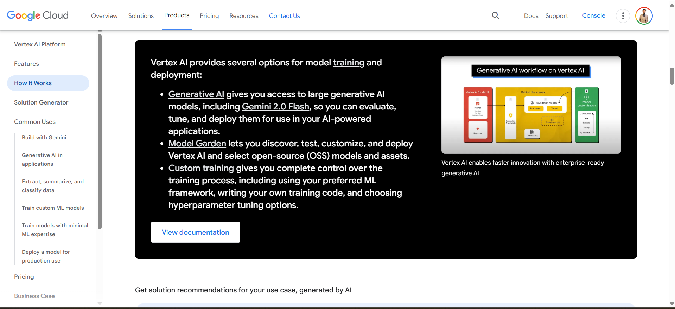
Via Google Vertex AI
Best for: teams who want SageMaker's shape without SageMaker, particularly if data already lives in BigQuery.
Vertex AI is the closest like-for-like replacement on this list – managed training jobs, hosted endpoints, batch prediction, model monitoring with drift detection, a model registry, and AutoML for image, text and tabular data. The genuine differentiator is hardware: TPUs are Google's own accelerators, and for large-scale training on frameworks that support them well they are a real alternative to NVIDIA rather than a marketing line.
Limitations: tightly bound to Google Cloud, which complicates multi-cloud. Managed services like AutoML and pipelines get expensive at scale, and the cost model has enough components to make forecasting hard. TPUs also require framework support – a CUDA-specific stack does not port for free. And this is a lateral move on complexity, not a simplification.
Pricing: GPU and TPU rates vary by region and machine type, with sustained-use discounts, committed-use contracts and Spot VMs. Vertex AI's managed services bill on top of the underlying compute. We could not verify a single comparable hourly figure on August 31, 2026 – check the Vertex AI pricing page for your region.
3. Azure Machine Learning
Best for: organisations already standardised on Microsoft, where identity lives in Entra and CI/CD runs through Azure DevOps.
Azure ML matches SageMaker feature for feature in most respects – AutoML, hyperparameter tuning, a visual pipeline designer, a model registry, and deployment to AKS, Azure Functions or ONNX for edge. Its real advantage is organisational rather than technical: if the company already has an Azure agreement and committed spend, this is the path of least procurement resistance.
Limitations: as complex as SageMaker, so this solves cost-of-control problems only if Microsoft integration is worth it to you. GPU availability is constrained by region and instance type, often behind quota requests. No TPU equivalent. Idle compute still bills if you do not shut it down.
Pricing: published through the Azure calculator rather than a flat rate card, varying by region and VM family, with Azure ML surcharges on top of raw compute. We could not verify a comparable self-serve hourly figure on August 31, 2026. See our Azure alternatives piece for the broader comparison.
4. Modal
Via Modal
Best for: replacing SageMaker inference endpoints and batch transform jobs with something a Python developer can reason about.
Modal is serverless for ML. You decorate a Python function with its resource requirements, and Modal handles containerisation, scheduling and autoscaling. It bills by the CPU cycle and never charges for idle. For scheduled work – nightly retraining, batch scoring – the cron primitives are cleaner than SageMaker's equivalent.
Limitations: your code has to be restructured into Modal's function-and-container model, which is real work if it is not already. It runs on top of other clouds, so region control is limited. And two multipliers deserve attention before you compare rates: region selection costs 1.5–1.75× base prices, and non-preemptible execution costs 3× base prices. The published figures assume preemptible, any-region execution – which is fine for fault-tolerant batch work and expensive for anything that must not be interrupted.
Pricing (verified August 31, 2026): B300 $0.001972/sec, B200 $0.001736/sec, H200 SXM $0.001261/sec, H100 SXM5 $0.001097/sec ($3.95/hr), RTX PRO 6000 $0.000842/sec, A100 80GB $0.000694/sec ($2.50/hr), A100 40GB $0.000583/sec, L40S $0.000542/sec, A10 $0.000306/sec, L4 $0.000222/sec, T4 $0.000164/sec. Volumes are $0.09/GiB/month with 1 TiB free. The Starter plan is $0 plus compute with $30/month in credits; Team is $250/month plus compute.
5. DigitalOcean, including Paperspace
Via Paperspace, now part of DigitalOcean
Best for: interactive notebook development, AMD Instinct workloads, and teams who want managed databases in the same account.
Note the change: Paperspace is now part of DigitalOcean, and paperspace.com carries DigitalOcean branding. If you evaluated Gradient previously, it now sits inside DigitalOcean's AI portfolio alongside GPU Droplets. Treat them as one vendor.
The Gradient lineage gives one-click notebooks and a straightforward path from prototype to deployed endpoint, which is closer to SageMaker's developer experience than most infrastructure providers manage. DigitalOcean adds the surrounding services – managed databases, Kubernetes, object storage – and has gone further on AMD than anyone here, with MI300X, MI325X, MI350X and MI355X all available.
Limitations: no serverless GPU tier, so no scale-to-zero. Advanced MLOps – complex pipeline orchestration, a feature store – is not first-class. And a real cost trap: powered-off GPU Droplets are still billed, because the resources stay reserved. You have to destroy the instance to stop charges.
Pricing (verified August 31, 2026, after a price change effective 1 August): H100 $4.41, H200 $4.47, L40S $1.57, RTX 6000 Ada $1.57, RTX 4000 Ada $0.76, AMD MI300X $2.59, MI325X $3.80, per GPU per hour on demand. Billed per second with a five-minute minimum.
6. CoreWeave
Via CoreWeave
Best for: large GPU fleets with fast interconnect, where the constraint is capacity rather than convenience.
CoreWeave is a GPU specialist built around Kubernetes-native access, InfiniBand networking between nodes and fast local NVMe – the things that matter when you are training across many machines rather than one. If SageMaker's regional instance limits are your bottleneck, CoreWeave is oriented toward supplying capacity at a scale most providers cannot.
Limitations: this is infrastructure, not a platform – no notebooks, no AutoML, no experiment tracking, so you bring your own stack. Best rates generally require committed contracts rather than on-demand use. Fewer ancillary services than a hyperscaler, so it sits alongside another cloud rather than replacing one.
Pricing: CoreWeave's current published rates could not be verified against a comparable self-serve rate card on August 31, 2026, and pricing for large deployments is generally negotiated. We are not quoting a figure – contact them directly for current rates.
7. Anyscale
Via Anyscale
Best for: teams whose workloads are genuinely distributed – large-scale hyperparameter search, reinforcement learning, multi-node serving.
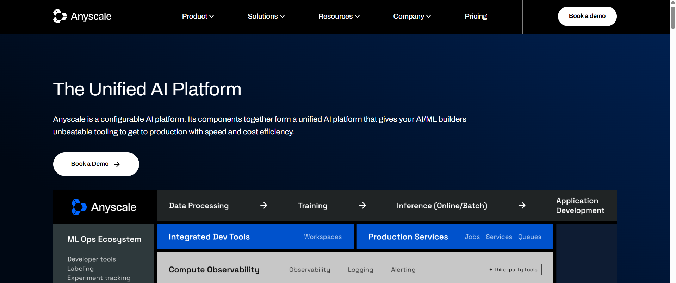
Anyscale is the commercial platform from the creators of Ray, and it is the strongest answer here if SageMaker's distributed training felt constraining. Ray Train, Ray Tune and Ray Serve give you a programming model for scaling Python across a cluster, and Anyscale handles provisioning, autoscaling and fault recovery underneath. It also deploys onto AWS, GCP or your own cluster, which is more environment control than SageMaker offers.
Limitations: the platform is only worth it if your code uses Ray, and adapting an existing training script is a genuine learning curve. Debugging distributed execution still means understanding Ray internals when something goes wrong. And pricing wraps compute, networking and platform fees together, so it is harder to compare against a raw hourly rate.
Pricing: Anyscale's product and pricing structure has changed since this article was first written, and we could not verify a comparable published rate on August 31, 2026. Check their pricing page directly rather than relying on figures quoted elsewhere.
How they compare
All competitor figures verified August 31, 2026. Runpod figures in this comparison are published snapshots. Modal's rate assumes preemptible, any-region execution; non-preemptible is 3× base.
How to choose
If you need the managed ML lifecycle, Vertex AI and Azure ML are the real replacements. Choose on ecosystem – BigQuery and TPUs point to Google, Entra and Azure DevOps point to Microsoft. Neither will be cheaper or simpler, and that is not why you would move.
If your workloads are distributed, Anyscale is the specialist answer, provided you are willing to write Ray.
If what you really needed was a GPU, the infrastructure options are considerably cheaper. Modal fits event-driven and scheduled work; Runpod fits interactive development, training runs and inference endpoints that scale to zero; CoreWeave fits large multi-node fleets.
A common pattern is to keep the governance layer – model registry, experiment tracking – in an open tool like MLflow or Weights & Biases, and run the actual compute on a specialist. That gets you most of what SageMaker provides without paying the managed premium on every GPU hour.
FAQ
Can I move a SageMaker training job without rewriting it?
If the job runs in a container against standard PyTorch or TensorFlow, largely yes – every provider here accepts standard Docker images. What does not move is anything bound to AWS: SageMaker Pipelines, registered datasets and Feature Store entries, S3 paths, IAM roles, and the SageMaker Python SDK's estimator abstractions. A containerised training script is a straightforward migration; a pipeline built on SageMaker primitives is a rebuild.
Which SageMaker alternative is cheapest?
Among providers with verified published rates, Runpod's Secure Cloud H100 PCIe at {{gpu:h100-pcie}}/hr is the lowest in this set. Modal's $3.95/hr H100 is competitive but assumes preemptible execution – guaranteed execution is 3× that. The larger saving is usually structural rather than hourly: managed ML platforms charge a premium on top of compute, and dropping that premium matters more than a few cents of rate difference.
Do I lose experiment tracking and model registry if I move to infrastructure?
You lose the built-in versions, yes. Most teams replace them with MLflow or Weights & Biases, both of which are provider-agnostic and arguably better tools than the bundled equivalents. The cost is that you now run and maintain them. Whether that trade is worth it depends on how much of SageMaker's lifecycle tooling you genuinely use versus how much you have simply inherited.
Is Paperspace still available?
Paperspace is now part of DigitalOcean, and its site carries DigitalOcean branding. The notebook and deployment products remain, now positioned alongside DigitalOcean's GPU Droplets. If you are evaluating them, treat them as a single vendor and price against DigitalOcean's published GPU rates.
What about SageMaker's serverless inference?
SageMaker does offer serverless inference, so scale-to-zero is not by itself a reason to leave. The differences worth checking are cold start behaviour, supported instance types – serverless inference has historically been more constrained on GPU options than real-time endpoints – and per-request cost at your traffic pattern. If your traffic is spiky and your model is large, it is worth benchmarking against a dedicated serverless GPU platform before assuming the managed option wins.
Get started
Runpod offers on-demand GPUs with no minimum spend and no quota request, billed by the second, with serverless endpoints that scale to zero. See current pricing, or deploy a Pod to test your own workload.
Related articles
- Top 10 Modal Alternatives for 2026
- Top 10 Hyperstack Alternatives for 2026
- Top 10 Google Cloud Platform Alternatives in 2026
- Top 9 Fal AI Alternatives for 2026: Cost-Effective, High-Performance GPU Cloud Platforms
- The 9 Best Coreweave Alternatives for 2026
- Top 10 Cerebrium Alternatives for 2026
Author profile: The Runpod Team


