
Which GPU should you actually use for embedding workloads?
Selecting the right serving engine for your embedding model can dramatically outperform hardware upgrades, yielding up to an 11x throughput increase on the same GPU.
All
 Skip to main content
Blog
Queue for any GPU spec, even one that's fully rented out, and we'll deploy it the moment capacity opens up. No more refreshing the console or running a sniping tool.

.avif)
The industry-wide GPU supply crunch has introduced an enormous amount of friction into what should be a simple process. What used to be a one-click deploy flow has turned into refreshing the deploy page or leaning on a third-party sniping tool to catch the moment a card frees up. Today we're putting an end to that. Deploy When Available is now generally available, and it does the waiting for you.
The idea is simple. Instead of deploying only what's free right this second, you can queue for any spec that isn't immediately available, whether it's a configuration that's completely rented out at the moment, or you just need more than we can hand you on the spot. Runpod watches for capacity and deploys your pod automatically as soon as it can.
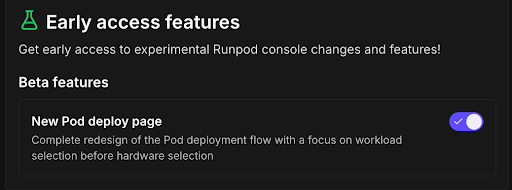
If you're already on the new deploy flow, you're ready to go. If you're still on the old one, you'll need to switch over first:
That's it. You can close the tab and get on with your day.
When the spec you want is out of capacity, the deploy button changes to Deploy When Available. Click it, confirm the prompt, and you're in the queue. The moment that capacity becomes available, your pod deploys and starts running.
.png)
One important note: your pod begins billing as soon as it deploys. That's the whole point of the feature, but it means a card could come free at 3 a.m. while you're asleep and start charging you for time you can't use.
If that's a concern, use the subscription window to set the valid times for deployment. You can mark hours as off-limits so you're never billed for a pod you can't actually get to.
When your pod goes live, we'll let you know through the console or by email, depending on your preference. SMS notifications are on the way and will ship shortly.
For a deployment to succeed, the configuration you queue for has to be something that might realistically become available at some point, even if only briefly. If you request a spec that could never feasibly free up, it won't deploy. As always, we're continuously working on supply to make larger deploys possible over time.
Deploy When Available should make reserving the GPU you want a lot less of a chore. Give it a try on your next deploy, and let us know what you think.
Blog Posts