How to connect to your Pod with SSH (and move files with SCP and FileZilla)
Lost on how to connect to your pod with SSH? Start here.
All
 Skip to main content
Blog
Image Mixer lets you blend multiple source images into a hybrid input for img2img in Stable Diffusion. This guide walks through setup, usage, and how to.


Stable Diffusion has a powerful feature (img2img) that allows you to generate images using another image as a prompt. However, it has a weakness in that you can only supply a single image to use in that prompt – so if you want to include facets of a group of images, you'll need to use some sort of a workaround to accomplish this. Fortunately, Image Mixer is here to the rescue to help us create a hybridized image that we can then use as a prompt in img2img!
The installation is relatively quick and easy, and you'll be ready to start hybridizing images within a few minutes.
You'll need to create a pod with a healthy amount of VRAM to avoid potential errors. In my testing, I ran into out of memory errors on instances with 8GB and 12GB of VRAM, but didn't see any once I went up to 16GB. So something like an RTX A4000 should work nicely. You'll also want to up the container size to 20GB to ensure you have enough room to install the mixer.
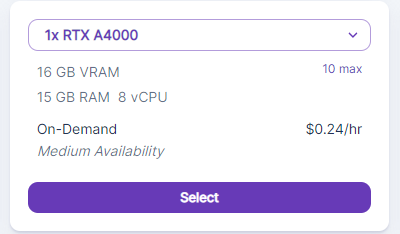
Then, create the instance for Stable Diffusion as detailed in this article.
Once the Stable Diffusion instance has been created, then you can open up a Terminal in your pod and run the following commands as per Image Mixer's readme (you can just copy and paste the whole block in at once):
The installation will run through all but the last line automatically. Once it gets that far, you can just hit Enter again for the final step. Once that completes, there will be a link to a Gradio site that you can click on to run the mixer. Though the site is hosted externally, it will be using the compute power of your instance to run the model.
Let's say you want to create a prompt in Stable Diffusion with a new, never before-seen multiple species of bird comprised of real-world examples. In this case, I've chosen images of a cardinal and an osprey to work with:
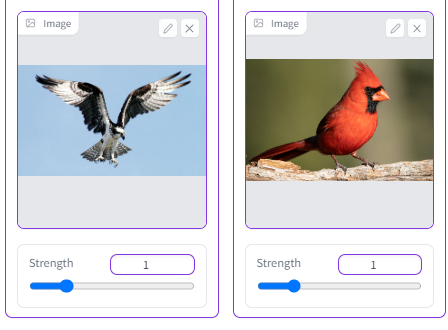
It's just a matter of plugging your images into the mixer and adjusting their strength, which is the primary weight behind how much each image is represented in the final product. I've found that for realistic images, you actually want to keep the strength value fairly low (1.5 or lower.) Despite the bar going much higher than that, you tend to get much more abstract images after that point.
The final results are pretty striking – for the supplied prompts, it ended up creating combinations of the cardinal's body with the osprey's markings (while still retaining the cardinal's crest color.)
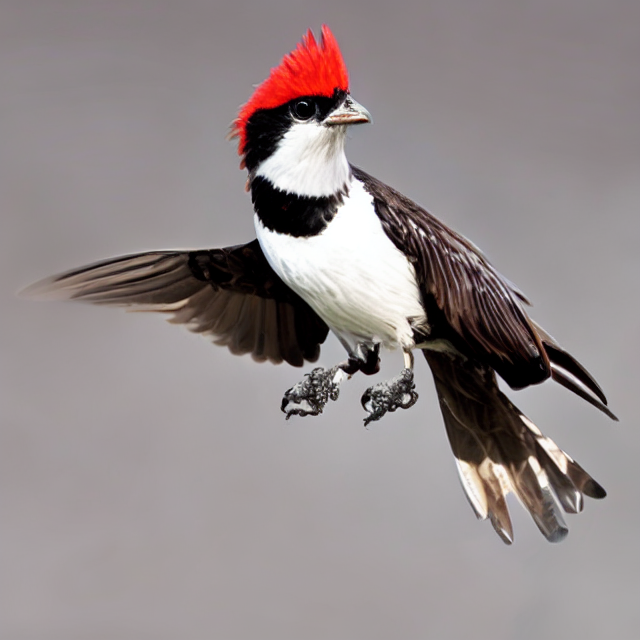
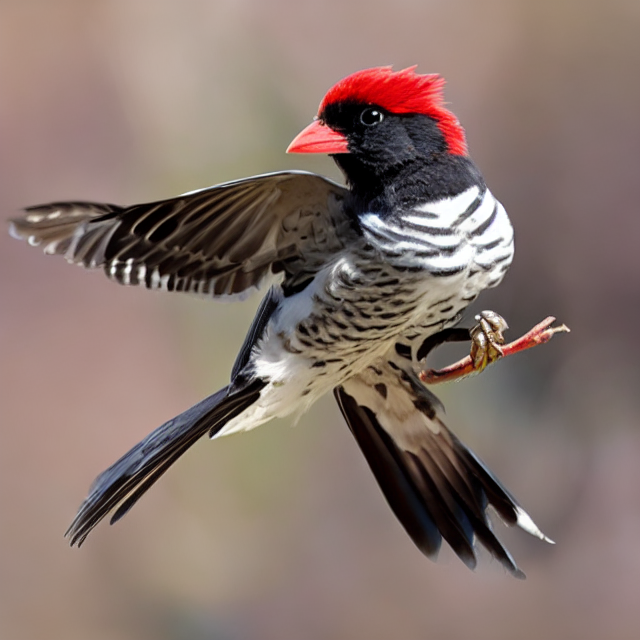
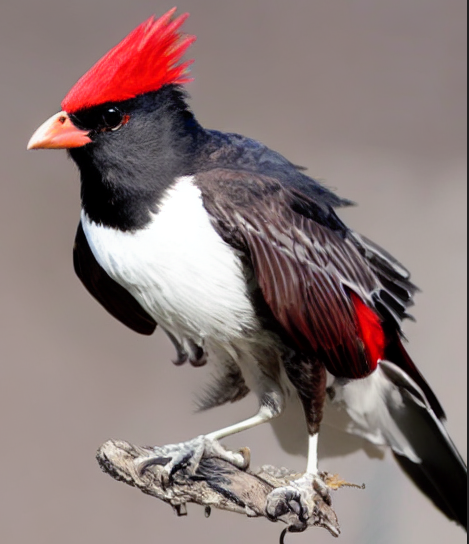
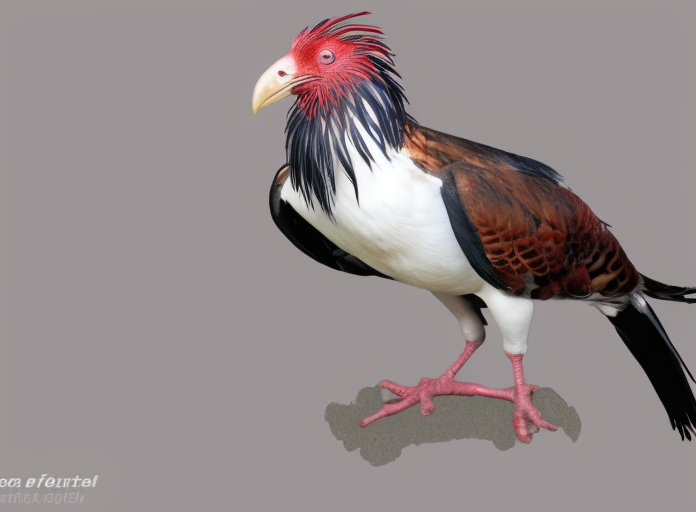
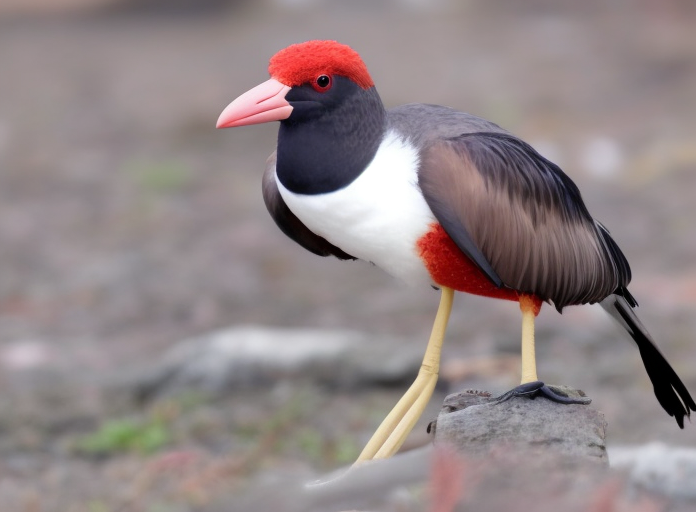
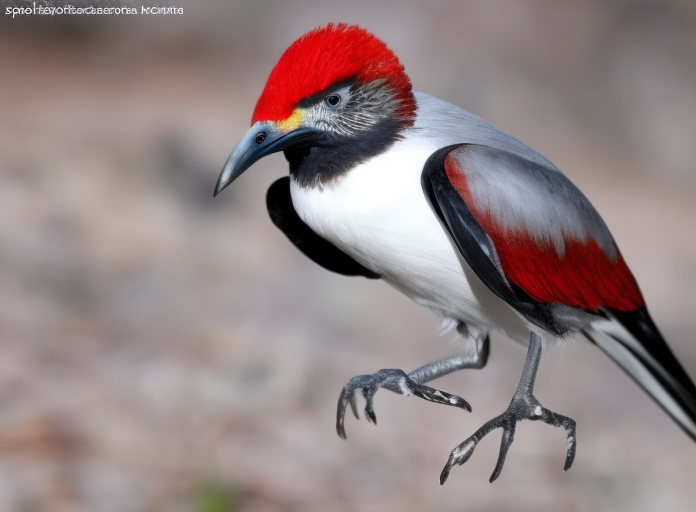
Now that we have our cardprey.. or our osinal.. (whatever you like) we have several options to use him as a prompt to create further versions using the greater flexibility that img2img has. Using him as a prompt image, you can then use the text prompt of img2img to extrapolate your base image into different taxonomic avian groups, and all you need to do is simply enter their Latin order name as a prompt. For example:
Accipitriformes:
Anseriformes:
Sphenisciformes
So, there you have it. Image Mixer allows you to easily combine aspects of two images into one, and then use that as a base to extrapolate further. If you think of your hybridized images from the mixer as the trunk of the tree and further img2img prompting as the branches, it should become a lot clearer as to just how expansive the combination of these two tools can be.
Author profile: Brendan McKeag
Blog Posts