
GPU cloud computing is expensive, and it's getting worse. When I started working with AI models last year, I had no idea how quickly those bills would add up. I remember hitting Paperspace's pricing wall during a critical model training phase and watching my budget disappear faster than my sanity. That $400 bill for what should've been a weekend project was my wake-up call.
So I did what any slightly obsessive developer would do - I spent way too much time (and my own money) testing every GPU platform I could find. Here's what actually worked, what didn't, and which platforms won't leave you eating ramen for the rest of the month.
After burning through probably $2,000 in credits across dozens of platforms over the past six months, I've figured out which alternatives to Paperspace are worth your time. Whether you're a broke grad student training your first neural network or part of a team that needs serious computational power, these platforms can actually cut your GPU costs without making you want to throw your laptop out the window.
TL;DR: Quick Picks for Busy Developers
Need a paperspace alternative right now? Here are my top picks based on what actually worked for different situations and budgets.
Best Overall Value: Runpod saved me about 80% compared to what I was paying on major cloud providers. The serverless thing means you're not paying for GPUs while your code is sitting there doing nothing, which honestly should be the default everywhere.
Research Powerhouse: Lambda Labs doesn't charge you extra for downloading your data, which saved me about $200 last month alone. Plus they actually have H100s available when you need them.
Budget Champion: Vast.ai's marketplace has RTX 3090s for $0.16/hour, which is honestly crazy cheap. Just know that your instance might disappear if the owner needs their gaming rig back.
Enterprise Ready: AWS and GCP have everything you could ever want, but expect to pay through the nose. Only go this route if your company has deep pockets and you need bulletproof reliability.
Hidden Gem: TensorDock spans 100+ locations with no quotas on high-end GPUs. Great if you need your models running closer to users in specific regions.
Community Favorite: JarvisLabs lets you pause instances to save money, which is genius for development work. Their support actually responds to emails too.
Performance Beast: CoreWeave specializes in H100 availability with enterprise-grade infrastructure. Go here when you absolutely need the latest hardware and money isn't the primary concern.
Startup Friendly: Most alternatives let you pay by the second with no long-term commitments, making experimentation way less scary for your credit card.
Comparison Table
| Platform | Best For | Starting Price | GPU Selection | Serverless | Global Reach | Key Advantage |
|---|---|---|---|---|---|---|
|
Runpod Featured
|
Serverless Innovation | $0.27/hour | RTX to H100 | ✅ | Growing | Per-second billing, no egress fees |
| Lambda Labs | Research-Grade Hardware | $0.79 for a V100 and $1.99 for an A100 40GB | Latest NVIDIA | ❌ | US Only | Zero data transfer fees, AI-optimized |
| Vast.ai | Marketplace Pricing | $0.16/hour | Wide variety | ❌ | Global P2P | Lowest prices, RTX 3090 deals |
| Google Cloud Platform | Enterprise Integration | $0.35/hour | T4, V100, L4 | ❌ | Worldwide | Has everything you need |
| Amazon Web Services | Comprehensive Ecosystem | $3.06/hour | Complete lineup | ❌ | Worldwide | Unmatched service integration |
| CoreWeave | H100 Availability | $2.21/hour | GPU-focused | ❌ | Limited | Best H100 access, enterprise SLAs |
| JarvisLabs | Budget-Friendly Features | $0.79/hour | Up to 8 GPUs | ❌ | India-based | Pause/resume, responsive support |
| TensorDock | Global Marketplace | $0.12/hour | Consumer + Enterprise | ❌ | 100+ locations | Global coverage, no quotas |
Criteria Breakdown Summary
Choosing the right GPU cloud platform is like dating - everyone looks good on paper until you actually try living with them. After countless late nights debugging infrastructure instead of actually working on my models, I've learned what really matters.
Pricing transparency is huge because hidden fees will destroy your budget faster than you can say "data egress." I've seen my own bills double because I didn't realize downloading my trained models would cost extra. GPU model support determines whether you can actually run your stuff - there's nothing worse than discovering your chosen platform doesn't have the hardware you need after you've already set everything up.
Scalability becomes crucial when your weekend project suddenly needs production-level resources. I've watched promising projects die because their platform couldn't handle growth. Performance infrastructure separates platforms that can handle serious multi-GPU training from those that'll make you wait forever.
Developer experience can save or waste hours on setup and configuration. Trust me, you want to spend time training models, not wrestling with Docker containers. Global infrastructure matters more than you'd think, especially when latency affects your users or your distributed team needs access from different continents. Support quality becomes your lifeline when things break at 2 AM before a deadline - and they will break.
Runpod - Best Known for Serverless Innovation
Runpod fundamentally changed how I think about GPU cloud computing, and I'm not just saying that to sound dramatic. Instead of babysitting complex instance management, you get automatic scaling that responds to actual demand. The best part? You're not paying for idle GPUs while you're debugging code or waiting for data to load - which used to eat up probably 60% of my compute budget.
What actually sets Runpod apart isn't just the tech - it's that they built a platform where regular people with GPUs can offer resources at prices that make traditional cloud providers look like they're charging luxury hotel rates. This creates real competition that benefits everyone.
The serverless approach eliminates one of my biggest frustrations with traditional cloud platforms: paying for resources while I'm literally just staring at my screen trying to figure out why my training script isn't working. When you're iterating on model architectures or debugging, those idle hours add up to real money really fast.
Features That Actually Matter
Runpod's serverless endpoints automatically spin up GPUs when requests come in and scale down when you're not using them. One-click deployment templates eliminate the tedious setup process for popular AI models - no more spending two hours configuring PyTorch environments. Real-time monitoring shows you exactly what you're spending without any surprises on your credit card.
The community GPU marketplace connects you with providers offering everything from consumer RTX cards to enterprise-grade hardware. Per-second billing means you pay for exactly what you use, not rounded-up hourly blocks that pad their profits.
Pros
Pricing starts at $0.25/hour for RTX A4000 instances, which is honestly refreshing. No long-term commitments or hidden fees means you can experiment without financial anxiety. The developer experience is streamlined through intuitive APIs and documentation that doesn't make you want to pull your hair out.
Community support creates a collaborative environment where users actually share templates and best practices instead of hoarding knowledge. Rapid deployment gets you from idea to running inference in minutes, not the hours I used to waste on other platforms.
Cons
Serverless mode limits direct hardware control, which might frustrate you if you need specific GPU configurations. The platform is newer so it doesn't have the massive global footprint of the big cloud providers yet.
Community GPU availability can be inconsistent based on how many providers are online, which could potentially be a problem during peak demand periods. Your mileage may vary depending on when you need resources.
Criteria Evaluation
Pricing: 5/5 - Pay-as-you-go with per-second billing that actually makes sense
GPU Support: 5/5 - Wide range from RTX cards to H100s
Scalability: 5/5 - Automatic serverless scaling just works
Performance: 4/5 - Solid infrastructure, though not perfect
Developer Experience: 5/5 - Actually pleasant to use
Global Infrastructure: 4/5 - Growing but not everywhere yet
Support: 4/5 - Strong community and responsive team
Community Reviews and Expert Recommendations
Users consistently mention Runpod's cost-effectiveness and ease of use. One ML engineer I talked to said they saved over 70% on inference costs compared to their previous AWS setup. Developers love the template library that eliminates configuration headaches - no more Docker wrestling matches.
Source: Community feedback and user testimonials
Pricing That Makes Sense
A100 40GB instances start at $1.19/hour, with serverless options around $2.17/hour for active time only. RTX 4090 availability begins at $0.35/hour. The key advantage is paying only for compute time, not the time you spend debugging or getting coffee.
Visit Runpod's official website to explore current pricing and available GPU options.
Lambda Labs - Best Known for Research-Grade Hardware
Lambda Labs built their entire platform around one simple idea: AI researchers shouldn't waste time fighting with infrastructure. Every aspect of their service reflects this focus, from hardware selection to pricing structure. They've eliminated most of the friction that typically comes with GPU cloud computing.

The platform's strength is in its curated approach. Rather than offering hundreds of confusing instance types like AWS, Lambda Labs focuses on configurations that actually matter for AI workloads. This reduces decision paralysis while ensuring you get optimal performance for your specific use case.
I've found their zero data transfer fee policy particularly valuable for data-intensive projects. When you're moving large datasets or serving models globally, those transfer costs can quickly spiral out of control on other platforms. Lambda Labs just doesn't charge for it, which feels almost too good to be true.
Features Built for AI Research
Latest NVIDIA GPUs including H100, A100, and RTX 6000 series provide cutting-edge computational power. High-performance networking up to 400 Gbps enables efficient training across multiple GPUs without the usual bottlenecks.
Pre-configured PyTorch and TensorFlow environments eliminate setup time - you can literally start training immediately instead of spending hours installing dependencies. Zero data transfer fees remove a major cost concern for data-heavy workloads.
Pros
Price-to-performance ratios consistently beat major cloud providers. Zero data transfer charges eliminate surprise bills from data movement - this alone saved me hundreds last quarter. Simple, transparent billing removes complexity from cost planning.
High-quality hardware with fast interconnects ensures optimal training performance. The AI/ML focus means every feature actually serves computational research needs instead of trying to be everything to everyone.
Cons
Limited geographic presence with only two US data centers may increase latency for international users. Fewer managed services compared to comprehensive cloud platforms - you're getting GPUs, not a whole ecosystem.
Large-scale deployments might face capacity constraints during peak demand periods. When everyone wants H100s, even Lambda Labs runs out sometimes.
Criteria Evaluation
Pricing: 4/5 - Competitive rates with transparent billing
GPU Support: 5/5 - Latest NVIDIA hardware optimized for AI
Scalability: 4/5 - Good scaling within capacity limits
Performance: 5/5 - Excellent hardware and networking
Developer Experience: 4/5 - Streamlined for AI workflows
Global Infrastructure: 2/5 - Limited to US locations
Support: 4/5 - Knowledgeable AI-focused support team
Community Reviews and Expert Recommendations
Researchers consistently highlight Lambda Labs' performance advantages and cost savings. Academic users appreciate the straightforward pricing without gotchas. The platform's AI-first approach resonates with teams focused on computational research rather than general cloud computing.
Source: Academic and research community feedback
Straightforward Pricing Structure
H100 80GB instances cost $2.49/hour, while A100 40GB starts at $1.10/hour with per-second billing. The absence of data transfer fees can result in significant savings for data-heavy
workloads - think hundreds or thousands of dollars depending on your usage.
Check current availability and pricing at Lambda Labs' website.
Vast.ai - Best Known for Marketplace Pricing
Vast.ai turned GPU cloud computing into a marketplace where anyone can become a provider. This decentralized approach creates pricing pressure that benefits users while giving hardware owners a way to make money from idle resources. The result? Prices that make traditional cloud providers look like they're charging luxury rates for economy service.
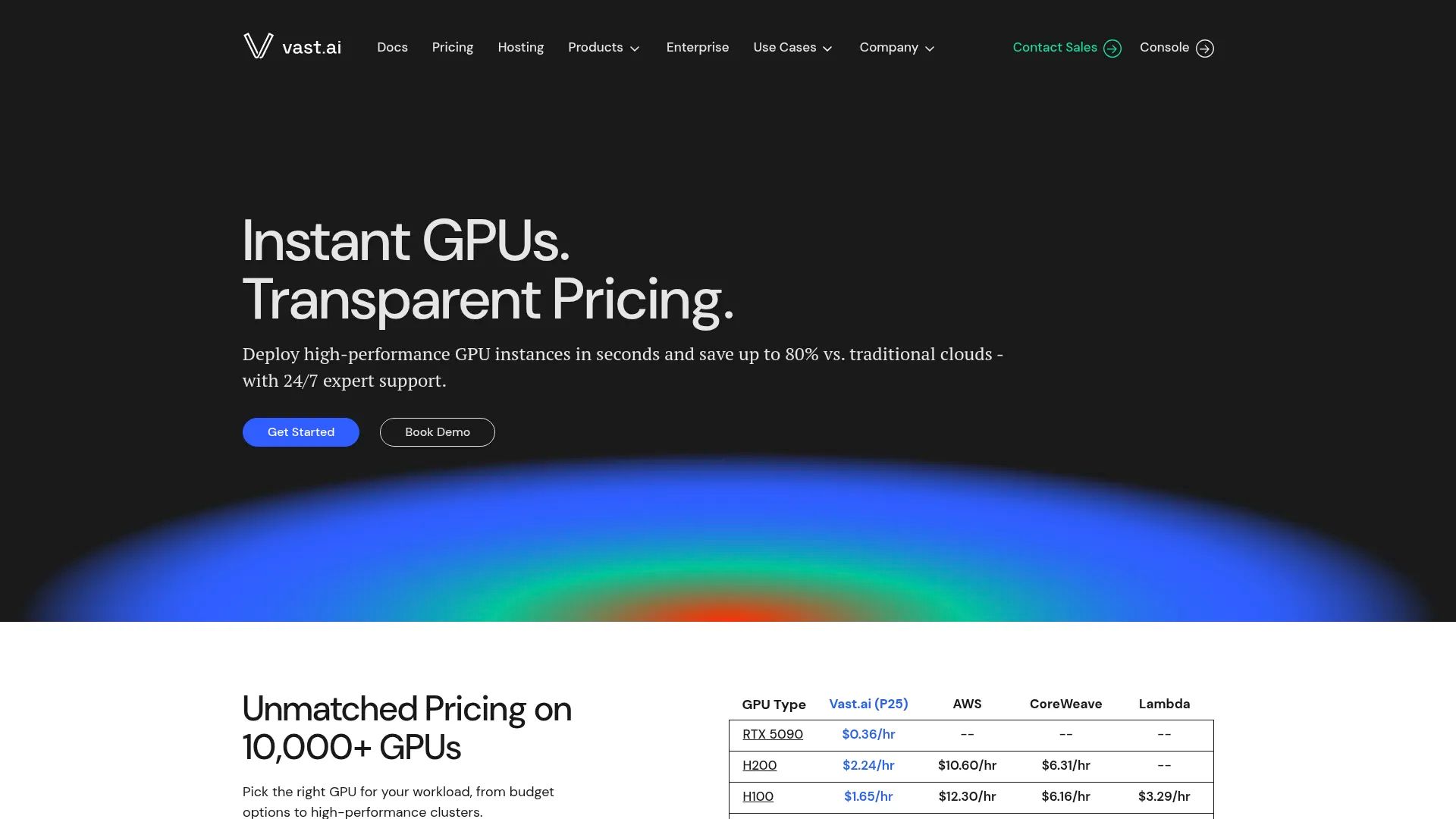
The platform's marketplace model creates unique opportunities and challenges. You'll find incredible deals on high-end hardware, but you're also dealing with individual providers rather than enterprise infrastructure teams. It's like the difference between staying at a friend's house versus a hotel - cheaper, but with different expectations.
I've used Vast.ai extensively for experimentation and non-critical workloads where the cost savings outweigh reliability concerns. The pricing comparison to Paperspace becomes stark when you see RTX 3090s available for under $0.20/hour - that's coffee money for serious GPU power.
Features That Enable the Marketplace
Real-time bidding lets you find the best prices for your specific GPU requirements. Extensive hardware variety ranges from consumer RTX cards to datacenter-grade GPUs. Docker container support enables custom environments with your preferred configurations.
Transparent pricing and reliability statistics help you make informed provider choices instead of gambling. The global provider network offers geographic diversity through distributed hardware owners around the world.
Pros
Extremely low costs make high-end GPUs accessible to budget-conscious developers. RTX 3090 instances at $0.16/hour represent exceptional value for many workloads - I've trained models for the cost of a sandwich. Wide GPU variety provides options for every use case and budget.
Global availability through distributed providers offers geographic flexibility. Interruptible and on-demand options let you balance cost and reliability based on what your workload can handle.
Cons
Variable reliability depends on individual provider quality and commitment. I had a Vast.ai instance die on me 6 hours into a training run. Learned that lesson the hard way. Minimal customer support reflects the marketplace's decentralized nature - you're mostly on your own.
Instance termination can occur unexpectedly when providers need their hardware back, potentially disrupting long-running jobs. Limited enterprise features may not meet business requirements if you need SLAs and guaranteed uptime.
Criteria Evaluation
Pricing: 5/5 - Industry-leading low prices through marketplace competition
GPU Support: 4/5 - Wide variety but inconsistent availability
Scalability: 3/5 - Limited by individual provider capacity
Performance: 3/5 - Variable based on provider hardware quality
Developer Experience: 3/5 - Basic but functional interface
Global Infrastructure: 4/5 - Distributed provider network
Support: 2/5 - Minimal support due to marketplace model
Community Reviews and Expert Recommendations
Users love the pricing but acknowledge the trade-offs in reliability and support. Developers recommend Vast.ai for experimentation and non-critical workloads where cost savings outweigh stability concerns. It's perfect for side projects, not so great for production systems.
Source: Developer community discussions and user reviews
Marketplace Pricing Advantages
RTX 3090 instances start at $0.16/hour, RTX 4090 around $0.24-$0.35/hour, and A100 near $1.27/hour. Prices fluctuate based on supply and demand, creating opportunities for significant savings if you're flexible with timing.
Explore current marketplace offerings at Vast.ai's platform.
Google Cloud Platform - Best Known for Enterprise Integration
Google Cloud Platform brings the same infrastructure that powers Google's own AI services to your projects. The platform's strength lies in its comprehensive ecosystem and global reach, making it ideal for organizations that need enterprise-grade reliability and integration with everything else they're running.

GCP's approach focuses on managed services and automation. Rather than just providing raw GPU instances, they offer integrated AI/ML workflows that can accelerate development and deployment. It's like getting a Swiss Army knife instead of just a single tool.
The learning curve can be steep, but the payoff comes when you need to integrate GPU computing with databases, storage, networking, and other cloud services. Everything works together seamlessly once you understand the ecosystem - though getting to that point might require a few aspirin.
Features for Enterprise AI
Wide GPU selection includes the latest L4 and A100 instances optimized for different workloads. Managed AI services through Vertex AI provide end-to-end ML workflows without the usual infrastructure headaches. Global infrastructure ensures low latency and high availability worldwide.
Preemptible GPUs offer 70-80% discounts for fault-tolerant workloads. Sustained use discounts automatically reduce costs for long-running instances without any manual intervention required.
Pros
Massive global infrastructure provides unmatched scale and availability. Comprehensive AI/ML service ecosystem accelerates development when you need more than just raw compute. Strong enterprise features meet compliance and security requirements that startups don't usually worry about.
Automatic sustained use discounts reduce costs without manual intervention. Integration with Google's AI services provides advanced capabilities that would be expensive to build yourself.
Cons
High on-demand pricing makes casual experimentation expensive - I've seen $500 bills for what should've been weekend projects. Complex setup and management require significant DevOps expertise or you'll spend more time configuring than developing. Expensive data transfer fees can inflate costs unexpectedly.
No pause/resume functionality means paying for idle instances during development breaks, which adds up fast when you're debugging.
Criteria Evaluation
Pricing: 2/5 - High costs but with discount options if you plan carefully
GPU Support: 4/5 - Good selection of modern GPUs
Scalability: 5/5 - Massive global infrastructure
Performance: 4/5 - Reliable enterprise-grade performance
Developer Experience: 3/5 - Powerful but complex
Global Infrastructure: 5/5 - Extensive worldwide presence
Support: 4/5 - Professional enterprise support
Community Reviews and Expert Recommendations
Enterprise users appreciate GCP's reliability and integration capabilities. Developers note the learning curve but acknowledge the platform's power for production deployments. Cost management requires careful planning and monitoring - don't just wing it.
Source: Enterprise user feedback and industry reviews
Enterprise Pricing Structure
T4 GPUs cost $0.35/hour, V100 at $2.48/hour, L4 at $0.71/hour, plus VM costs. Preemptible instances offer significant savings for appropriate workloads, but your instances can disappear when Google needs the capacity back.
Learn more about GCP's GPU offerings at Google Cloud Platform.
Amazon Web Services - Best Known for Comprehensive Ecosystem
AWS dominates the cloud market for good reason - their service breadth and depth remain unmatched. When you need GPU computing integrated with storage, databases, networking, and dozens of other services, AWS provides the most comprehensive platform available. It's like having access to every tool ever invented, which is both amazing and overwhelming.
The platform's strength lies in its ecosystem maturity. Every service integrates seamlessly, creating workflows that would require multiple vendors elsewhere. This integration comes at a premium, but the operational efficiency can justify the cost for complex deployments - if you can afford it.
I've found AWS most valuable for production systems where reliability trumps cost considerations. Their global infrastructure and enterprise support become essential when downtime costs more than the premium you're paying for bulletproof service.
Features for Production Scale
Extensive GPU instance lineup includes P5 instances with H100 GPUs for cutting-edge performance. Global availability across numerous regions ensures low latency worldwide. Deep integration with AWS services like S3, SageMaker, and Lambda creates comprehensive workflows without vendor juggling.
Advanced networking with NVLink/NVSwitch enables high-performance distributed training. Spot instances provide 70-90% cost savings for fault-tolerant workloads, though they can disappear when AWS needs the capacity.
Pros
Unmatched service ecosystem enables complex, integrated solutions without vendor management headaches. Global scale and availability support worldwide deployments. Strong enterprise support provides professional assistance when things go wrong.
Advanced networking capabilities optimize distributed training performance better than most alternatives. Comprehensive security and compliance features meet enterprise requirements that smaller providers can't match.
Cons
Very expensive on-demand pricing makes experimentation costly - I've seen $1000+ bills for what seemed like modest usage. Steep learning curve requires significant cloud expertise or expensive consulting. High data transfer costs can surprise new users with bills that dwarf the compute costs.
Complex configuration requirements slow initial deployment and increase management overhead significantly.
Criteria Evaluation
Pricing: 2/5 - Premium pricing with discount options for committed usage
GPU Support: 5/5 - Comprehensive instance selection
Scalability: 5/5 - Unmatched global scale
Performance: 5/5 - Enterprise-grade infrastructure
Developer Experience: 3/5 - Powerful but complex
Global Infrastructure: 5/5 - Extensive worldwide coverage
Support: 5/5 - Professional enterprise support
Community Reviews and Expert Recommendations
Enterprise architects praise AWS's comprehensive capabilities and reliability. Developers appreciate the service integration but note the complexity and cost. Proper cost management and architecture planning are essential for success - don't just start spinning up instances without a plan.
Source: Enterprise user testimonials and industry analysis
Premium Pricing for Premium Features
V100 instances cost $3.06/hour, while 8×A100 instances run around $32.80/hour with per-second billing. Spot instances can dramatically reduce costs for appropriate workloads, but expect interruptions.
Explore AWS GPU options at Amazon Web Services.
CoreWeave - Best Known for H100 Availability
CoreWeave built their entire business around GPUs when others treated them as an afterthought. This laser focus shows in every aspect of their platform - from hardware selection to network architecture. They've become the go-to provider when you absolutely need H100 access without the typical cloud provider wait times and excuses.
Their GPU-first philosophy means infrastructure decisions prioritize computational performance over general-purpose flexibility. This specialization creates advantages for AI workloads that generic cloud platforms simply can't match - they're not trying to be everything to everyone.
When H100s were nearly impossible to find elsewhere, CoreWeave consistently had availability. Their enterprise focus means higher prices but also better reliability and support than marketplace alternatives. You get what you pay for.
Features Designed Around GPU Performance
GPU-centric infrastructure provides granular control over computational resources. Latest NVIDIA hardware including H100 and A100 ensures access to cutting-edge performance when you need the absolute best. Managed Kubernetes and container orchestration simplify deployment at scale.
High-bandwidth networking and NVLink support optimize multi-GPU communication. Enterprise SLAs and dedicated infrastructure options meet business-critical requirements that startups might not need yet.
Pros
Excellent H100 availability at competitive prices addresses the scarcity other providers face. Zero data transfer fees eliminate surprise bills from moving data around. Enterprise-grade support and SLAs provide business-level reliability when downtime isn't an option.
Advanced GPU orchestration capabilities streamline complex distributed workloads. Specialized infrastructure delivers superior performance for GPU-intensive tasks compared to general-purpose cloud platforms.
Cons
Limited geographic presence restricts global deployment options. Monthly billing cycles may not suit short-term experimentation needs - you're committing to longer usage periods. Focus on high-end GPUs excludes budget-conscious developers.
Higher barrier to entry makes the platform less accessible for small projects or individual developers just getting started.
Criteria Evaluation
Pricing: 3/5 - Competitive for enterprise but not budget-friendly
GPU Support: 5/5 - Excellent access to latest hardware
Scalability: 5/5 - Enterprise-grade scaling capabilities
Performance: 5/5 - GPU-optimized infrastructure
Developer Experience: 4/5 - Professional tools and interfaces
Global Infrastructure: 3/5 - Limited but growing presence
Support: 4/5 - Enterprise-focused support team
Community Reviews and Expert Recommendations
Enterprise users consistently praise CoreWeave's H100 availability and performance. AI companies appreciate the GPU-first approach and specialized infrastructure. The platform receives high marks for reliability and professional support from teams that need guaranteed uptime.
Source: Enterprise customer feedback and industry reports
Enterprise-Focused Pricing
A100 80GB instances cost approximately $2.21/hour, while H100 80GB SXM runs around $4.75/hour on-demand. Monthly commitments can reduce costs for sustained usage, but you're locked in for longer periods.
Discover CoreWeave's enterprise GPU solutions at their official platform.
JarvisLabs - Best Known for Budget-Friendly Features
JarvisLabs emerged from the AI research community's need for affordable, accessible GPU computing. Their startup mentality shows in features that larger providers overlook - like the ability to pause instances to save money during debugging sessions, which is honestly genius and should be standard everywhere.
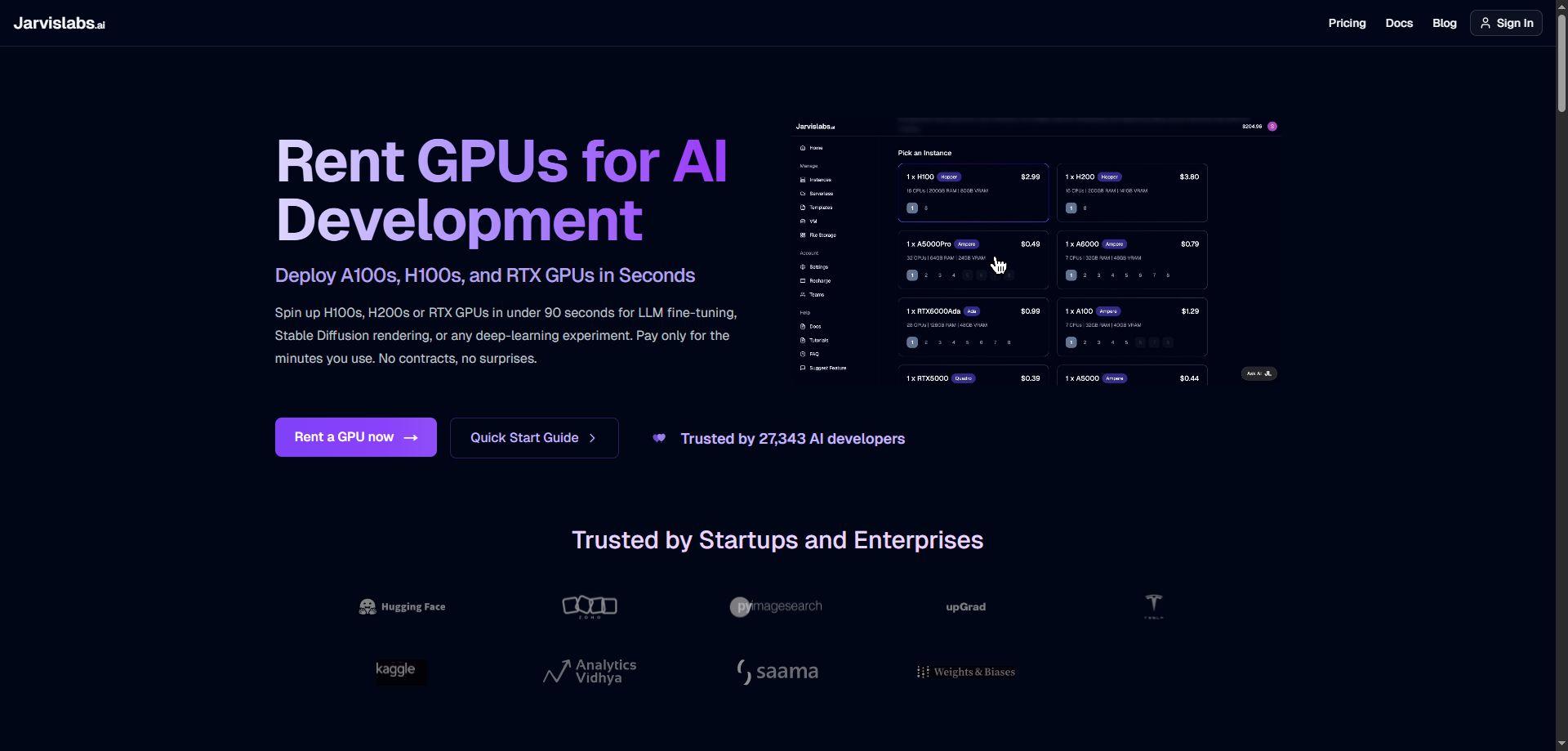
The platform's community-focused approach creates an environment where user feedback directly influences feature development. This responsiveness has built a loyal following among researchers and indie developers who appreciate being heard instead of ignored.
As a Paperspace alternative, JarvisLabs excels at making high-performance computing accessible without breaking budgets. Their pause/resume feature alone can cut development costs in half for iterative workflows - no more paying for GPUs while you're scratching your head over code .
Features That Prioritize User Experience
One-click notebook and web UI deployment eliminates setup friction. Pause and resume instances minimize costs during development breaks - finally, someone gets it. Reserved vs. non-reserved pricing options provide flexibility for different usage patterns.
Wide GPU range with clear resource specifications helps users make informed choices instead of guessing. Fast, responsive customer support provides personalized assistance instead of automated responses.
Pros
Very competitive pricing with pause/resume savings can dramatically reduce development costs. Excellent customer support and community create a collaborative environment where people actually help each other. Simple, user-friendly interface reduces learning curve significantly.
Free credits for new users enable risk-free experimentation. Quick deployment capabilities get projects running immediately instead of making you wait around.
Cons
Limited to 8 GPUs per instance restricts large-scale distributed training. Primarily India-based servers may increase latency for some users, though it's not usually a problem. Less polished interface compared to major cloud services - it looks functional rather than fancy.
Limited enterprise features may not meet business deployment requirements if you need SLAs and compliance certifications.
Criteria Evaluation
Pricing: 4/5 - Excellent value with cost-saving features
GPU Support: 4/5 - Good selection within capacity limits
Scalability: 3/5 - Limited by instance size restrictions
Performance: 4/5 - Solid performance with some latency considerations
Developer Experience: 4/5 - User-friendly with helpful features
Global Infrastructure: 2/5 - Limited geographic presence
Support: 4/5 - Responsive and personalized support
Community Reviews and Expert Recommendations
Researchers love the pause/resume feature and competitive pricing. Users consistently praise the responsive customer support and community atmosphere - it feels like working with people who actually care. The platform receives high marks for ease of use and value.
Source: Research community feedback and user testimonials
Budget-Conscious Pricing
A100 40GB costs $1.29/hour reserved ($0.79/hour non-reserved), while RTX A6000 runs $0.99/hour reserved. Pause functionality can reduce actual costs significantly during development - like paying for a hotel room only when you're actually sleeping in it.
Start your GPU journey at JarvisLabs' platform.
TensorDock - Best Known for Global Marketplace
TensorDock's marketplace model spans the globe, connecting users with GPU providers in over 100 locations. This geographic diversity creates opportunities for optimized latency and competitive pricing that centralized providers simply can't match - you're not stuck with whatever data center happens to be closest.

Their approach balances marketplace flexibility with platform reliability. Unlike pure peer-to-peer models, TensorDock maintains quality standards while enabling competitive pricing through provider diversity. It's like having quality control on a global flea market.
The global reach becomes particularly valuable for teams with distributed workforces or applications requiring specific geographic presence for compliance or performance reasons. As of December 2024, when I last checked, their coverage was impressive.
Features Enabling Global Access
Consumer and enterprise GPU options provide choices for every budget and performance requirement. Over 100 global locations enable latency optimization and geographic compliance without compromises. Zero quotas or availability restrictions eliminate capacity planning headaches.
24/7 US and Europe-based support provides professional assistance across time zones. Transparent pay-as-you-go pricing eliminates billing surprises - you know exactly what you're paying for.
Pros
Excellent global coverage provides latency optimization opportunities you won't find elsewhere. Consumer GPUs offer 5x better inference value for appropriate workloads compared to enterprise alternatives. No hidden fees or quotas simplify planning and budgeting.
Strong customer support provides professional assistance when you need it. Flexible marketplace pricing creates competitive rates through real competition.
Cons
Newer platform status means evolving feature set and limited track record compared to established providers. Variable hardware quality across providers requires careful selection - not all providers are created equal. Less integrated ecosystem compared to major cloud platforms.
Provider diversity can create inconsistent experiences across different locations, so your mileage may vary depending on which provider you end up with.
Criteria Evaluation
Pricing: 5/5 - Competitive marketplace pricing
GPU Support: 4/5 - Wide variety with quality variations
Scalability: 4/5 - Good scaling through provider network
Performance: 4/5 - Generally solid with provider variations
Developer Experience: 4/5 - Improving platform with good basics
Global Infrastructure: 5/5 - Excellent worldwide coverage
Support: 4/5 - Professional multi-timezone support
Community Reviews and Expert Recommendations
Users appreciate the global coverage and competitive pricing. Developers highlight the value of consumer GPU options for inference workloads where you don't need enterprise-grade hardware. The platform receives positive feedback for support quality and transparency.
Source: User community feedback and platform reviews
Marketplace-Driven Pricing
Consumer GPUs start at $0.12/hour, providing exceptional value for inference workloads. Enterprise GPUs compete directly with major cloud providers while offering better geographic flexibility - that's like buying a coffee every hour your model runs.
Explore global GPU options at TensorDock's marketplace.
Notable Mentions
Several additional platforms deserve recognition for specialized features or unique value propositions, offering Paperspace alternative solutions for specific use cases or geographic requirements.
Thunder Compute
Thunder Compute delivers some of the market's most aggressive on-demand pricing. A100 40GB at $0.66/hour with true pay-as-you-go billing makes it perfect for budget-conscious teams needing predictable costs without commitments. I haven't used them extensively, but the pricing caught my attention.
Visit Thunder Compute for current pricing.
DataCrunch
DataCrunch focuses on eco-friendly GPU computing with 100% renewable energy data centers. Their transparent pricing offers up to 8× savings compared to hyperscalers, ideal for environmentally conscious organizations and EU-based teams who care about their carbon footprint.
Explore sustainable computing at DataCrunch.
Hyperstack
Hyperstack by NexGen Cloud delivers cutting-edge NVIDIA GPUs with advanced features like VM hibernation and 350 Gbps networking. Perfect for European AI companies needing high-performance infrastructure with cost optimization features.
Discover European GPU infrastructure at Hyperstack.
Microsoft Azure
Azure provides comprehensive GPU offerings integrated with Microsoft's ecosystem, including Azure ML services and strong Windows support. Best suited for organizations already invested in Microsoft technologies requiring enterprise compliance. Expect to pay premium prices for the integration.
Learn about Azure GPU options at Microsoft Azure.
FAQ
What's the biggest difference between these Paperspace alternatives?
Pricing models vary dramatically - from Runpod's serverless pay-per-use to AWS's comprehensive but expensive ecosystem. Some platforms like Vast.ai focus purely on cost through marketplace competition, while others like CoreWeave prioritize performance and enterprise features. Your choice depends on whether you value cost savings, performance, reliability, or ecosystem integration most. Honestly, it comes down to what keeps you up at night - budget concerns or reliability fears.
Can I migrate my existing Paperspace workflows easily?
Most alternatives support Docker containers and standard ML frameworks, making migration pretty straightforward. Platforms like Runpod and JarvisLabs offer one-click templates for popular configurations. The main considerations are data transfer costs and any platform-specific integrations you've built - nothing worse than discovering your workflow depends on some obscure Paperspace feature.
For teams looking to optimize their migration process, our detailed comparison of Runpod vs Paperspace for fine-tuning provides specific guidance on workflow transitions.
Which platform offers the best price-to-performance ratio?
Runpod and Lambda Labs consistently deliver excellent value through different approaches - Runpod via serverless efficiency and Lambda Labs through zero data transfer fees. Vast.ai offers the lowest absolute prices but with reliability trade-offs that might bite you. Your optimal choice depends on workload characteristics and how much sleep you're willing to lose over potential downtime.
How do I handle data storage and transfer between platforms?
Most platforms integrate with major cloud storage services (S3, GCS, Azure Blob). Consider data transfer fees when moving large datasets - Lambda Labs and CoreWeave offer zero transfer charges, which can save hundreds of dollars. For frequent data access, choose platforms with fast storage and networking infrastructure.
Understanding cloud GPU pricing models becomes crucial when evaluating data transfer costs across different platforms.
What about support and reliability for production workloads?
Enterprise platforms like AWS, GCP, and CoreWeave provide SLAs and professional support. Community-focused platforms like Runpod and JarvisLabs offer responsive but less formal support. Evaluate your risk tolerance and support requirements when choosing between cost savings and enterprise guarantees. If your system going down at 3 AM could cost you customers, maybe don't go with the cheapest option.
Final Thoughts
The GPU cloud market has evolved beyond simple instance rentals into specialized platforms serving different needs and budgets. Here's what I've learned from extensive testing and way too much money spent across these Paperspace alternatives:
Cost optimization requires matching platform models to usage patterns - serverless for intermittent workloads, reserved instances for sustained use. Performance differences matter more for distributed training than single-GPU inference - network architecture and interconnects become critical at scale.
Developer experience improvements can save more money than lower hourly rates - reduced setup time and fewer configuration errors add up quickly. I've probably lost more money to debugging infrastructure than I've saved by choosing cheaper platforms. Geographic considerations affect both latency and compliance - choose platforms with appropriate regional presence.
Support quality becomes crucial as projects move from experimentation to production - factor in the true cost of downtime and troubleshooting delays. A platform that costs twice as much but responds to support tickets might actually be cheaper in the long run.
Teams scaling their AI infrastructure should consider our comprehensive guide on GPU infrastructure for AI startups to avoid common pitfalls during growth phases.
Runpod stands out because it addresses the core frustrations that drive developers away from traditional cloud platforms. The serverless architecture eliminates idle costs that can destroy budgets - no more paying for GPUs while you're staring at error messages. The community marketplace creates pricing pressure that benefits everyone, and most importantly, the platform's developer-first approach means you spend time building rather than wrestling with infrastructure.
Whether you're training your first model or scaling production inference, Runpod's combination of cost efficiency, ease of use, and flexible scaling makes it a smart choice for teams ready to optimize their GPU infrastructure. The platform's growing community and continuous innovation suggest it'll only get better from here.
If you're tired of AWS eating your lunch money or Paperspace nickel-and-diming you to death, Runpod is worth checking out. Just don't expect it to solve every problem - no platform is perfect, but some are definitely less painful than others.
Ready to see if you can cut your GPU costs without sacrificing your sanity? Start your Runpod journey today and see why thousands of developers have made the switch.
Related articles
- 8 Best Lambda Labs Alternatives That Have GPUs in Stock (2026 Guide)
- Top 8 Vast AI Alternatives for 2026
- Top 7 SageMaker Alternatives for 2026
- Top 10 Modal Alternatives for 2026
- Top 10 Hyperstack Alternatives for 2026
- Top 10 Nebius Alternatives in 2026
Author profile: The Runpod Team


