.jpeg)
How Runpod Serverless billing works when a job fails to complete
Why your balance can drop even when nothing succeeds, how to find where the money went, and how to keep it from happening again.
All
 Skip to main content
Blog
Learn how to edit videos with Pruna P-Video-Edit using Runpod’s public endpoint, Playground, curl, and Python.


P-Video-Edit is Pruna AI’s instruction-driven video editing model. Upload a source video up to 15 seconds long and give one text instruction; the model then produces an edited video. You can also optionally include up to four reference images to support reference-based edits.
Runpod has a public endpoint available for this model. This gives you instant API access to a pre-deployed API for calling this endpoint. You don’t need deployment or infrastructure; all you need is to create an API key and make a request.
Before integrating P-Video-Edit into your application, it’s helpful to experiment with the model and explore its capabilities. This blog post walks you through how to do so.
To get started, you can use the Playground. If you click on The Hub, under “Public Endpoints,” you will see a listing for “P-Video-Edit”. You can edit parameters, add your own images, and make the request directly.
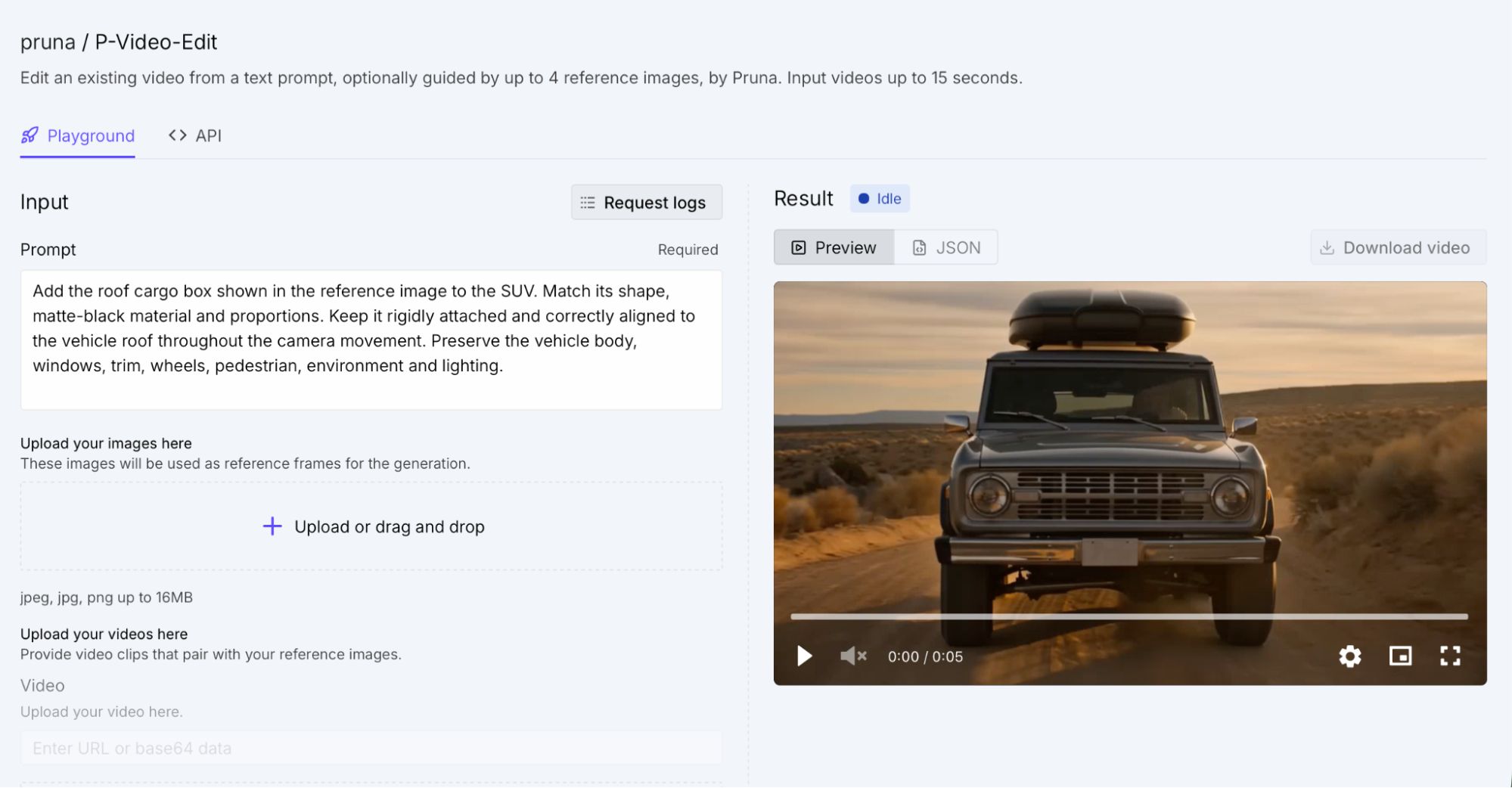
The response you get back should look like this once it’s completed:
To get started making requests with this endpoint, you can use curl. Video editing can take several minutes, so this example uses Runpod’s asynchronous workflow instead of waiting for one long-lived HTTP request.
The first request sends the input to /run. Runpod accepts the job immediately and returns an id, but the video is not ready yet. The script saves that ID and sends a GET request to /status/{job_id} every five seconds. While the job is queued or running, it prints the current status. When the status changes to COMPLETED, the generated video URL is available at output.result.
This example uses jq to read the JSON responses. Make sure it is installed, then set RUNPOD_API_KEY in your environment before running the script:
Keeping the API key in an environment variable prevents it from being copied directly into the script.
The script prints the job ID as soon as Runpod accepts the request. During processing, you will see status messages such as IN_QUEUE and IN_PROGRESS. A successful job ends by printing a line like this:
Open or download that URL to retrieve the edited video. If the job reaches FAILED, CANCELLED, or TIMED_OUT instead, the script prints the full status response and exits with an error so the failure is not mistaken for a successful result.
You can follow the same submit-and-poll flow in Python with the requests package. This model isn’t compatible with OpenAI’s SDK, so the example calls the Runpod API directly.
Install requests if it is not already available:
As in the curl example, set RUNPOD_API_KEY in your environment before running the script. The initial POST submits the job and provides its ID. The polling loop then checks the corresponding status route until the job reaches a terminal state. Each HTTP request also uses a 30-second network timeout, which prevents a single stalled connection from hanging indefinitely; it does not limit how long the video job itself can run.
When the job completes, the script reads result["output"]["result"] and prints the generated video URL. For unsuccessful terminal states, it raises a RuntimeError containing the response body, which gives you the status details needed for troubleshooting.
This polling structure is reusable across Runpod public endpoints. For another endpoint, change base_url, replace the request payload with that model’s input, and update the final output lookup to match its response shape. The /run and /status/{job_id} lifecycle remains the same.
P-Video-Edit is Pruna AI’s instruction-driven video editing model that transforms videos up to 15 seconds using a single text instruction, with optional support for up to four reference images. Be sure to let us know on Discord, in the #built-on-runpod channel, if you build anything with it.
Blog Posts