Learn how to deploy any Hugging Face Space on Runpod using Docker, including an example with Kokoro TTS and Gradio.
Hugging Face Spaces are interactive demos that showcase AI models directly on the Hugging Face platform. They're great for experimenting with AI capabilities, but what if you want more computing power or need to run these models in your own environment? Or you want to use them as much as you want to without being rate limited?
Good news! Every Hugging Face Space can now be run using Docker, which means you can deploy them on platforms like Runpod to leverage powerful GPUs. In this guide, we'll walk through deploying Kokoro TTS (a Text-to-Speech model) via Gradio from Hugging Face to Runpod.
What is Gradio?
Gradio is a popular Python library that creates user-friendly interfaces for machine learning models. Many Hugging Face Spaces, including Kokoro TTS, use Gradio to provide an interactive web interface where you can test the model's capabilities through your browser. By the end of this tutorial, you'll have this same interface running on your Runpod instance.
Why Kokoro TTS?
We've chosen Kokoro TTS for this example because it's a powerful text-to-speech model that benefits from GPU acceleration. This makes it a perfect candidate to demonstrate how to move from Hugging Face Spaces to Runpod's more flexible, accessible computing environment.
Prerequisites
A Hugging Face account (to generate an access token)
A Runpod account with payment method set up
Setup
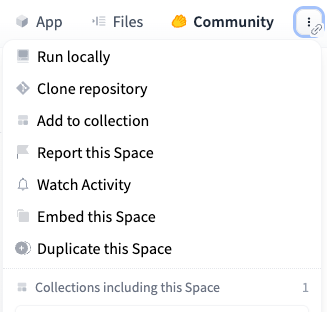
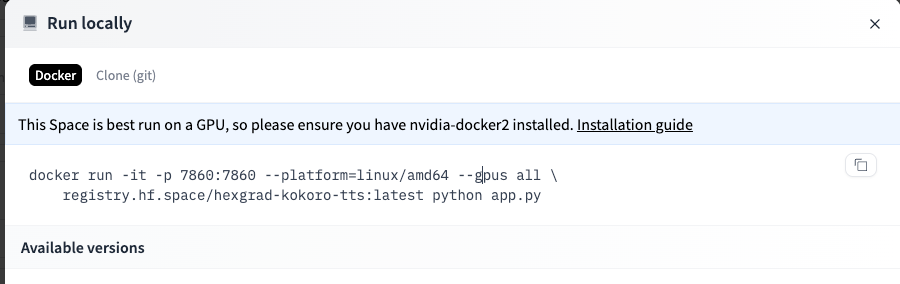
First, go to the Kokoro TTS Space on Hugging Face. In the upper right you'll see a pullout menu with three dots. Click Run Locally to get more info about the Docker image that drives the Space.
Copy this Docker command down, as it contains variables that we will need later.
In addition, you will need an access token, which you can get from your Settings page.
Name your token (e.g., "Runpod Access") and select appropriate permissions
Click Generate Token and copy the generated token to a secure location
Configure your Template
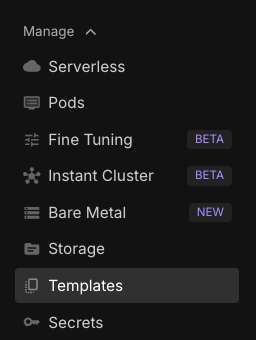
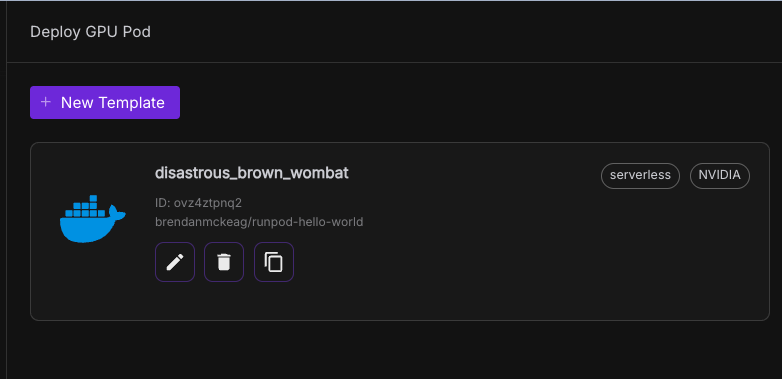
Now, go to Templates in the nav bar on Runpod, and click New Template.
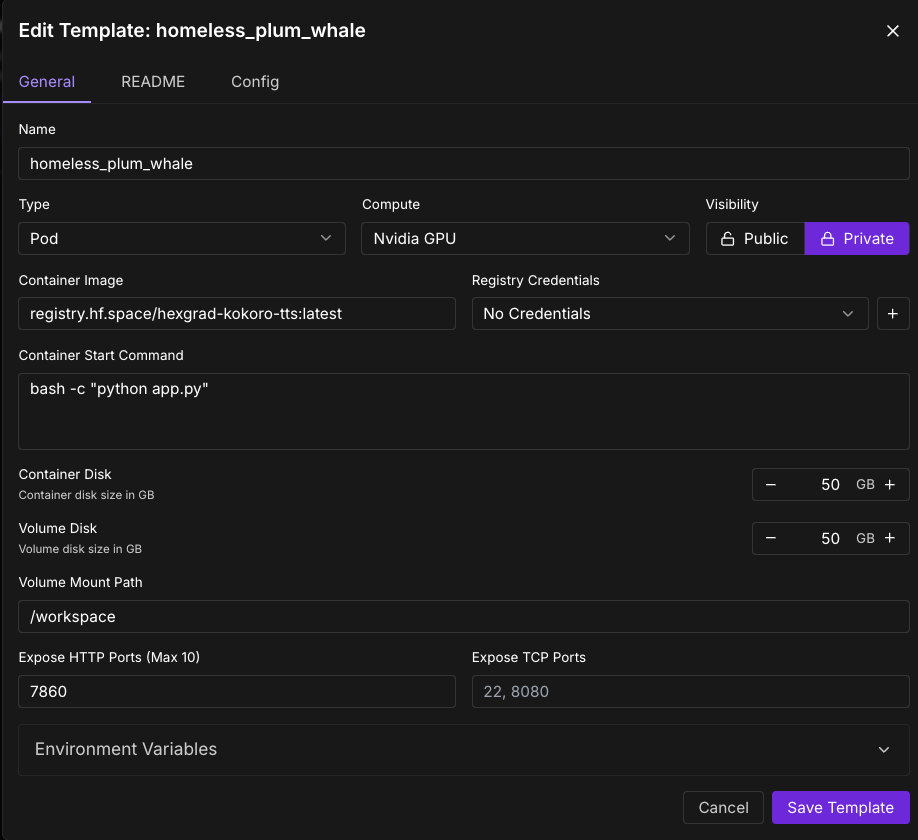
Set the Container image as the container image specified in the docker container. In our case this is registry.hf.space/hexgrad-kokoro-tts:latest, which we got from point 3 above
Set the "Expose HTTP Ports" to 7860, since that's the port being exposed in the Docker command above.
Enter bash -c "python app.py" as your container start command.
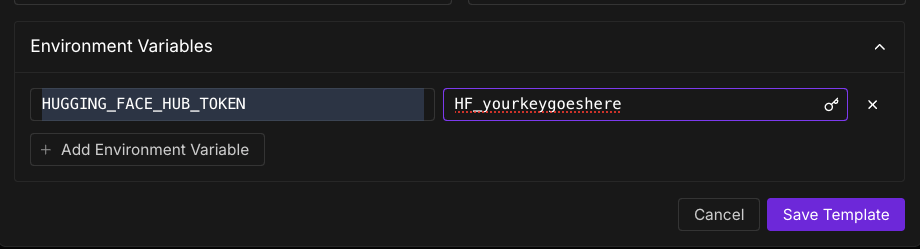
Open "Environment variables" in the bottom of the template, and set it to: - key : HUGGING_FACE_HUB_TOKEN - value : (your huggingface hub token)
Deploy a Pod with Your Template
Navigate to the Pods section in the left navigation bar
Click the Deploy button
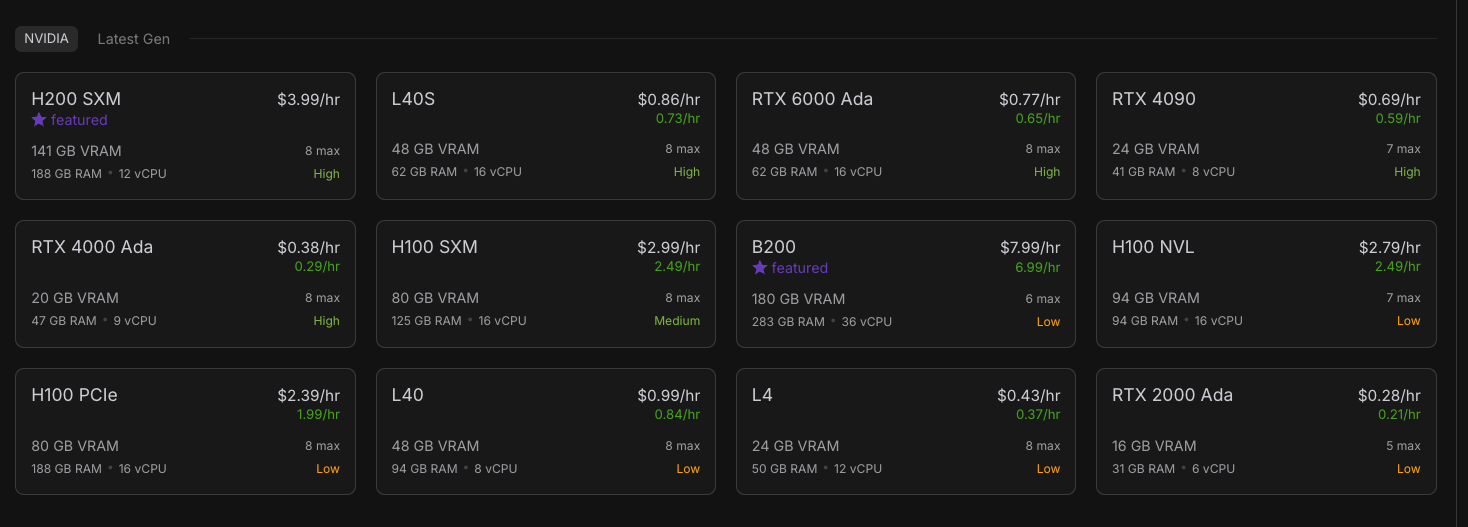
Select a GPU type (H100 works well due to high VRAM, but you can experiment with less expensive options)
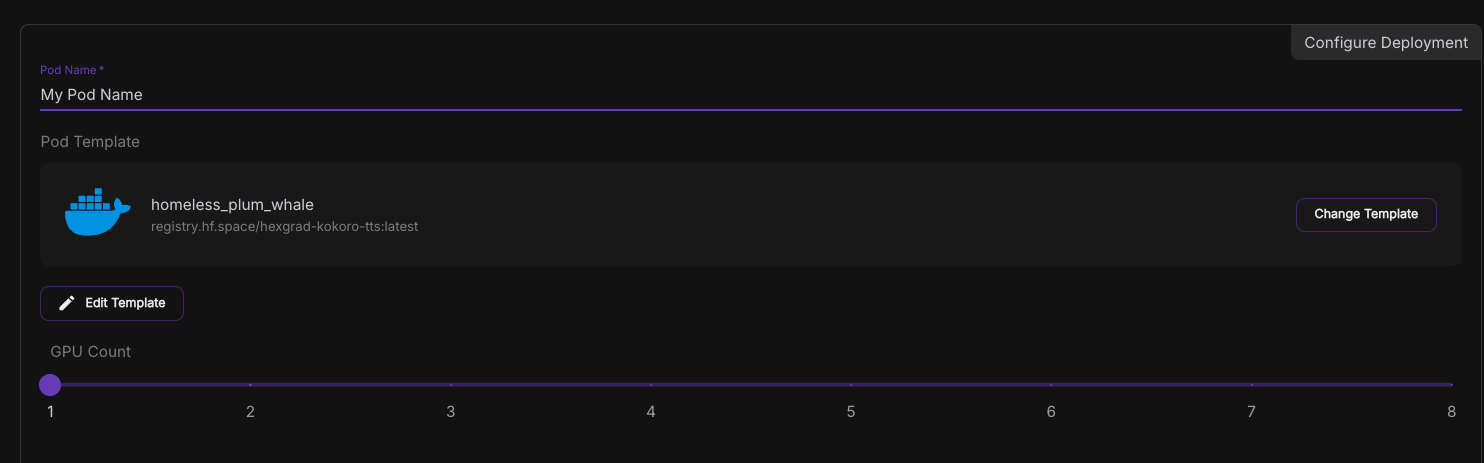
Scroll down and click Change Template
Select the template you just created ("Kokoro TTS")
Review your settings and click Deploy at the bottom
Connect to your Pod
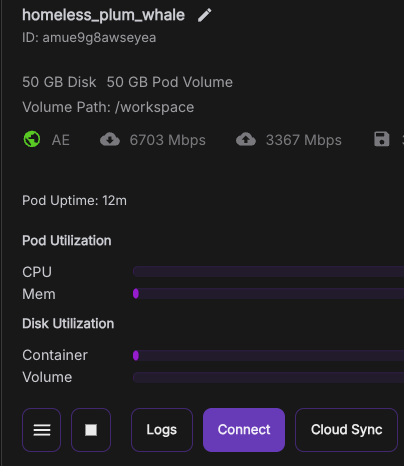
After deploying, you'll be taken to the Pods screen
Click on your newly created pod to view details
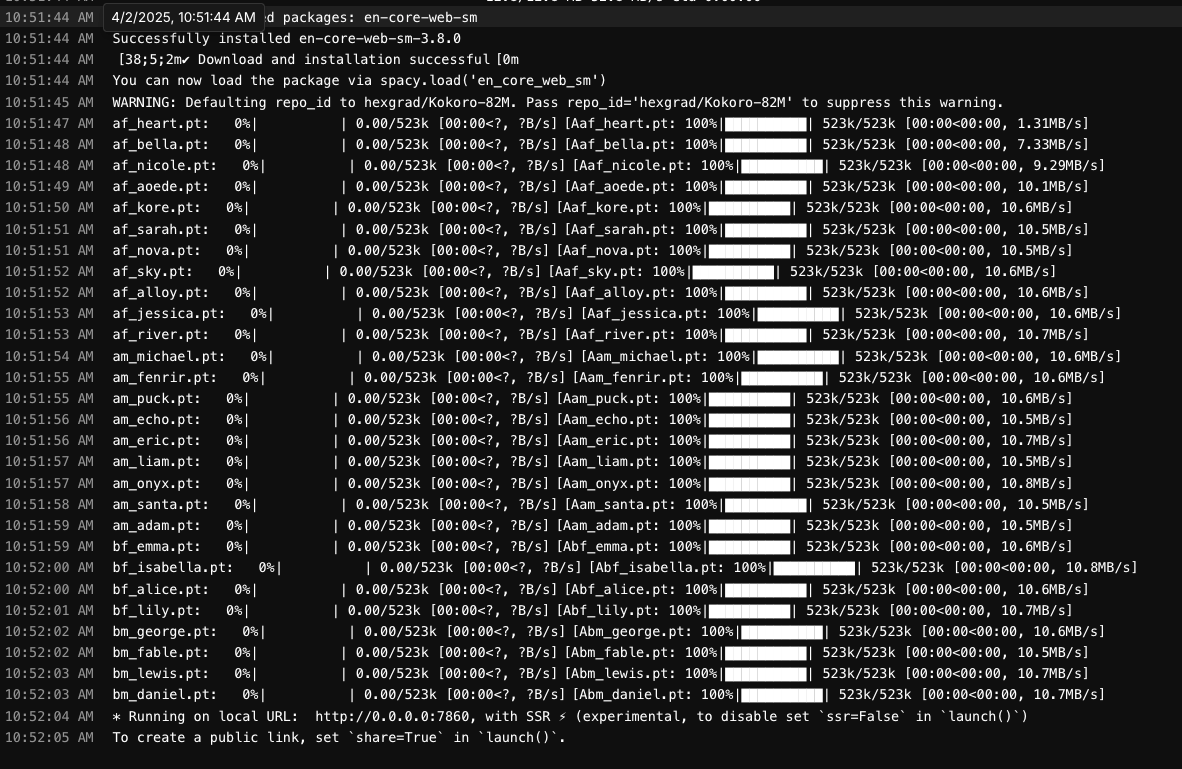
Check the Logs tab to monitor startup progress
Wait until you see a message indicating the service is running on port 7860
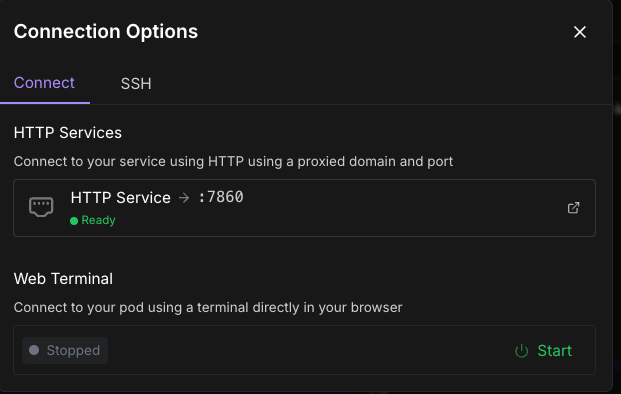
Once ready, click the Connect button on your pod
Select the HTTP Service option (usually has port 7860)
Review the logs in your deployed pods under the Pods screen, and wait for a notification to appear that the image is up and running on port 7860.
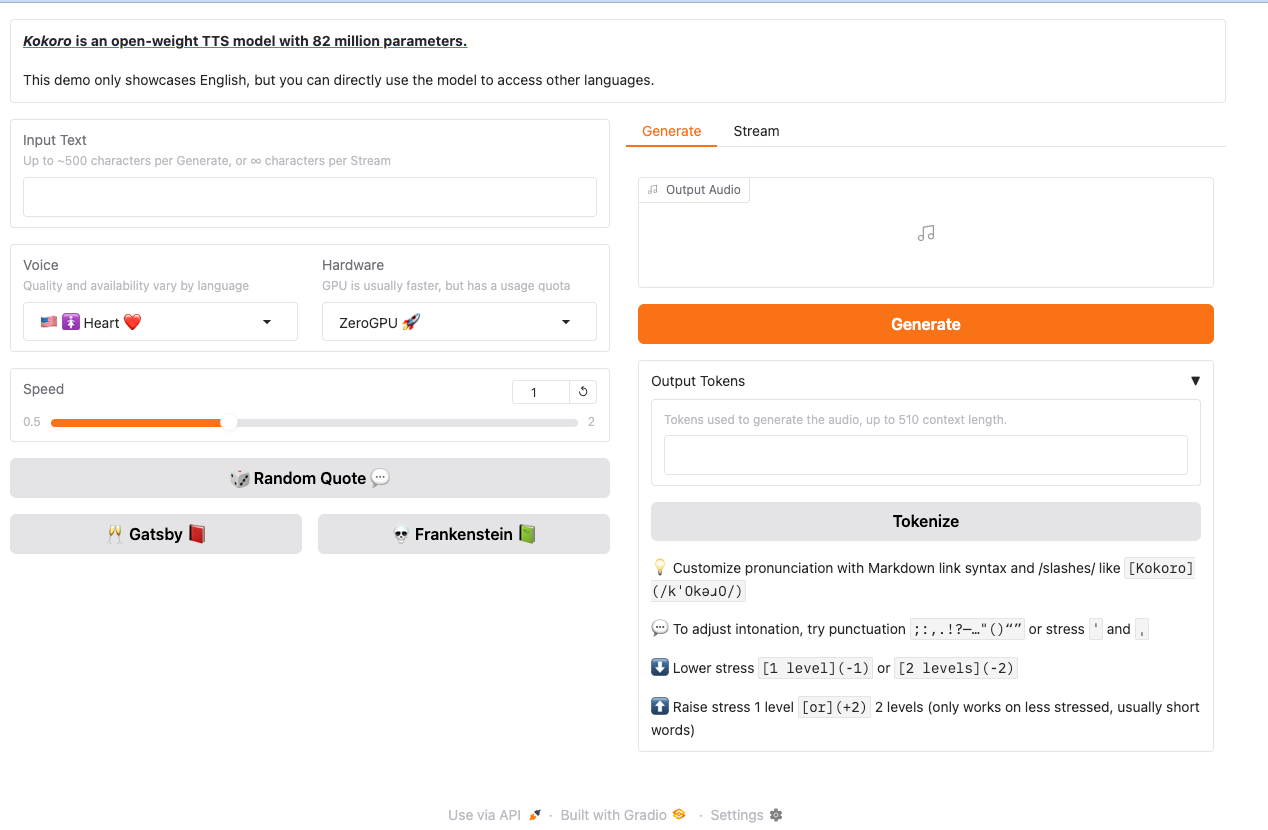
And ta-da!, you should see your deployment within Runpod!
Conclusion
You've successfully deployed a Hugging Face Space on Runpod! This approach works for virtually any Hugging Face Space - just repeat these steps with the appropriate Docker image and port. Runpod gives you the flexibility to choose more powerful hardware when needed, allowing you to run more demanding models than what's possible directly on Hugging Face.
What's new in Runpod Serverless: Faster cold starts, batch inference, and no-Docker deploys
Whether you're already running production endpoints on Runpod or you're sizing us up for the first time, here's a plain-language tour of what Runpod Serverless does today, why it's faster and cheaper than it was six months ago, and how to deploy your first endpoint in minutes.
Beyond the Notebook: The Engineering Realities of Production AI Agents
Shift from stateless inference to stateful architectures to resolve infrastructure bottlenecks like memory management, concurrency limits, and runaway jobs in production AI agents.



.jpeg)