.jpeg)
How to Deploy OpenJev on Runpod Serverless
Deploy OpenJev, a 27B decision model that returns structured answers and confidence scores, on a Runpod Serverless load balancer endpoint, then send your first request with cURL and Python.
All
 Skip to main content
Blog
Runpod has rolled out a major update to the login system, including passwordless authentication, smoother UX, and requested features from our community.

.avif)
Today we've rolled out a huge improvement to how login works at Runpod. In the process, we've introduced some new features that many of you have been asking for.
A few things to note:
1) First and foremost, if you had a password on your normal username/password type account, you will need to login using your email and create a new password if you wish. Accounts will be "passwordless" (meaning you will log in using a email code) by default!
2) If you have created your Runpod account within the past few days, you may need to "create a new account". Don't worry, this is just a formality as we will link your existing account with the same email.
3) If you previously had MFA set up for your account, you will have to add it to your account again.
You can feel free to use your account as-is with no password. You will simply get a code sent to your email every time you wish to authenticate. Upon logging back in for the first time after the migration, you will be prompted for your Runpod account email:

After you've put it in, you will be prompted to enter a verification code:
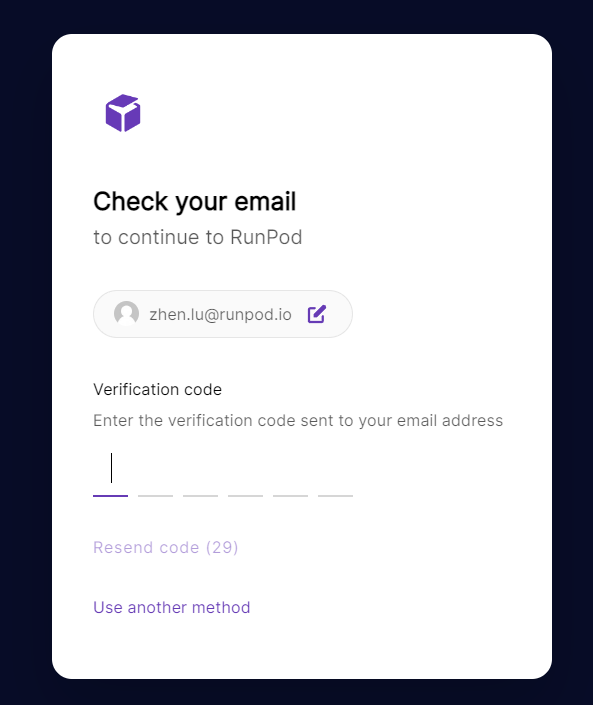
The code will be in an email sent to your associated Runpod email:
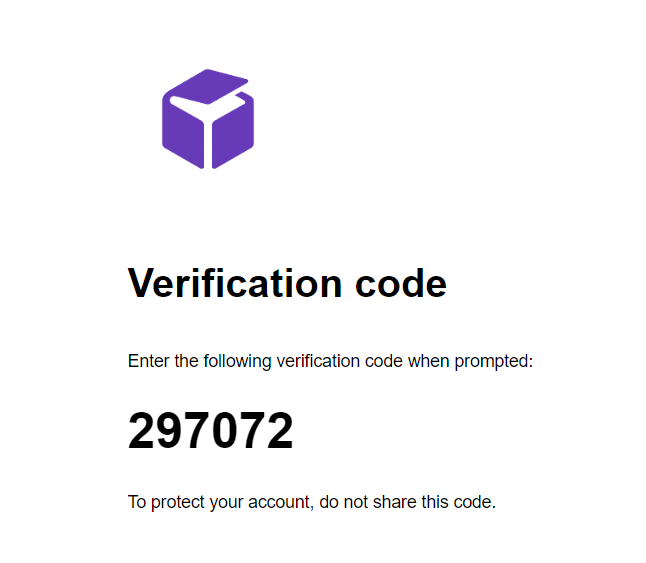
Copy/paste the verification code into the login prompt and you will be automatically logged in.
If you were using a username/password account previously to share access to your account, we are pleased to offer better ways to share access.
1) You can add additional emails to your account via the user settings menu. Every additional email will allow users to sign in by getting a verification code sent to that email. Currently you can only invite emails that are not already associated with other Runpod accounts.

2) You can now add additional SSH Public Keys to your account settings. This will allow you to share basic terminal access.

If you prefer, you can still add a password to your account via the user settings menu by using the "Change Password" button.

We believe that this is an improvement for those of you who need to share access with your development teams and are currently sharing a username/password account. We are still planning to release team accounts with full role-based access control in the near future.
Note that API keys are not affected by this rollout.
Author profile: Zhen Lu
Blog Posts