.jpeg)
How to Deploy OpenJev on Runpod Serverless
Deploy OpenJev, a 27B decision model that returns structured answers and confidence scores, on a Runpod Serverless load balancer endpoint, then send your first request with cURL and Python.
All
 Skip to main content
Blog
Deploy Qwen3.8-27B on Runpod Serverless with vLLM, then send your first request with curl and the OpenAI Python SDK.


Qwen3.8-27B is the newest model from Alibaba. It is useful for tasks such as vision, efficient general-purpose text generation, and other agentic workloads. It combines stronger coding, research, and autonomous agent capabilities with controllable reasoning, easier tool integration, and native image and video understanding in a single 27B-parameter model.
This blog post guides you on getting started with Qwen3.8-27B on Runpod Serverless. Runpod Serverless allows you to serve AI models for inference and handle other compute-intensive tasks.
To get started with this model, you can create a Serverless endpoint, which is the API address your application uses to send requests. Behind that endpoint, Runpod automatically starts GPU workers when requests arrive, runs your model, returns the response, and scales the workers down when they’re no longer needed.
Your first step in creating an endpoint is to click Resources in the side panel, select Serverless, and select the hub listing for vLLM. After that, you will need to select an endpoint for the deployment type and choose your GPU configurations.
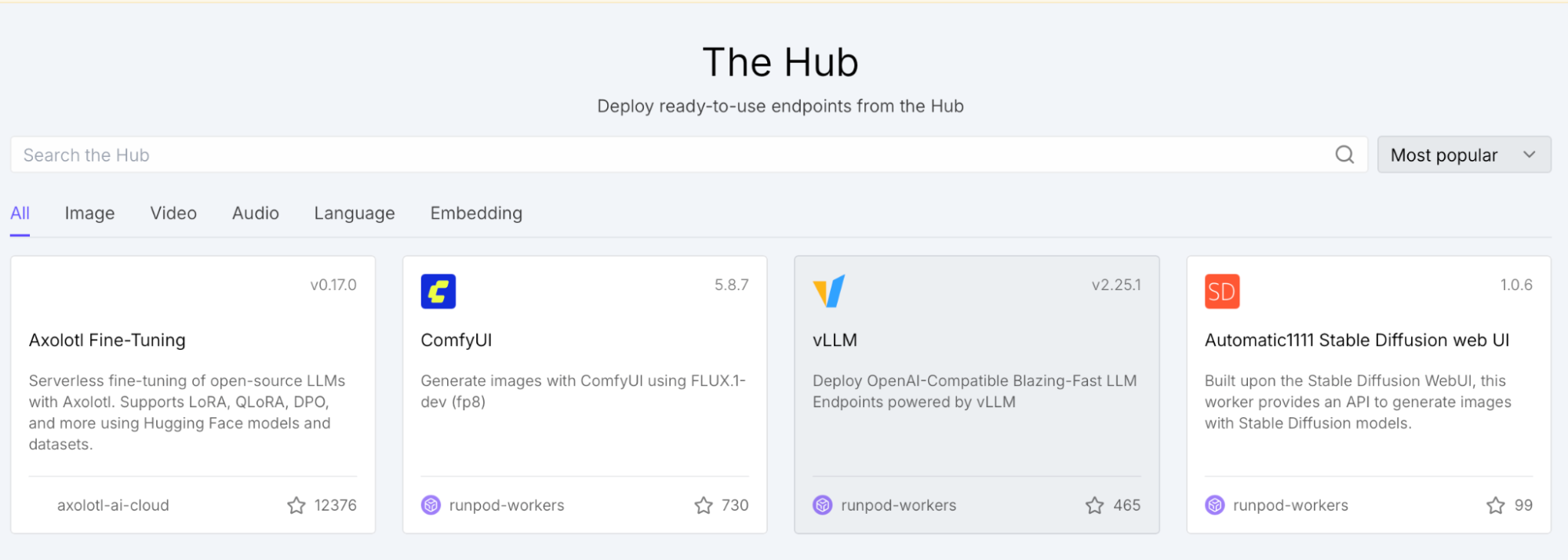
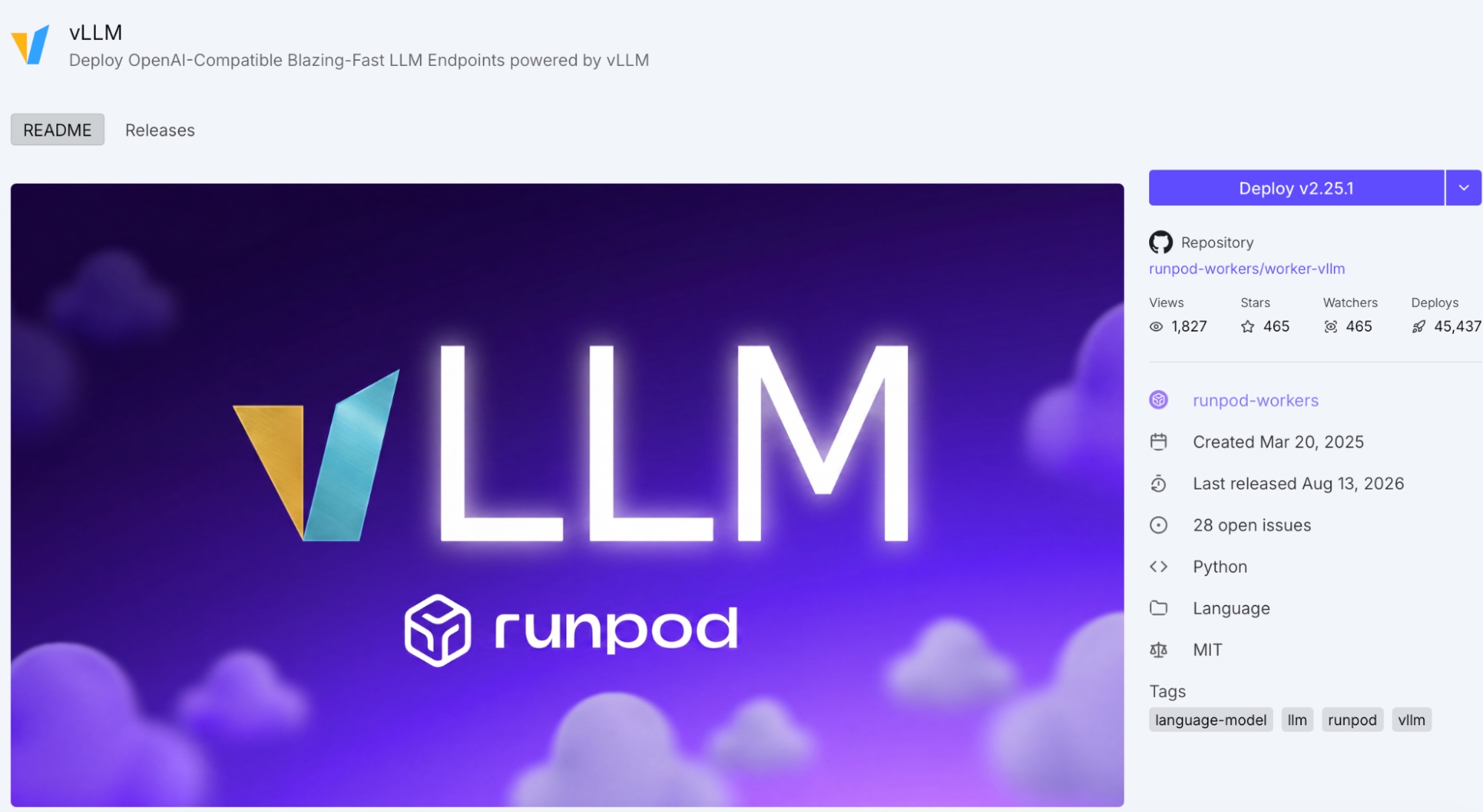
Once you’ve selected the vLLM hub listing, you can deploy the latest version.
Now, you will configure vLLM to point to Qwen’s Hugging Face repository.
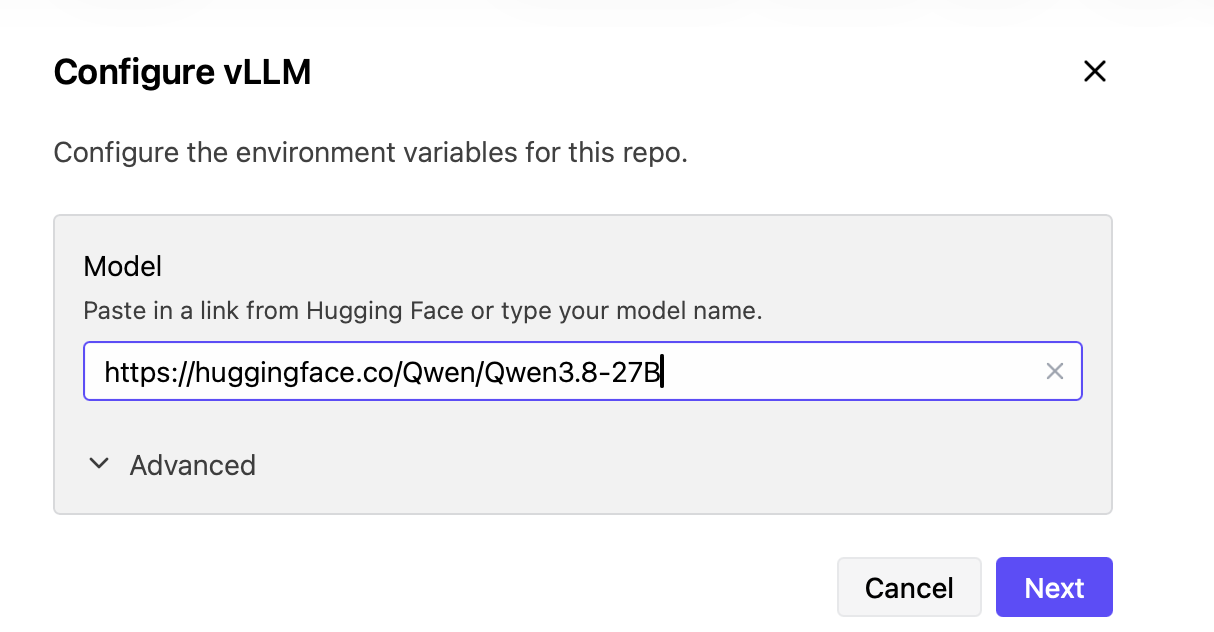
Under Advanced, change the Max Model Length to 163840.

If all the settings look correct, click Next.
Now, you will need to deploy vLLM. For Qwen3.8-27B, be sure to select an option that provides enough memory for the model and inference workload. Also, select multiple GPU options to have fallback choices based on availability.
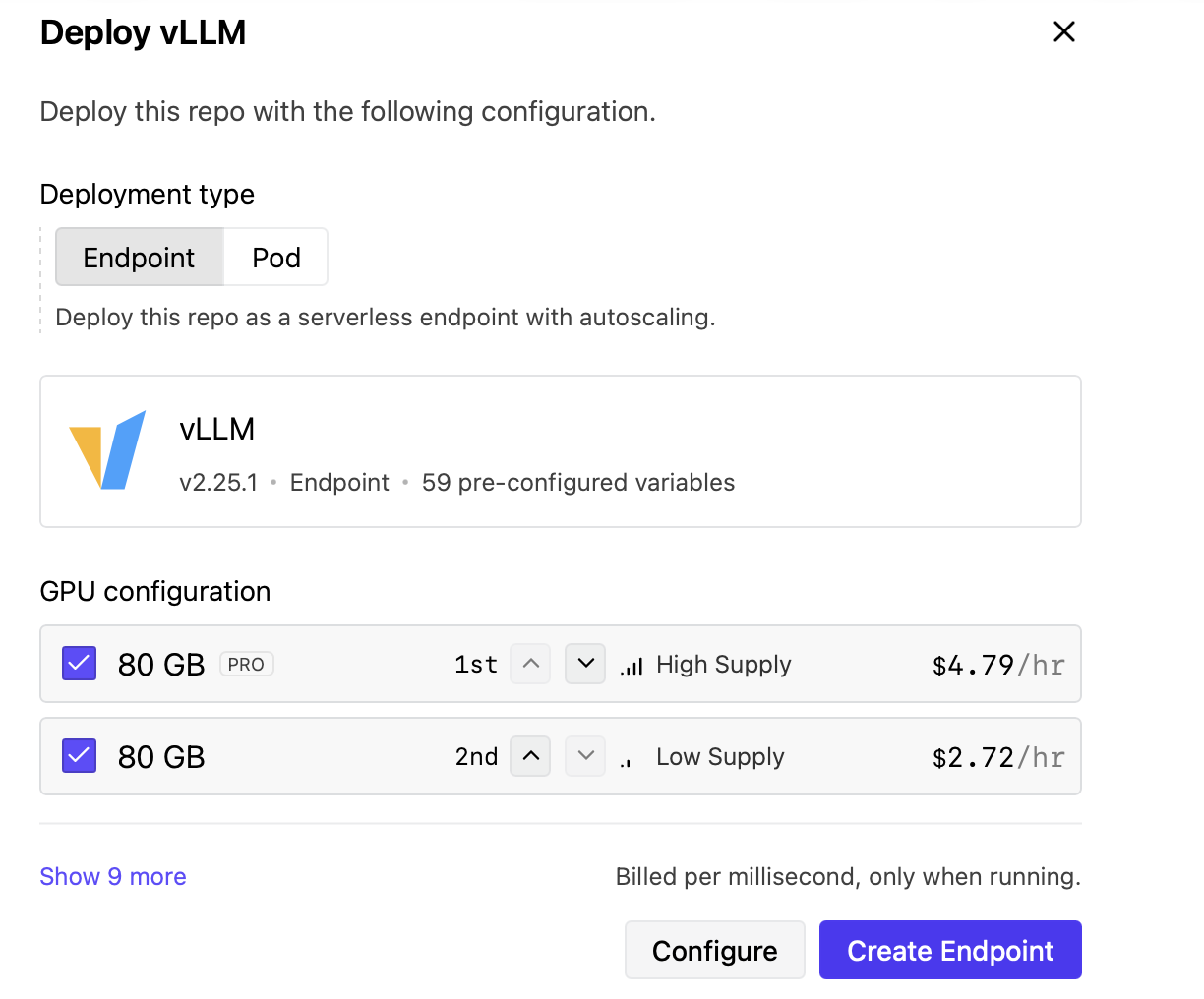
At this point, your endpoint should be created, and you should see something similar to the following:
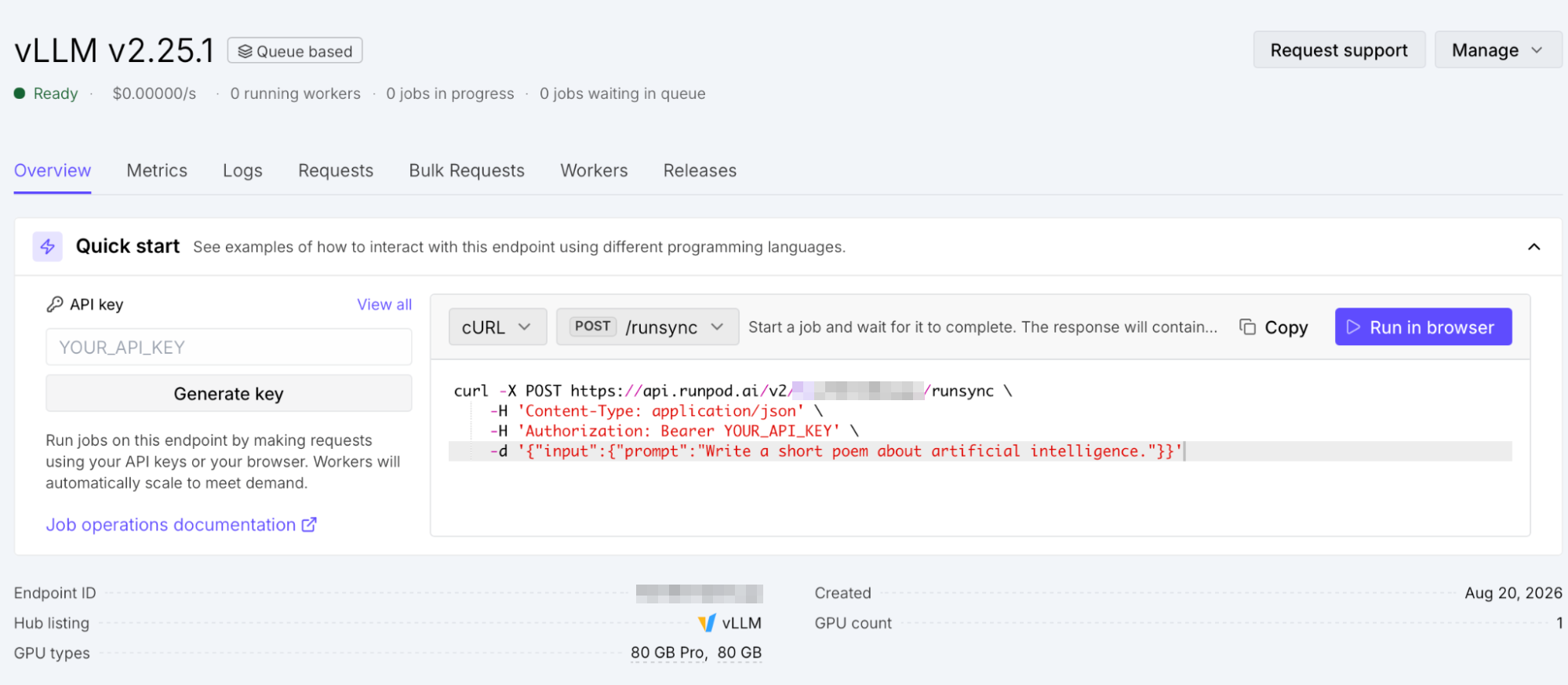
Additionally, you can add vLLM settings to enable Qwen’s reasoning while optimizing GPU memory usage. You can set GPU Memory Utilization to 0.90, Reasoning Parser to qwen3, enable Auto Tool Choice, and set the Tool Call Parser to qwen3_coder.
To run the model in FP8 on the 48 GB PRO GPU tier, change the model repository to Qwen/Qwen3.8-27B-FP8, set Max Model Length to 262144, and set KV Cache Data Type to fp8. Retain GPU Memory Utilization at 0.90, Reasoning Parser at qwen3, Auto Tool Choice enabled, and Tool Call Parser at qwen3_coder.
Once your deployment is in a ready state, you can start making your first request to the endpoint.
In your terminal, run the following curl command. Replace YOUR_ENDPOINT_ID and YOUR_API_KEY with your own values.
The response should look similar to the following:
This response confirms that the request was successfully processed by Qwen3.8-27B, as indicated by the COMPLETED status. The model used its reasoning process to analyze the prompt before generating the poem, and the timing and token usage fields show how long the request took and how many tokens were consumed.
The "finish_reason": "length" value indicates that the response reached the configured 256-token limit before the poem was fully completed.
The 35-second delay is likely due to a cold start. Since the endpoint is serverless, a GPU worker might need to be provisioned and the model loaded before it can handle the first request. Subsequent requests are usually quicker while the worker remains active.
You can also use OpenAI’s SDK to call the endpoint directly using its Python client. Install it as follows:
In your terminal, set your API key:
In the code editor of your choosing, create a script called openai_sdk_example.py. Replace YOUR_ENDPOINT_ID with your own endpoint ID.
Run the script from your terminal:
The output should look similar to the following:
You should only see the response text because the SDK parses the response into standard objects.
Now that you’ve started with Qwen3.8-27B on Runpod Serverless, a good next step is to build a simple document Q&A app, a receipt extractor, or a screenshot assistant. Please let us know in the #built-on-runpod Discord channel if you build anything with this model.
Blog Posts