Transcribe and translate audio files with Faster Whisper
Learn how to deploy OpenAI's Faster Whisper on Runpod Serverless to transcribe and translate audio up to four times faster and at a fraction of the cost.
Whisper is an automatic speech recognition (ASR) system that OpenAI developed to transcribe and translate spoken language into written text. You can use it for subtitling videos, translating podcasts, providing real-time captions in meetings, and other audio processing tasks.
Faster Whisper is an optimized implementation of Whisper that significantly enhances the speed and efficiency of audio transcription, making it up to four times faster than the original Whisper model while maintaining similar accuracy levels. It also consumes less memory and is cheaper than the original Whisper due to the performance improvements.
The following table lists examples of Faster Whisper processing audio files faster than Whisper:
Transcription speed comparison: Whisper vs Faster-Whisper
Audio clip
Length
Whisper time
Faster-Whisper time
Times faster
Football as a source of revenue
0:51
9.917s
3.462s
2.86×
GoTranscript transcription test
3:01
44.309s
13.172s
3.36×
Driving in the U.S.
6:13
1:06.018
22.107s
2.99×
Speech by Fiorello H. La Guardia
15:46
2:12.299
44.854s
2.95×
Interview of Matthew C. Weiss
29:33
5:53.186
1:45.952
3.33×
Interview of Peter A. and Sharen Gendebien
1:28:02
17:35.431
4:39.680
3.77×
Interview of Brock Robert McIntosh
3:14:34
40:32.268
11:16.872
3.59×
Note: “Times faster” = Whisper time ÷ Faster-Whisper time.
Runpod provides a serverless template for Faster Whisper that you can deploy, whose endpoint you can call from your projects to process audio files. OpenAI charges users of Whisper based on the length of the audio file; however, since Runpod only charges based on actual execution time, and Faster Whisper is much more performant than Whisper, Runpod’s solution is also much cheaper.
The following table shows how much cheaper it is to process the audio clips from the previous table using Faster Whisper on Runpod:
Transcription cost comparison: OpenAI Whisper vs Runpod Faster-Whisper
Now that we’ve seen how much faster and cheaper Faster Whisper on Runpod is compared to Whisper, let’s deploy an endpoint using Runpod Serverless and try it out.
What you’ll learn
In this blog post you’ll learn how to:
Deploy the Faster Whisper endpoint on Runpod using Serverless for automated transcription
Call your deployed endpoint from Python to transcribe audio files
Experiment with different Whisper models and translation settings to customize transcription output.
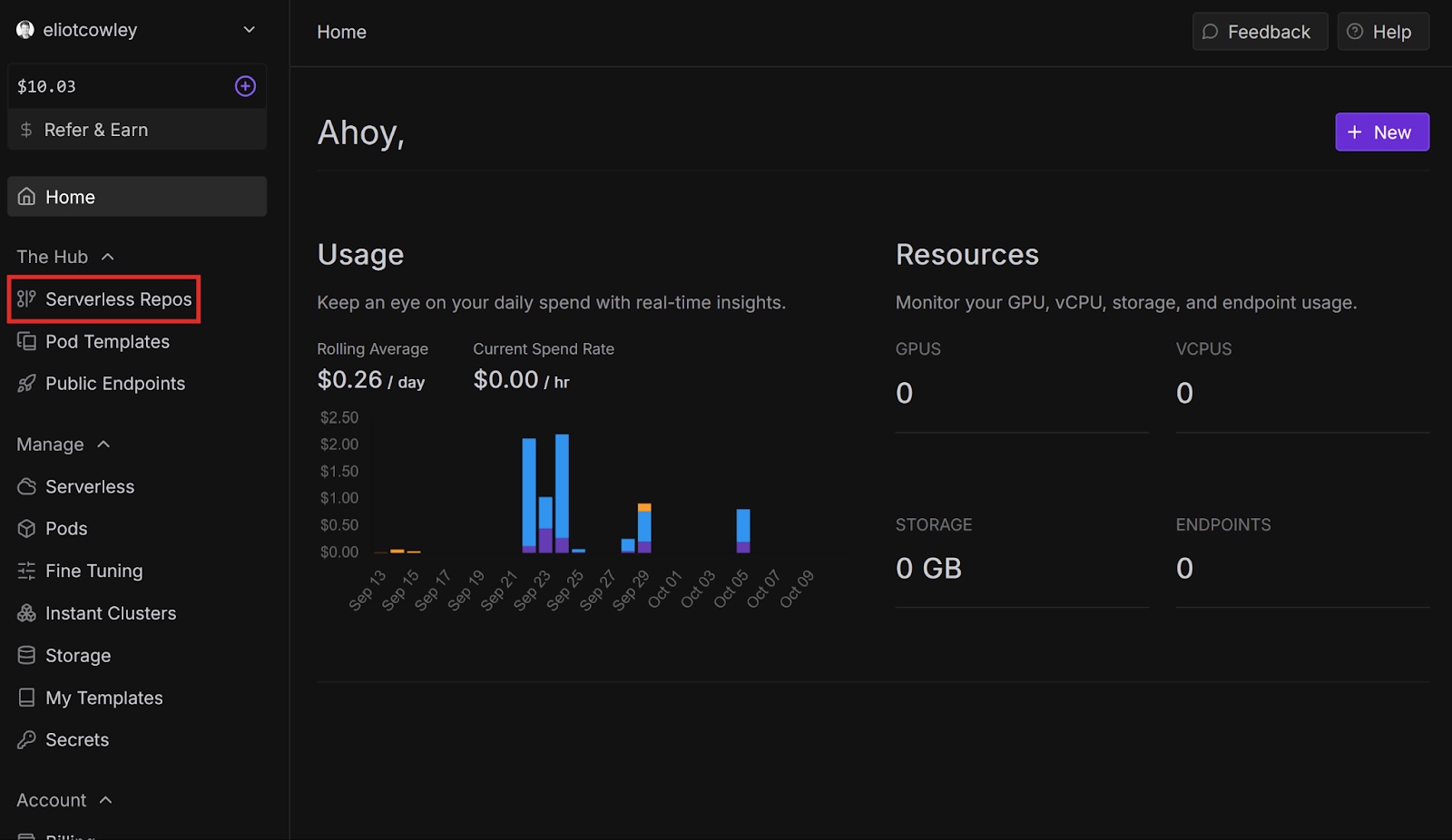
In the left sidebar, under The Hub, select Serverless Repos.
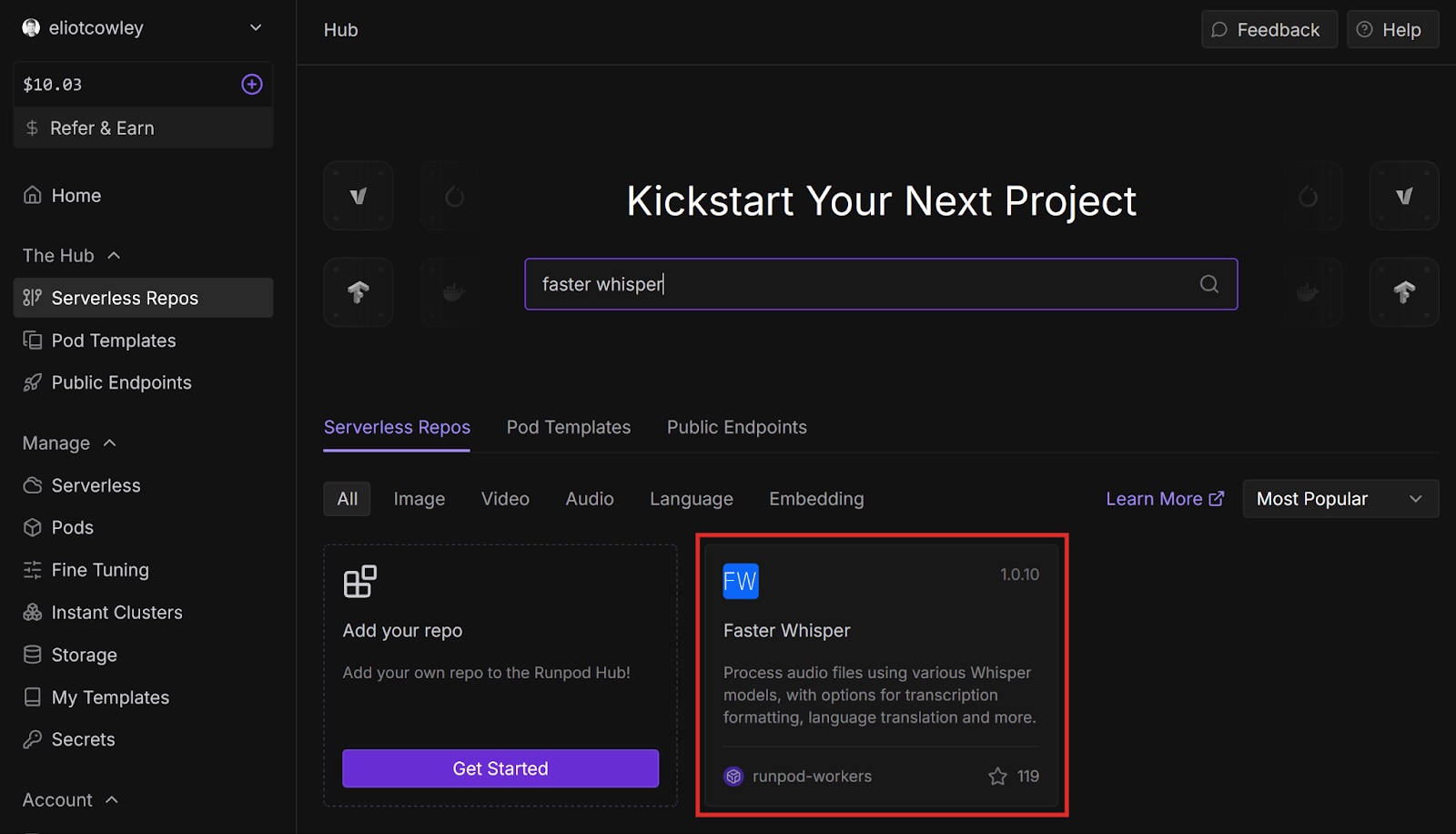
Search for “Faster Whisper” and select it (or go directly to the template with this link).
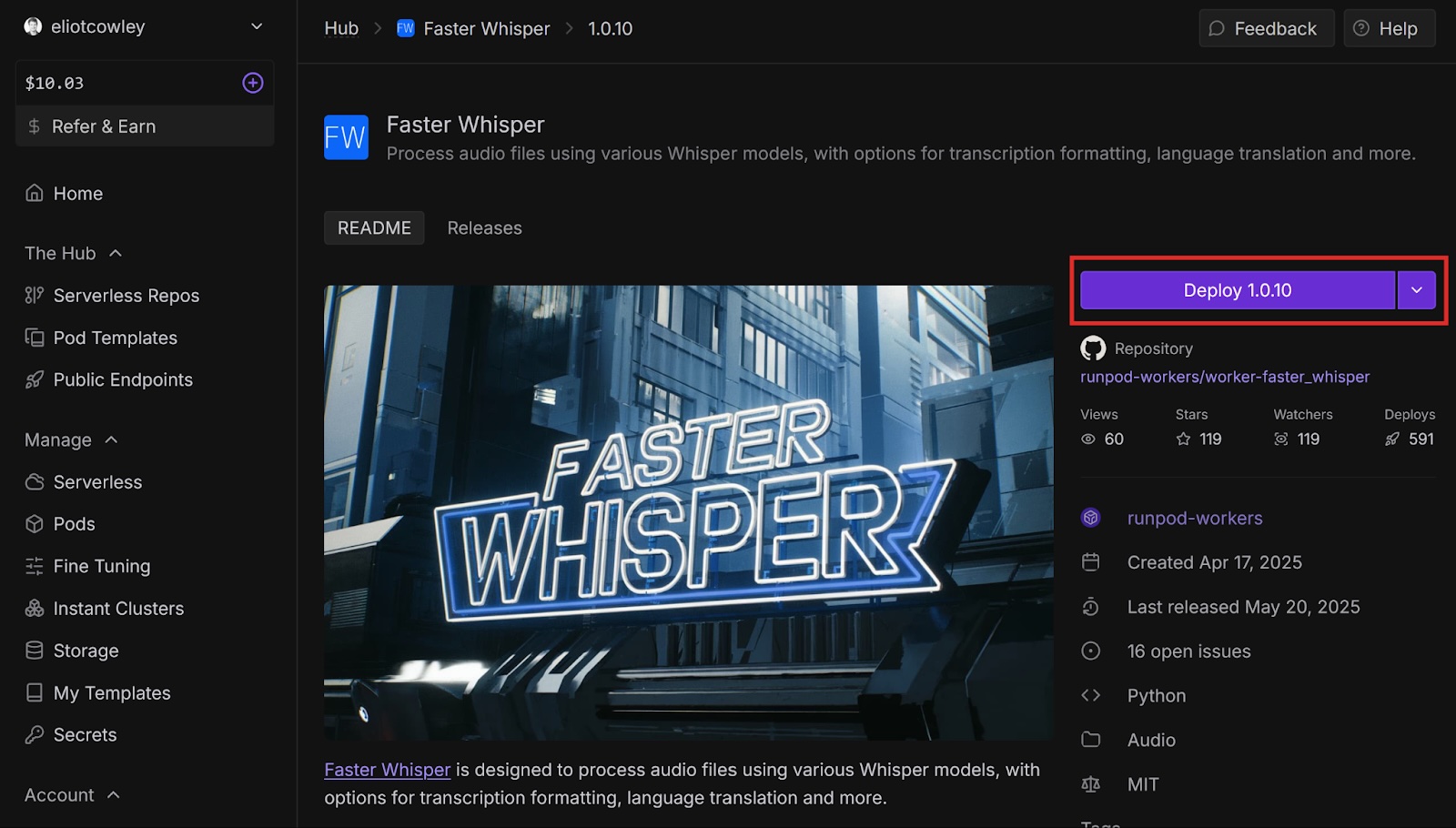
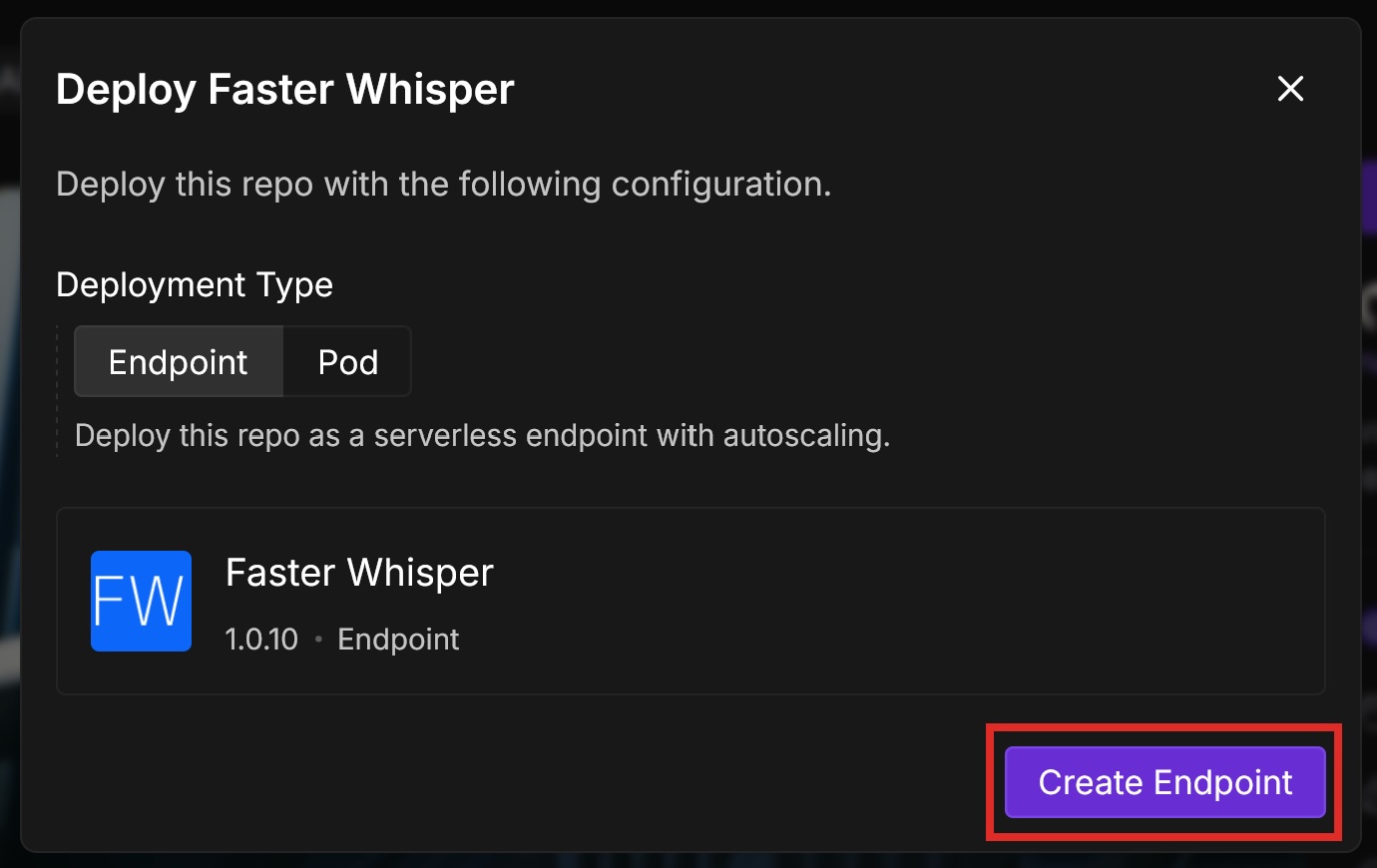
Select Deploy <VERSION NUMBER>. The version number you see may be different from the one in this screenshot.
A dialog opens saying that we have to configure the environment variables. Select Next.
We’ll deploy this template as an endpoint using Runpod Serverless so we don’t have to manage a whole pod and can just call the endpoint from code. Leave the Deployment Type as Endpoint and select Create Endpoint.
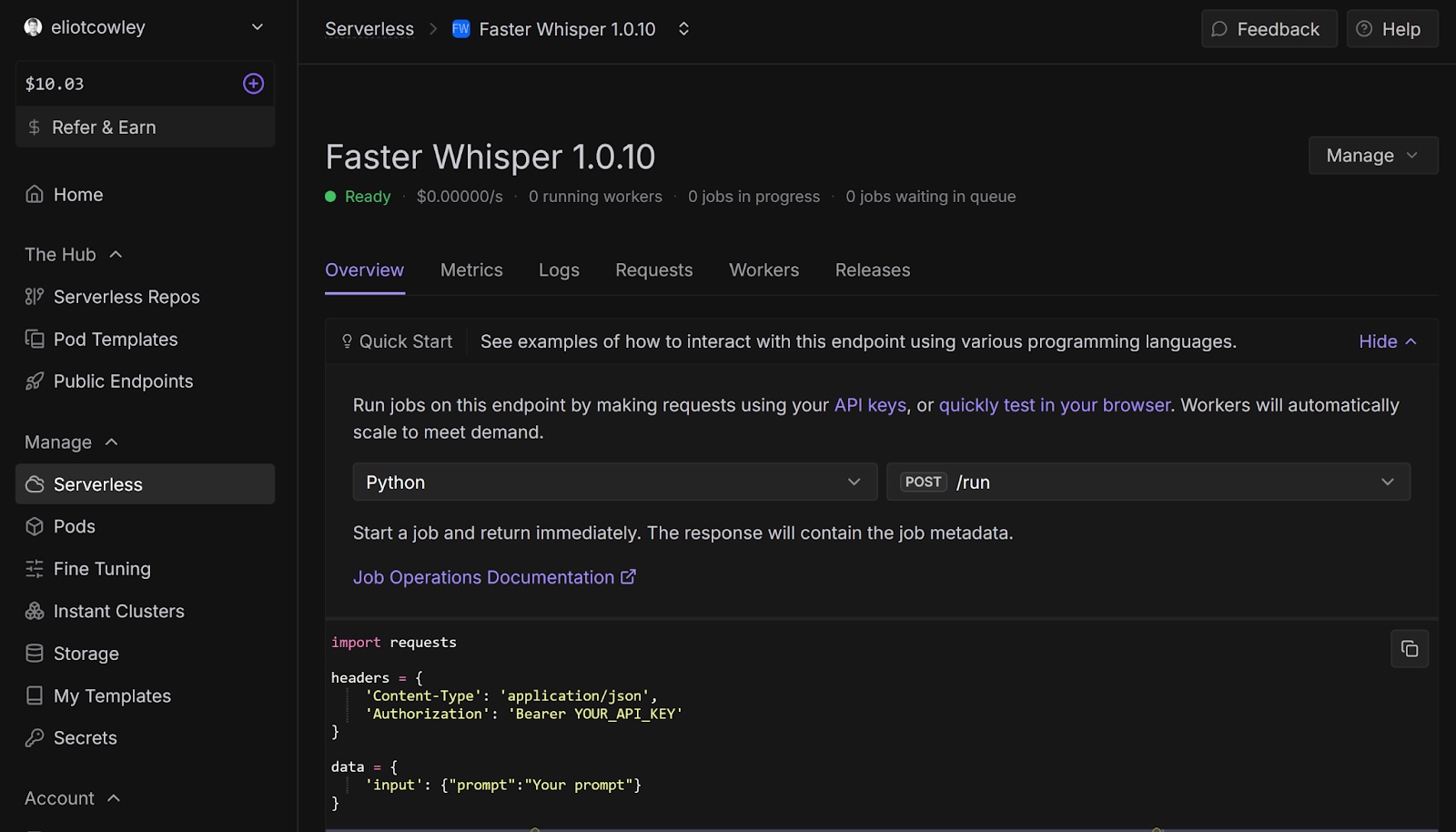
You should see a notification saying that the endpoint was successfully deployed, and the endpoint’s Overview page should open.
2. Transcribe an audio file
Let’s call our endpoint from code. The template page has an example request that we can use: { "input": { "audio": "https://github.com/runpod-workers/sample-inputs/raw/main/audio/gettysburg.wav", "model": "turbo" } }
audio is the URL of the audio file. model is the Whisper model that will process the audio. turbo is an optimized version of large-v3.
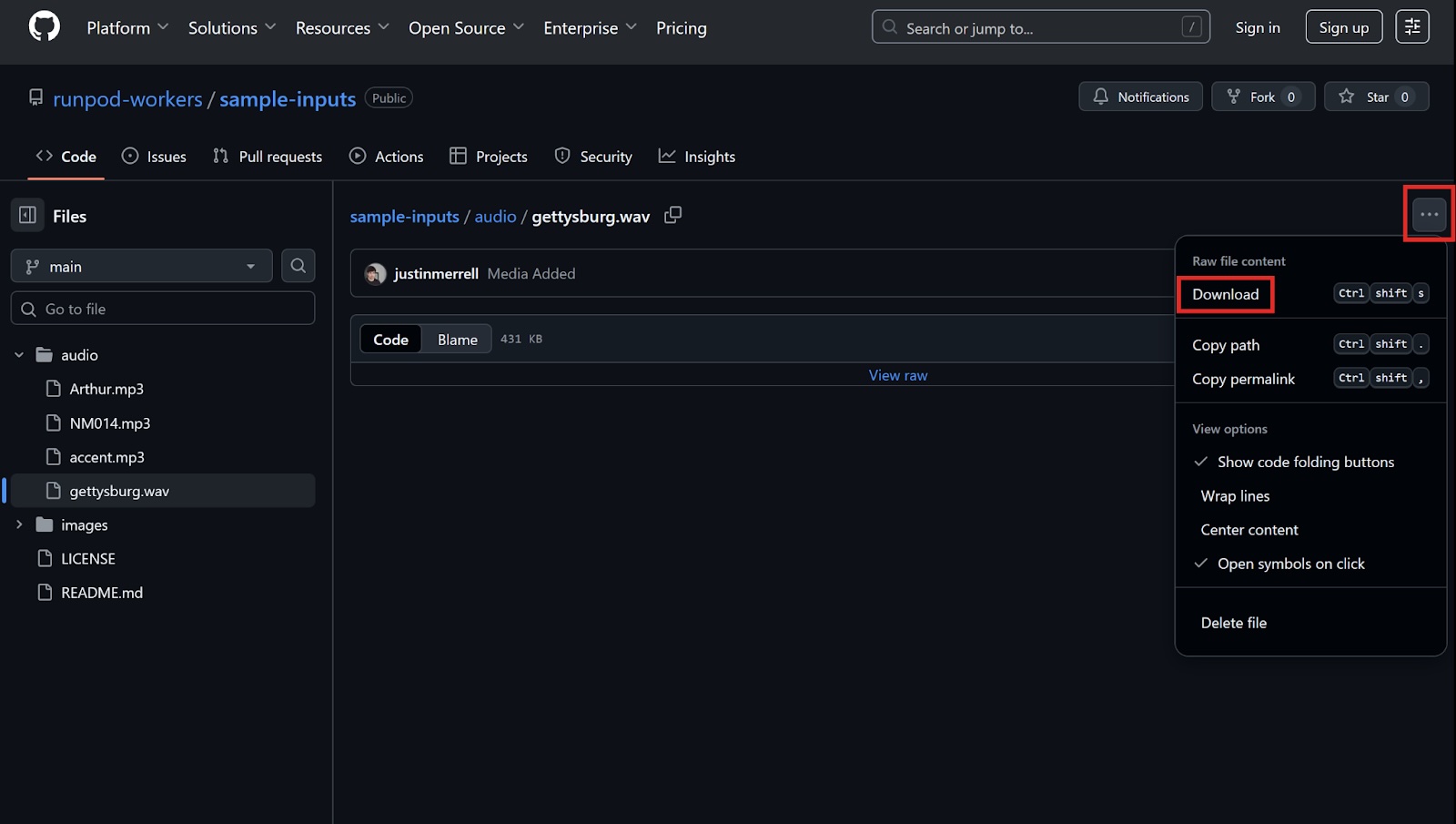
Explore the sample-inputs GitHub repository and browse the sample audio files. Select a file, and then select the “more” button (three dots), then Download to download the file. Listen to the files and choose one you like.
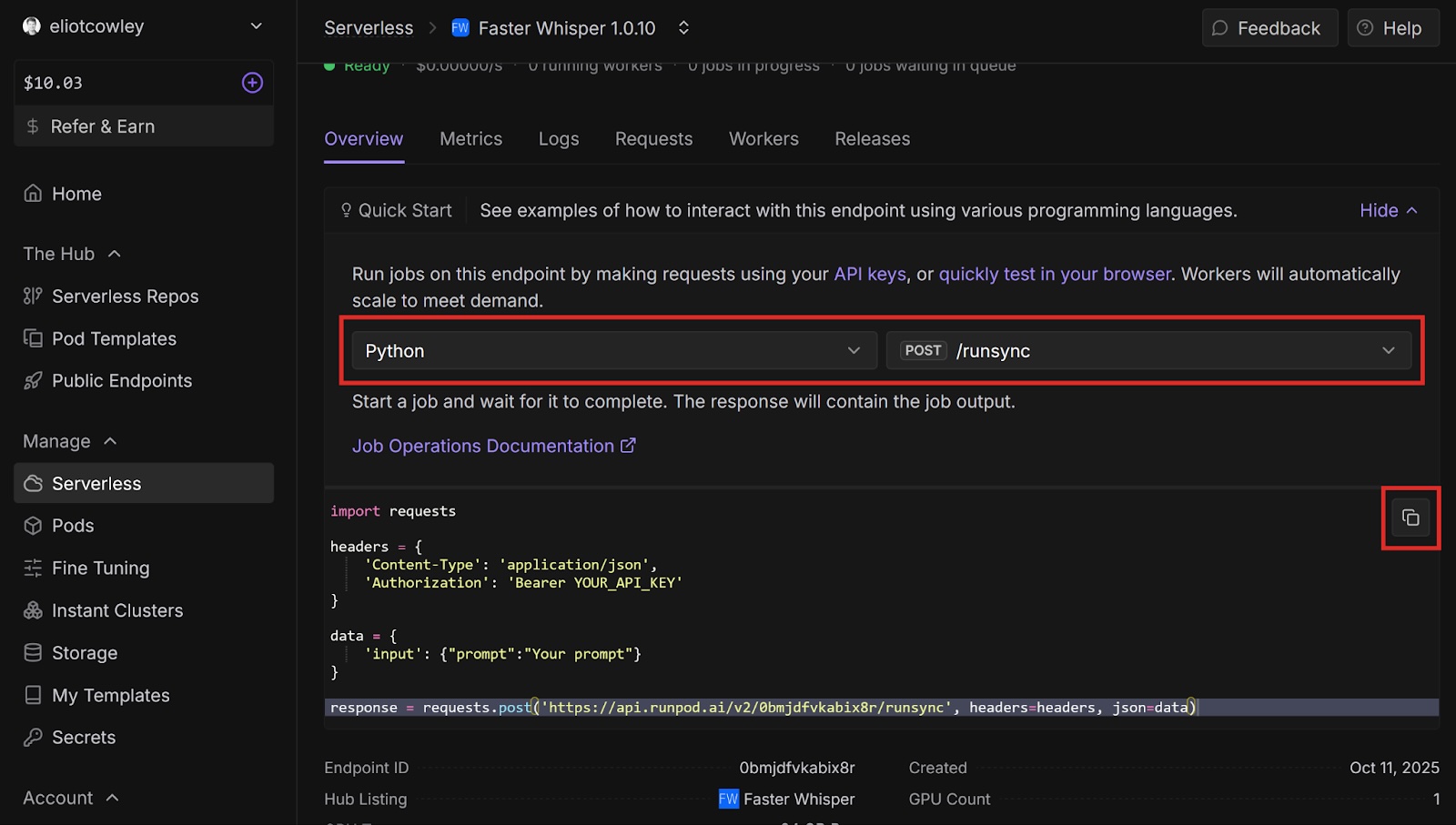
Open your endpoint’s overview page. Under Quick Start, select Python and POST /runsync in the dropdowns. /runsync waits for the job to complete before returning the response, whereas /run returns immediately. Copy the code example.
Open your preferred code editor (for example, VSCodium) and create a new Python file. Paste the code example into the file.
Replace <AUDIO URL> with the GitHub URL of the audio file that you want to process (for example, https://github.com/runpod-workers/sample-inputs/blob/main/audio/gettysburg.wav).
Add some print statements to print out the response code and the response body:
Run the program in a terminal: python <YOUR PYTHON FILENAME>
You should get output similar to the following: <Response [200]> {"delayTime":876,"executionTime":1034,"id":"sync-ed422376-d952-4b83-8365-68831ab24a62-u1","output":{"detected_language":"en","device":"cuda","model":"turbo","segments":[{"avg_logprob":-0.09318462171052631,"compression_ratio":1.3888888888888888,"end":5.22,"id":1,"no_speech_prob":0,"seek":0,"start":0,"temperature":0,"text":" Four score and seven years ago, our fathers brought forth on this continent a new nation,","tokens":[50365,7451,6175,293,3407,924,2057,11,527,23450,3038,5220,322,341,18932,257,777,4790,11,50626]},{"avg_logprob":-0.09318462171052631,"compression_ratio":1.3888888888888888,"end":9.82,"id":2,"no_speech_prob":0,"seek":0,"start":5.68,"temperature":0,"text":" conceived in liberty and dedicated to the proposition that all men are created equal.","tokens":[50649,34898,294,22849,293,8374,281,264,24830,300,439,1706,366,2942,2681,13,50856]}],"transcription":"Four score and seven years ago, our fathers brought forth on this continent a new nation, conceived in liberty and dedicated to the proposition that all men are created equal.","translation":null},"status":"COMPLETED","workerId":"zgxyuf5sijpymo"}
The response is a little hard to read like this, so paste it into a new JSON file and format it. Look for the transcription field and check that it matches the audio in the file: "transcription":"Four score and seven years ago, our fathers brought forth on this continent a new nation, conceived in liberty and dedicated to the proposition that all men are created equal."
Next steps
Congratulations! You automatically transcribed an audio file using Faster Whisper and Runpod. Imagine how you could apply this to automate podcast transcriptions, video subtitles, real-time meeting translations - the possibilities are endless.
Now that you’ve transcribed a simple audio file, here are some other things to try next:
Change the model field to a different Whisper model and compare the results. Here are the available models. For more information on the different models, see Available models and languages.
tiny
base
small
medium
large-v1
large-v2
large-v3
distil-large-v2
distil-large-v3
turbo
Translate an audio file from a different language to English. You must set the translate field to True. You can also set language to the language code of the audio file, or leave it out to have Faster Whisper detect the language automatically.
What's new in Runpod Serverless: Faster cold starts, batch inference, and no-Docker deploys
Whether you're already running production endpoints on Runpod or you're sizing us up for the first time, here's a plain-language tour of what Runpod Serverless does today, why it's faster and cheaper than it was six months ago, and how to deploy your first endpoint in minutes.
Beyond the Notebook: The Engineering Realities of Production AI Agents
Shift from stateless inference to stateful architectures to resolve infrastructure bottlenecks like memory management, concurrency limits, and runaway jobs in production AI agents.



.jpeg)