
How Runpod’s agent skills and MCP server work together
An API tells an agent what it can do, not whether it should. See how skills, a concept graph and live-account tests keep agents right on Runpod.
All
 Skip to main content
Blog
Let your coding agent deploy Pods, diagnose failures and shut down what you no longer need, while you decide which actions it takes without asking.


Runpod for Agents lets you hand infrastructure work to your coding agent. Coding agents write code well enough, but infrastructure takes more than API access: without current docs, an agent falls back on outdated commands and guessed defaults. Runpod for Agents adds current docs and tested procedures alongside the API.
This month, one prompt sets up Runpod in Claude Code, Codex, Cursor and more. The MCP server adds a knowledge base and new tools, and new tested skills cover common infrastructure tasks. More is coming in the December edition.
Setup works from Claude Code, Codex, Cursor and more. Give your agent this prompt:
Read agents.runpod.io and set up Runpod for me.Your agent follows our official setup instructions to install Runpod’s skills and MCP server in one step. Then sign in with your Runpod account in your browser, or use an API key if your client doesn’t support browser sign-in.
The agent setup docs list every supported client, and the full setup walkthrough covers the commands for the most common clients and a path for CI.
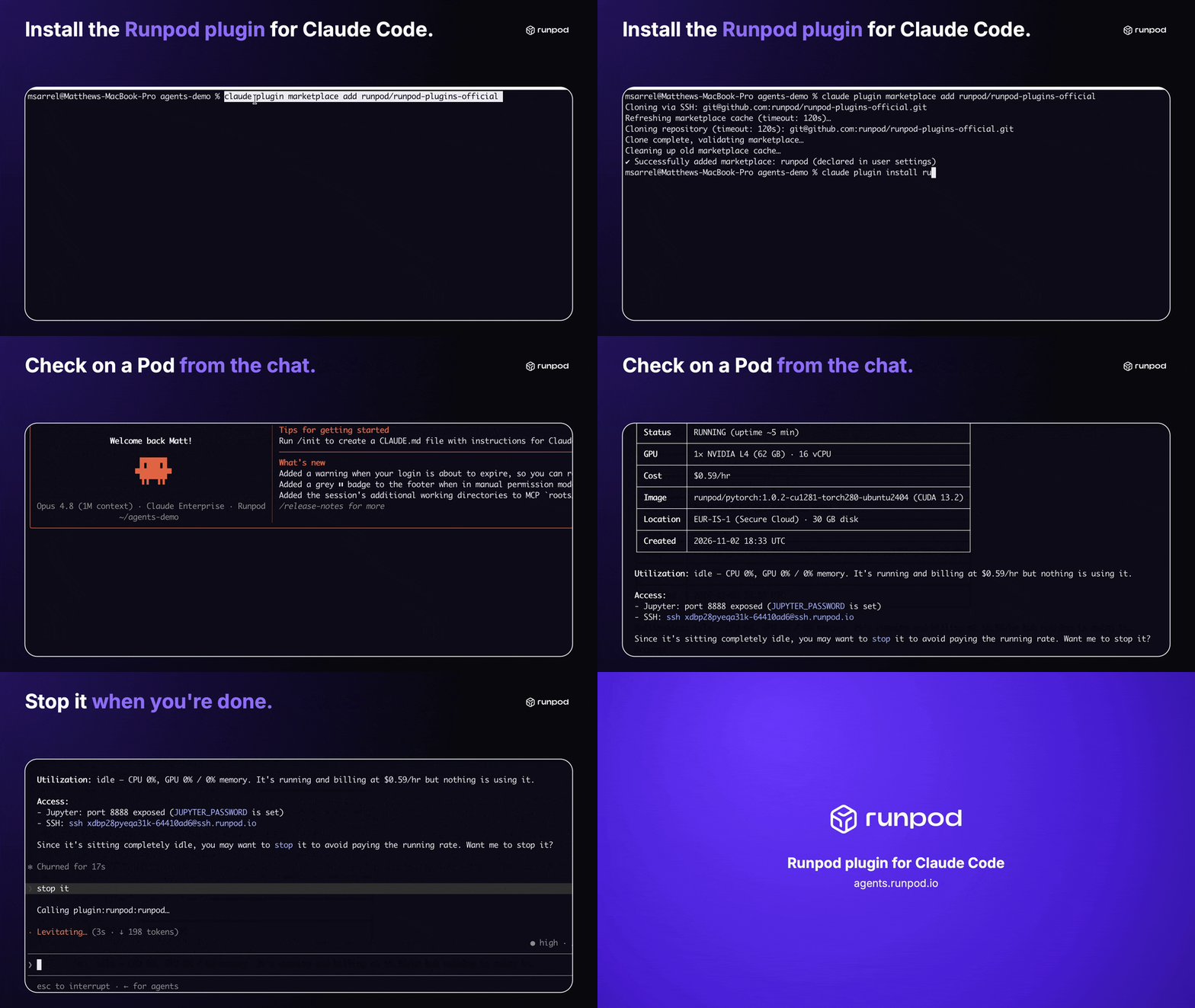
The Runpod plugin works in Claude Code and ChatGPT. In Claude Code, install the plugin and manage Pods, endpoints and volumes from the chat:
claude plugin marketplace add runpod/runpod-plugins-officialclaude plugin install runpod@runpodRun /reload-plugins, then sign in through /mcp. From there, you manage Pods in plain language.
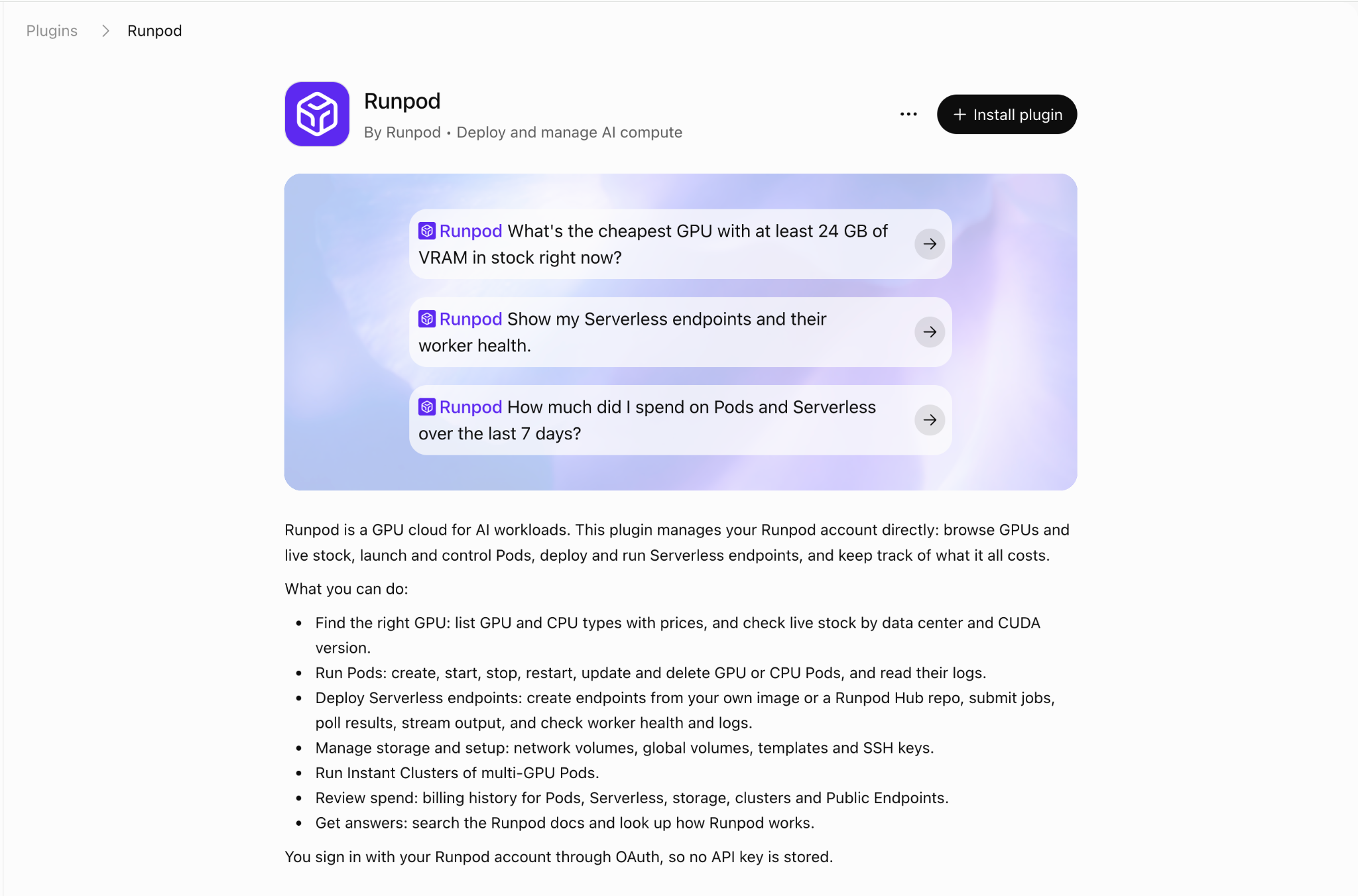
In ChatGPT, add the Runpod plugin and sign in with your Runpod account, with no terminal needed.
The Runpod MCP now includes a knowledge base for agents, covering Pods, endpoints, volumes, GPU types and workers. Its tools are generated from the REST v2 spec, so new API features reach it with each release.
lookup-concept, search-concepts, list-guides and read-guide, plus search-docs, which returns its sources, so the agent reads current documentation instead of relying on memory.report_feedback, which lets an agent flag an incorrect tool or guide.We’ve added 10 skills since August: seven playbooks covering resource discovery and hardware selection, Pod deployments, model serving on Runpod Serverless, Pod troubleshooting, endpoint operations, cost audits and lifecycle management for volumes, secrets and other reusable resources. Three more cover Runpod templates, building complete template projects and migrating older APIs to REST v2. The plugin also includes 25 worked reference tasks, such as running ComfyUI on a Pod or deploying a Whisper endpoint, most of them run end to end on live infrastructure. Your agent can access the skills through the plugin or MCP server. The skills prefer Secure Cloud and set a minimum CUDA version.
The skills are published in the runpod-plugins-official repository, and the skills docs and MCP docs cover the details. To see how we source, test and update them, read How Runpod’s skills and MCP work together.
Terraform provider 2.0 has been available since October, and a TypeScript SDK is available as a 0.x release. Both are generated from REST v2, like the MCP server, so your scripts, Terraform plans and coding agents manage resources through the same API. Manage Runpod as code with Terraform provider 2.0 covers install, your first Pod and migrating from 1.x.
You can now mount and unmount network volumes on existing Pods through REST v2 and the console.
Open Source Films uses AI agents to provision compute on Runpod. The team’s scheduler queues jobs across their hardware in real time, and agents bring Runpod GPUs online when jobs need more capacity. Each Claude or ChatGPT session works from a shared record of what’s done, what failed and what’s left, so no session starts from scratch. The result: a roughly 10x increase in project and build throughput.
“Giving agents direct control of that infrastructure takes us another step towards a continuous, largely autonomous production pipeline capable of tackling work that would otherwise be far beyond an independent film’s resources.”
Daniel Connell, Producer, LifeR | Founder, Open Source Films
To set up your agent on Runpod, read Set up Runpod from any coding agent in one step.
To manage infrastructure as code, read Manage Runpod as code with Terraform provider 2.0.
To see how the skills and MCP server work together, read How Runpod’s skills and MCP work together.
For MCP tool design, including paginated list results, read Designing MCP tools that don’t blow up your agent’s context window.
Blog Posts