
Which GPU should you actually use for embedding workloads?
Selecting the right serving engine for your embedding model can dramatically outperform hardware upgrades, yielding up to an 11x throughput increase on the same GPU.
All
 Skip to main content
Blog
Starting with runpod-python 0.10.0, you can launch a local API server for testing your worker handler using --rp_serve_api. This feature improves the.


Up to this point, developing a serverless worker has required test inputs to be passed in through a test_input.json file or, alternatively, passed in with the --test_input argument. While this method works fine, it doesn't fully replicate the interactive nature of an API server. Today, we're excited to announce a significant improvement to your testing and development workflow.
Starting with the 0.10.0 release of runpod-python, you can now quickly launch local API servers for testing requests. This is achieved by calling your handler file with the --rp_serve_api argument.
The transition is simple once you are satisfied that your worker is functioning correctly and ready for the scalability feature offered by Runpod Serverless. Create an endpoint template with the same image, and you're ready to go.
Introducing a local API server marks a big step in our ongoing commitment to making serverless development as easy and efficient as possible. We're excited to see how you'll leverage this new feature in your serverless applications.
Let's look at our IsEven example and see how we can serve it locally. First, navigate to the directory containing our whatever.py handler file. We can call this file with the addition of the --rp_serve_api argument flag:
Once the command is executed, you should see an output indicating the server is running on port 8000.
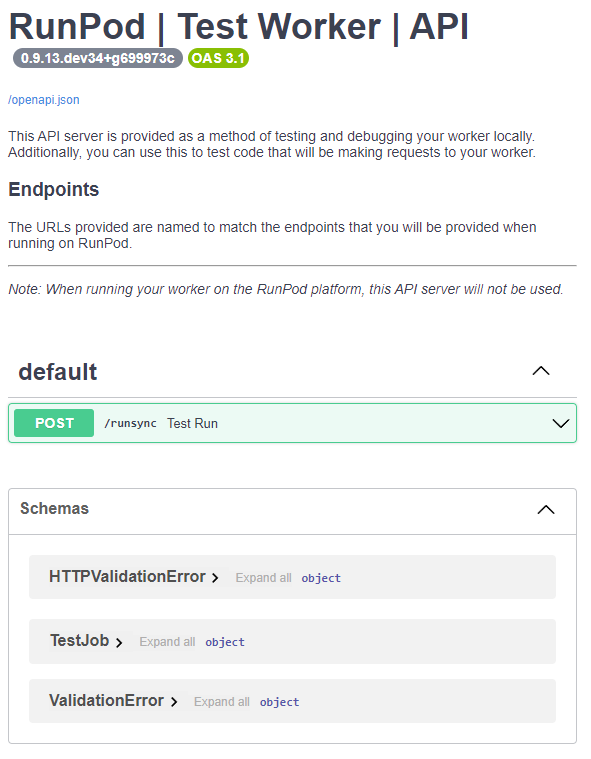
To verify that it's working, navigate to http://localhost:8000/docs in your web browser. Here, you should see the API documentation page:
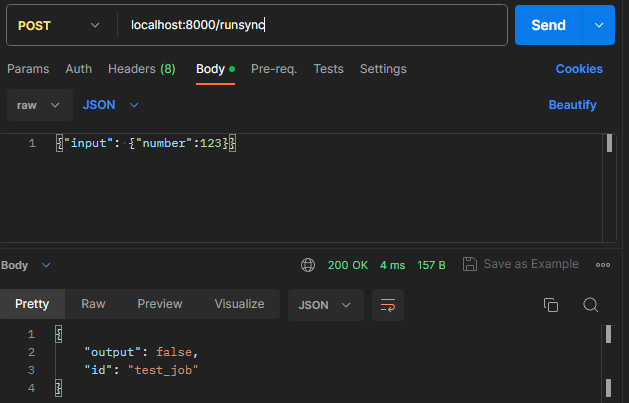
To test the API, you can use a tool such as Postman or curl to submit a POST request to your API:
Remember to replace <Your JSON Payload> and <Your API Endpoint> with the appropriate values for your application.
As an alternative to running locally, we can also host our API as a standard Pod. This is particularly useful if you need to test GPU workloads and your local development environment does not have the required hardware.
First, you will need to build your Docker image. Then, head over to Runpod and create a new GPU pod template.
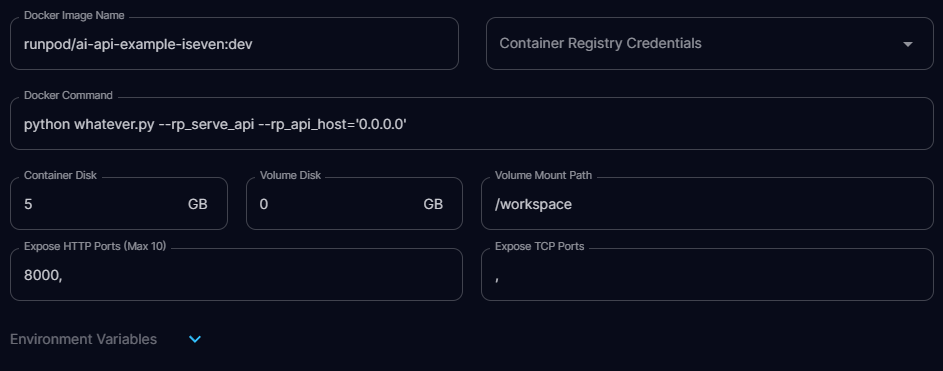
Using the same container image that you will use for serverless, you will override the Docker command to include the additional arguments python whatever.py --rp_serve_api --rp_api_host='0.0.0.0'. This will start an API server that you can now submit requests to.
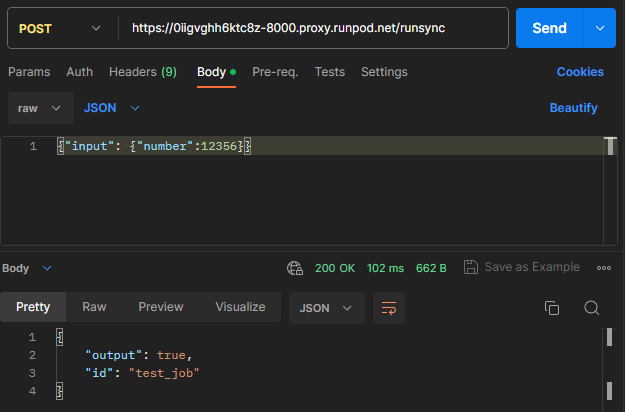
NOTE: Do not include these arguments when running as a serverless endpoint.
Author profile: Justin Merrell
Blog Posts