
Powering the next generation of AI & high-performance computing.
Engineered for large-scale AI training, deep learning, and high-performance workloads, delivering unprecedented compute power and efficiency.
Why rent the RTX A6000 instead of buying?
Professional GPU power without the capital cost
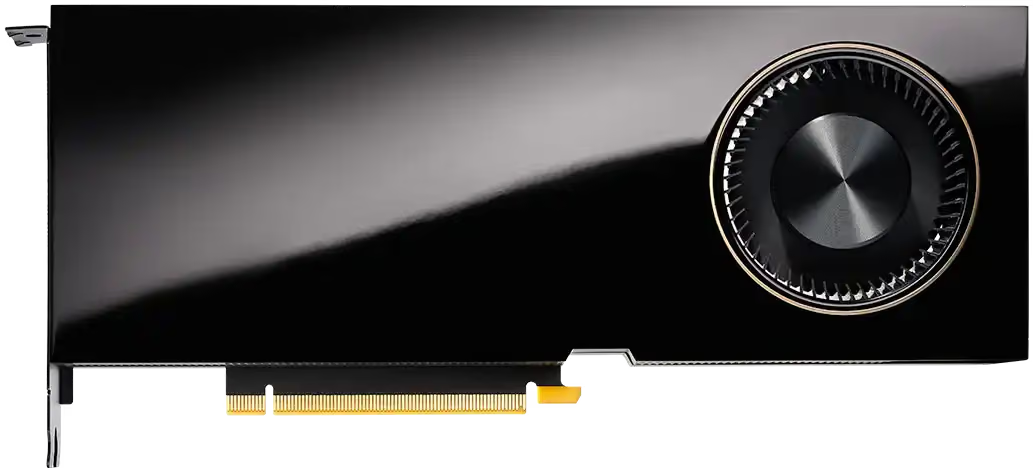
The RTX A6000 packs 48 GB of GDDR6 ECC memory, 10,752 CUDA cores, and 2nd-generation RT Cores into a single card, hardware that retails for well over $4,000 new. Runpod's on-demand pricing lets you access the same card from $0.33/hr on Community Cloud, with no upfront investment, no depreciation, and no idle hardware costs between projects.
48 GB that changes what's possible
Consumer GPUs top out at 24 GB. The A6000's 48 GB lets you run larger models in full precision, work with higher-resolution textures and scenes, and process bigger batch sizes without CPU offloading. For AI teams and 3D artists alike, that memory headroom directly translates to fewer compromises and faster iteration.
Deploy in seconds, scale without limits
Provision an RTX A6000 pod in seconds. Scale to multiple cards, swap to a different GPU, or shut everything down when a project wraps. Runpod handles infrastructure, power, cooling, maintenance, so you don't have to.
Use Cases
Popular use cases.
Designed for demanding workloads. Learn if this GPU fits your needs.



Technical Specs
Ready for your most demanding workloads.
Essential technical specifications to help you choose the right GPU for your workload.
| Specification | Details | Great for... |
|---|---|---|
| Architecture | NVIDIA Ampere (GA102) | Workloads requiring 3rd-gen Tensor Cores and 2nd-gen RT Cores in a single card |
| Manufacturing Process | 8nm Samsung | N/A |
| Transistors | 28.3 billion | N/A |
| Die Size | 628 mm² | N/A |
| Form Factor | FHFL, dual-slot PCIe | Deploying in existing PCIe server infrastructure without NVLink fabric |
| CUDA Cores | 10,752 | Parallelizing large rendering, simulation, and inference workloads across thousands of cores |
| Tensor Cores | 336 (3rd generation) | Mixed-precision AI training and inference with TF32, BF16, FP16, and INT8 support |
| RT Cores | 84 (2nd generation) | Hardware-accelerated ray tracing for VFX, architectural visualization, and product rendering |
| GPU Memory | 48 GB GDDR6 ECC | Loading large model weights, high-res textures, and complex scene data without CPU offloading |
| Clock Speeds | Base 1,410 / Boost 1,800 MHz | Sustained throughput across long rendering and training runs |
| Power Consumption | 300 W TDP (1× PCIe 12-pin) | Predictable power budgeting for multi-GPU workstations and rack deployments |
| FP64 Performance | 0.6 TFLOPS | N/A |
| FP32 Performance | 38.7 TFLOPS | Standard-precision AI training, simulation, and rendering compute |
| TF32 Tensor Core | 77.4 TFLOPS (154.9 sparse) | Accelerated training with near-FP32 accuracy at roughly 2× the throughput |
| INT8 Tensor Core | 309.7 TOPS (619.4 sparse) | Quantized inference at maximum throughput for production deployments |
"The Runpod team has clearly prioritized the developer experience to create an elegant solution that enables individuals to rapidly develop custom AI apps or integrations while also paving the way for organizations to truly deliver on the promise of AI."

Amjad Masad
"Runpod is the only place I can deploy high-end GPU models instantly. No sales calls, no rate limits, no nonsense."

Daniel Chang
“The main value proposition for us was the flexibility Runpod offered. We were able to scale up effortlessly to meet the demand at launch.”

Josh Payne
“Runpod helped us scale the part of our platform that drives creation. That’s what fuels the rest. Image generation, sharing, remixing. It starts with training.”

Matty Shimura
Comparison
Powerful GPUs. Globally available. Reliability you can trust.
30+ GPUs, 31 regions, instant scale. Fine-tune or go full Skynet. We’ve got you.
FAQs
Questions? Answers.
What are the current rental rates for NVIDIA RTX A6000 GPUs on Runpod?
Rates vary by instance type and availability. For the most current pricing, see the Runpod pricing page.
How do I get started renting an RTX A6000 on Runpod?
Getting started is straightforward. Create a Runpod account, navigate to the GPU selection page, and choose an RTX A6000 configuration that fits your needs. The platform provides instant deployment with pre-configured environments for common frameworks. You'll receive access credentials immediately after your instance is provisioned, typically within minutes of payment.
What workloads is the RTX A6000 best suited for?
The A6000 excels at large-scale AI training and inference (48 GB fits models that exhaust consumer GPUs), professional 3D rendering in V-Ray, Arnold, and Blender via hardware RT cores, high-resolution video processing, and medical imaging or scientific workloads where ECC memory ensures data integrity. For comparisons with adjacent cards, see RTX A5000 vs RTX A6000.
What performance can I expect for specific workloads?
The RTX A6000 delivers impressive performance across various tasks:
- AI Training: For computer vision tasks using ResNet50, expect processing speeds around 1,145 images per second on a single GPU.
- 3D Rendering: Blender Cycles renders complete up to 2-3x faster than previous generation GPUs.
- Video Processing: 4K video encoding runs at approximately 300-400 fps, depending on codec settings.
- Data Science: Training mid-sized transformer models completes in hours rather than days compared to CPU-only solutions.
The RTX A6000's 48GB memory makes it suitable for demanding large-model workloads.
When using dual A6000s via NVLink, these numbers can nearly double for workloads that scale well across GPUs.
How does renting compare to owning an RTX A6000?
For continuous 24/7 usage over a year or more, purchase costs can converge with rental costs. For most teams, renting wins: no upfront outlay on hardware that depreciates, no power or cooling overhead, instant access to a different GPU if your workload changes, and no maintenance responsibility. For current rates to run your own comparison, see the Runpod pricing page.
Can I connect two RTX A6000s for more VRAM?
Yes. Two RTX A6000s connected via NVLink bridge give you 96 GB of combined GDDR6 ECC memory at 112.5 GB/s inter-GPU bandwidth, useful for models too large for a single 48 GB card. Runpod's dual-GPU configurations support this setup.
How can I integrate rented GPUs into my existing workflow?
Integrating cloud GPUs into your workflow involves these key steps:
- Data Management: Set up efficient data transfer pathways using tools like rclone for synchronizing datasets with cloud storage.
- Environment Configuration: Use containers or virtual environments to ensure consistent software dependencies across local and cloud environments.
- Workflow Automation: Implement scripts that can prepare data, launch cloud instances, run workloads, and download results automatically.
- Performance Monitoring: Use tools like NVIDIA DCGM to track GPU utilization and identify bottlenecks.
- Cost Management: Set up alerts for usage thresholds to avoid unexpected expenses.
For more insights on serverless GPU cloud options, refer to our article on serverless GPU clouds.
What are the best use cases for the RTX A6000?
The A6000 excels in these scenarios:
- Large-Scale AI Training: The 48GB memory accommodates larger models and batch sizes than consumer GPUs, making it one of the best GPUs for AI models.
- GPU Rendering: Professional-grade drivers ensure stability for long rendering jobs in applications like V-Ray, Arnold, and Blender.
- Medical Imaging: Process high-resolution medical scans with ECC memory ensuring data integrity.
- Financial Modeling: Run complex Monte Carlo simulations with professional driver reliability.
- Research Computing: Support for double-precision operations and large datasets makes it ideal for scientific applications.
What kind of technical support does Runpod provide?
Runpod offers multi-tiered support for A6000 users: Comprehensive documentation and knowledge base, community forums for peer assistance, email support with response targets, premium support options for business users with faster response times, and templates and guides for common AI frameworks and applications. This support ecosystem helps resolve issues from initial setup through advanced optimization questions.
12,380,000,000
Requests since launch & 1M+ developers worldwide