Deploy Python ML Models on Runpod, No Docker Needed
Learn how to deploy Python machine learning models on Runpod without touching Docker. This guide walks you through using virtual environments, network.
What if I told you, you can now deploy pure python machine learning models with zero-stress on Runpod! Excuse that this is a bit of a hacky workflow at the moment. We'll be providing better abstractions in the future!
Prerequisites and Notes
The tutorial only works for containers installed purely from pypi, so system installed packages unfortunately won't work with this tutorial
A good understanding of virtual environments in python
A decent amount of knowledge on how to use the terminal
For the ease of this tutorial, I am going to do all this in the Jupiter interface (for editing python files), however, this tutorial may be repeated in vscode, if that is a coding environment you are more comfortable with
The Grand Idea
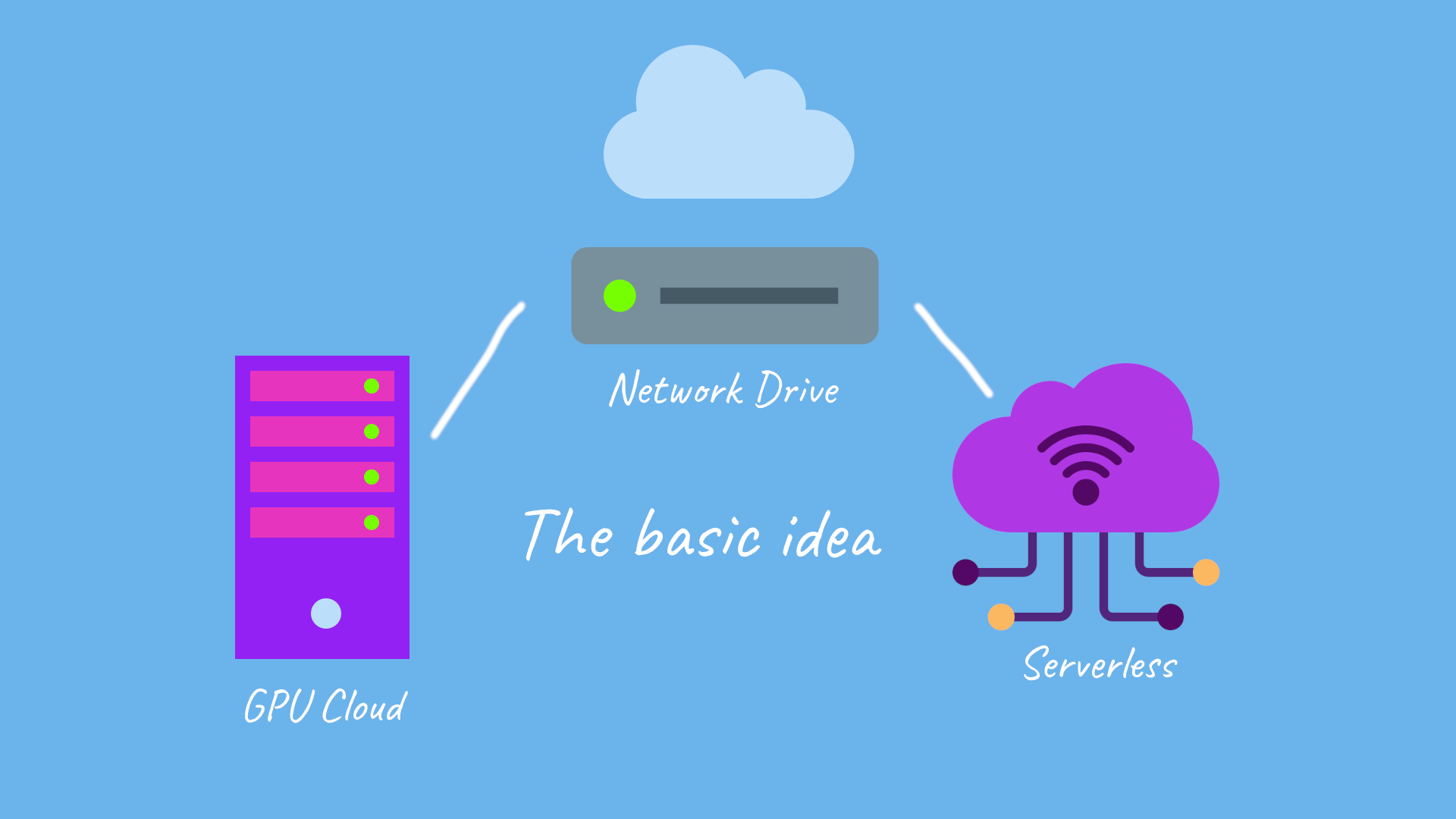
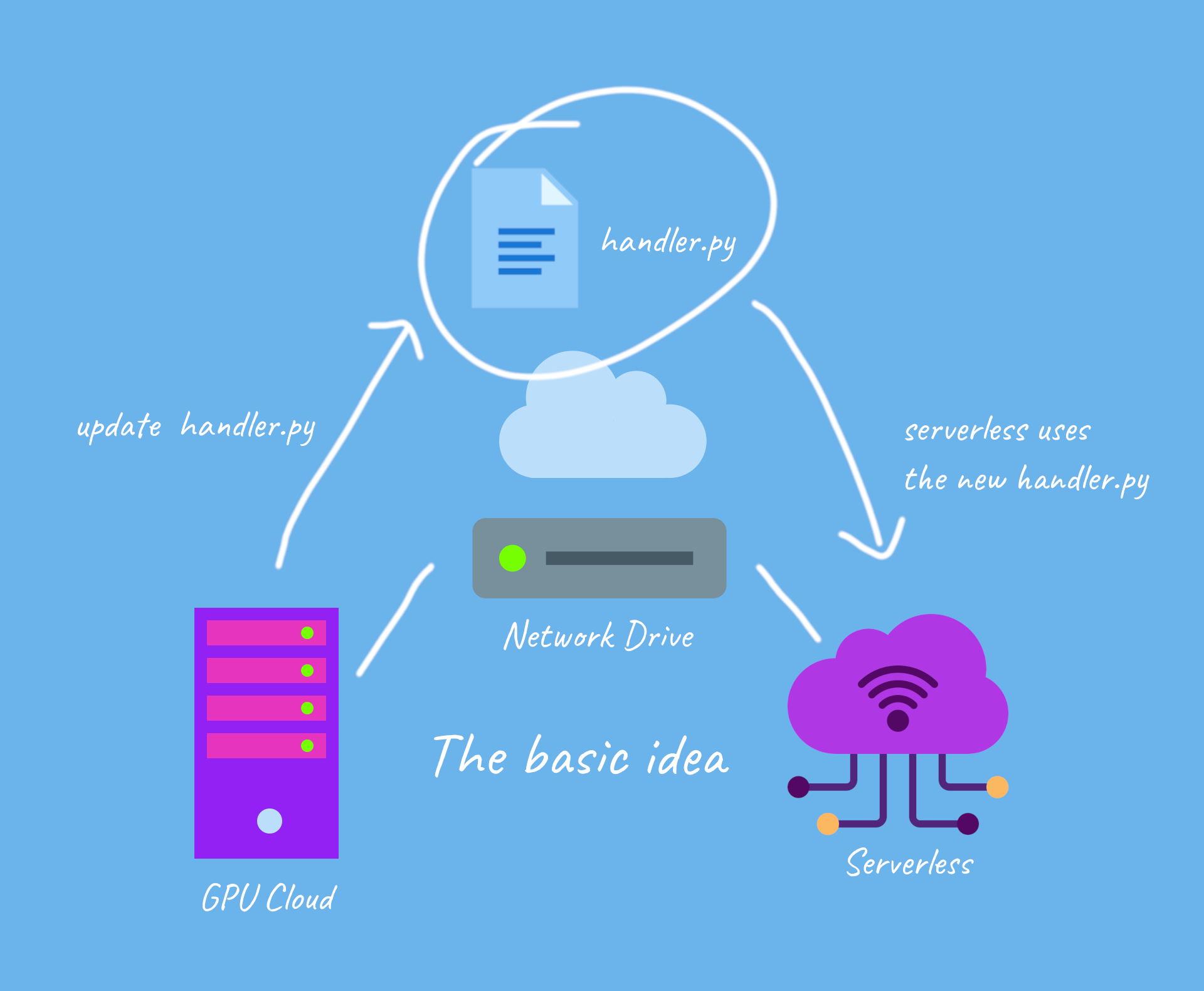
we're essentially connecting and running our serverless functions and updating the handler in serverless, using GPU cloud
and for updates
when we update the handler file via GPU cloud on the network drive, we also update it on serverless
Lets Get Started!
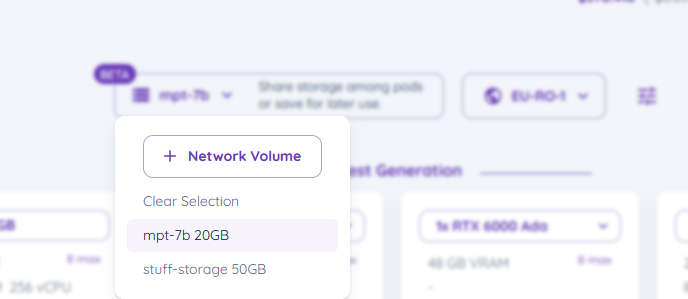
Select your network drive in secure cloud, and click it to select it, it should appear on your top bar
select the network drive
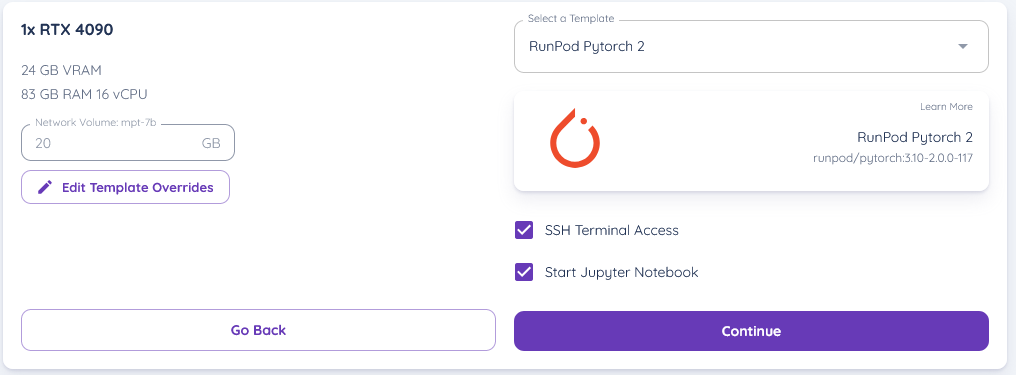
2. Lets start a Runpod Pytorch 2 (you can use any runtime container that you like) template with Runpod, by selecting the pod you wish for with the template
(ensure your network drive is selected on the pod)
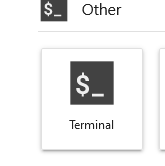
3. start the pod and get into the Jupyter Lab interface, and then open a terminal
4. now in the terminal, create a python virtual environment by typing in (ensure your current directory is /workspace)
update ubuntu with
then create a virtual environment
this should create a virtual environment in /workspace
next we activate the virtual environment with
5. for now, I am going to develop and deploy bark, a text-to-speech engine that produces realistic sounding audio
lets install the package in the terminal by typing, as well as runpod and scipy
6. lets create a python file, and type in the following code into it, lets name it "handler.py" and save it in /workspace/handler.py
the python code for running bark
code explanation : this basically returns the generated audio as a file
7. lets write a startup file - this will be the code used to start docker up with serverless, we'll save this in "/workspace/pod-startup.sh"
Testing the API out on runpod - in GPU cloud
You can test the api out by creating a testing json in /workspace/test_input.json
2.
1. deactivate the venv we're in in the terminal by typing deactivate 2. try sh pod-startup.sh to test it out
This should show the generation process, and we should be able to see the process being run!
Testing the API out via serverless
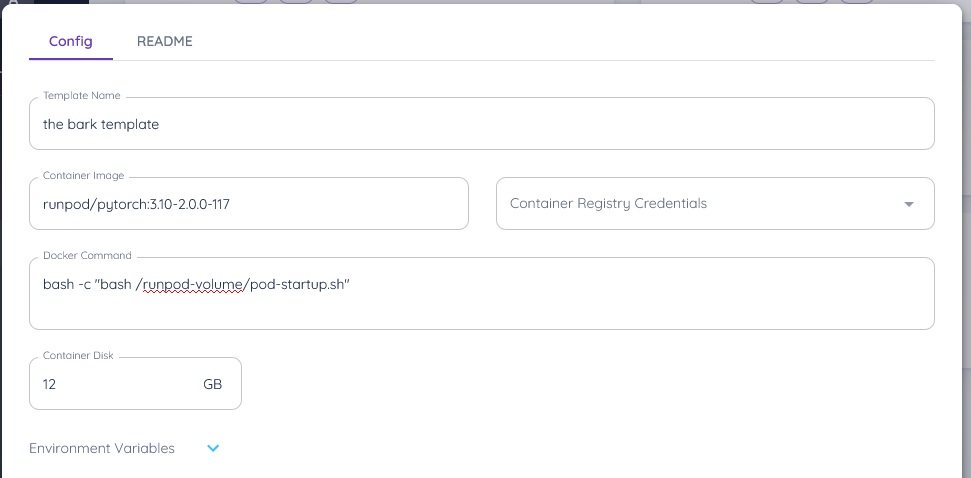
Go ahead to serverless and lets create a new serverless template
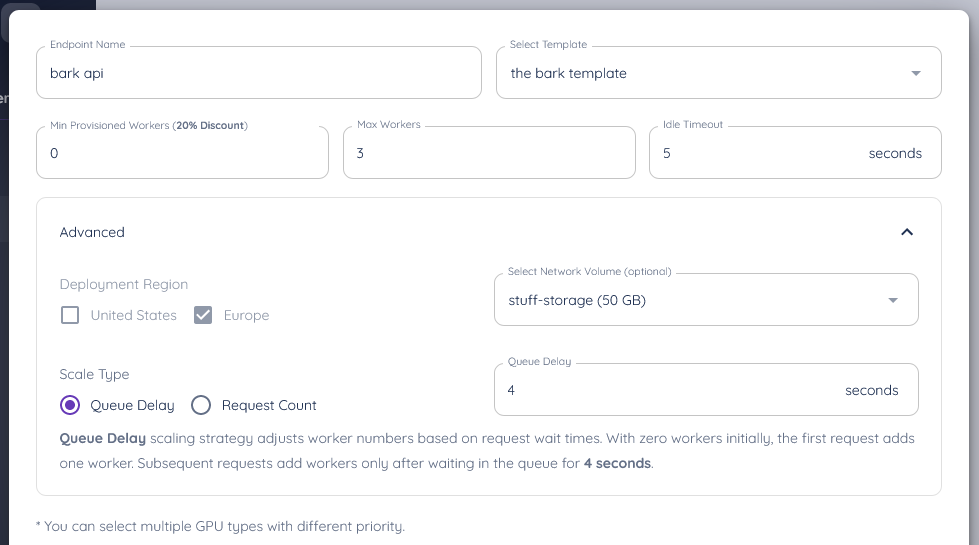
3. now setup a runpod serverless api with your network volume connected, using the template
ensure you connect it to your network volume, and your template
and ta-da, you've setup your api to it!
Actually test it out!
you can now make requests to it, so here's some sample code to make a request and download a file (ensure you install the requests the library for this with pip install requests)
What's new in Runpod Serverless: Faster cold starts, batch inference, and no-Docker deploys
Whether you're already running production endpoints on Runpod or you're sizing us up for the first time, here's a plain-language tour of what Runpod Serverless does today, why it's faster and cheaper than it was six months ago, and how to deploy your first endpoint in minutes.
Beyond the Notebook: The Engineering Realities of Production AI Agents
Shift from stateless inference to stateful architectures to resolve infrastructure bottlenecks like memory management, concurrency limits, and runaway jobs in production AI agents.



.jpeg)