
Microsoft Azure is one of the most complete cloud platforms available, and for most general-purpose workloads that breadth is the reason to stay. This article is about a narrower question: where to run AI and GPU workloads when Azure is not the right fit for them.
Teams usually start looking for three reasons. GPU instance pricing is high relative to specialist providers. GPU capacity in a given region can require quota requests and lead time. And the operational surface – VNets, resource groups, quotas, role assignments – is heavier than a team that just wants a GPU actually needs.
Below are eight alternatives, each with what it is good at, where it falls short, and what it costs. A note on the pricing in this article: only some of these providers publish comparable self-serve GPU rates. Where a provider publishes one, we quote it with the date we checked. Where they do not – AWS, Oracle, IBM and Azure itself publish GPU pricing behind calculators, contracts or sales contact – we say so rather than quote a figure we cannot stand behind. Runpod rates below are published snapshots. The separate Pods price section shows catalog-backed rates.
How to evaluate an Azure alternative
Nine things worth checking before you move a workload:
- Pricing and billing granularity – whether rates are published, and whether billing is per second, per minute or per hour. On a workload that runs in bursts, granularity matters as much as the headline rate.
- Whether the rate is on-demand or contract – several providers headline a figure that requires a 12, 24 or 48 month commitment. Check which number you are actually comparing.
- GPU availability and range – current data center cards, whether smaller GPUs are offered for models that do not need 80GB, and whether capacity is available without a quota request.
- Serverless and autoscaling – whether you can scale to zero between requests, or whether you pay for idle GPU hours.
- AI/ML tooling – managed notebooks, one-click deployment, container support, and how much orchestration you have to build yourself.
- Developer experience – time from signup to a running GPU, quality of the API and CLI, and whether pre-configured environments exist.
- Regional coverage and data residency – latency to your users, and whether you have a compliance requirement that constrains where data sits.
- Compliance posture – SOC 2, HIPAA, GDPR, and whether reports and agreements are available for a security review rather than just claimed on a marketing page.
- Data transfer costs – egress fees are where cloud bills surprise people. Check what is included.
The eight best Azure alternatives
1. Runpod
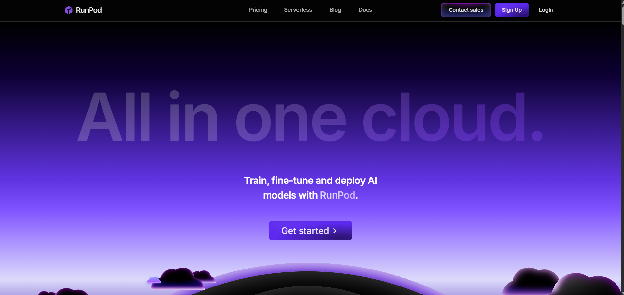
Best for: teams who want GPU compute without the surrounding cloud, and who want the same primitives from prototype through to production.
Runpod is an AI developer cloud. There are no managed databases, no IoT services and no data warehouse – the platform does GPU compute, and the argument for it is that a team running inference or fine-tuning does not need the other ninety services Azure sells.
What is different:
- Per-second billing across Pods, Serverless and Clusters, with published rates and no ingress or egress fees.
- A native serverless layer. Endpoints scale from zero to thousands of workers on request volume, with sub-200ms cold starts via FlashBoot. Teams with steady traffic can configure active workers to remove cold starts entirely. This is the clearest structural gap against most of the providers below.
- Smaller GPUs are actually offered. An RTX A5000 or L4 is available if that is what your model needs, rather than forcing an 80GB card on a workload that fits in 24GB.
- AMD as well as NVIDIA. An AMD Instinct MI300X with 192GB of VRAM is available on Secure Cloud at {{gpu:mi300x}}/hr, in configurations up to eight GPUs, for teams running ROCm.
- Bring your own container. Images pull from Docker Hub, GitHub Container Registry and Amazon ECR, alongside pre-built templates from the Runpod Hub.
- 31 global regions, with inventory visible in the console at deployment time rather than behind a quota request.
- SOC 2 Type II certified, and HIPAA and GDPR compliant. Reports, Business Associate Agreements and Data Processing Agreements are available for security review.
Limitations:
- No ancillary services. If your application also needs a managed database, a message queue and a data warehouse, you will be running those somewhere else.
- The company is younger than the hyperscalers, which matters to some enterprise procurement processes.
- The focus on GPU compute means Runpod is a component of an architecture, not a replacement for an entire cloud account.
Pricing: an H100 PCIe is {{gpu:h100-pcie}}/hr on Secure Cloud, an A100 PCIe is {{gpu:a100-pcie}}/hr, an L40S is {{gpu:l40s}}/hr, an A40 is {{gpu:a40}}/hr, an RTX 4090 is {{gpu:rtx-4090}}/hr and an AMD MI300X is {{gpu:mi300x}}/hr. All billed by the second, no commitment required. Full pricing.
2. Amazon Web Services
Via AWS
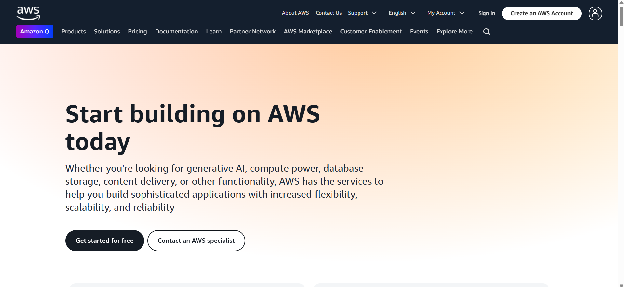
Best for: teams who want to leave Azure but still need a full cloud – databases, queues, analytics and serverless functions alongside GPU instances.
AWS is the like-for-like move rather than a simplification. The GPU instance catalogue is the widest in the industry, SageMaker covers managed notebooks through to deployment endpoints, and Trainium and Inferentia give an alternative to NVIDIA silicon for teams willing to adapt their stack.
Limitations:
- The operational surface is at least as large as Azure's. Standing up a GPU instance still means VPCs, security groups and IAM roles.
- Multi-dimensional billing across compute, storage and bandwidth makes costs hard to predict without active monitoring.
- You are trading one hyperscaler's complexity for another's, which is worth being honest about if simplification was the goal.
Pricing: AWS GPU instance pages publish specifications rather than rates, and on-demand pricing varies by region and instance family. We checked on August 31, 2026 and could not verify a comparable published hourly figure, so we are not quoting one – use the AWS pricing calculator for your region. AWS Activate credits are available to eligible startups.
3. Google Cloud Platform

Best for: teams whose work is anchored in data analytics, or who want access to TPUs.
GCP's distinctive asset is hardware nobody else has. TPUs are Google's own AI accelerators, and for large-scale training on frameworks that support them well they are a real alternative to NVIDIA GPUs rather than a marketing line. Vertex AI covers AutoML, pre-trained APIs and managed deployment, and GKE handles GPU-backed Kubernetes with less friction than most.
Limitations:
- A narrower catalogue than AWS or Azure, with fewer enterprise SaaS integrations and a track record of deprecating smaller services.
- Getting quota increases or human support often means going through an account representative, which is slower for small teams.
- TPUs require framework support. If your stack is built around CUDA-specific libraries, the migration is not free.
Pricing: GCP publishes GPU rates that vary by region and machine type, with automatic sustained-use discounts, committed-use contracts and Spot VMs at a steep discount. New accounts receive credit toward first usage. Check the GPU pricing page for current figures in your region.
4. DigitalOcean
Via DigitalOcean
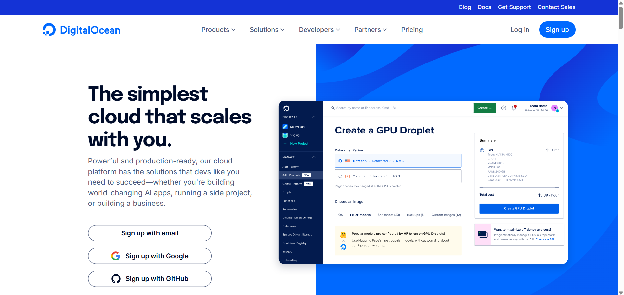
Best for: teams who value a small, comprehensible product surface, and who want GPU compute alongside straightforward managed services.
DigitalOcean built its reputation on being the cloud you can understand in an afternoon, and GPU Droplets extend that to AI workloads. It also acquired Paperspace, which brought a GPU platform and its Gradient tooling in-house. It has gone further on AMD Instinct hardware than most providers – MI300X, MI325X, MI350X and MI355X are all available, where we carry the MI300X only – so if you need current-generation AMD silicon specifically, their range is wider.
Limitations:
- No serverless GPU tier. There is no scale-to-zero, so between requests you are paying for an idle GPU.
- Powered-off GPU Droplets are still billed, because the resources stay reserved. You have to destroy the instance to stop charges – a real cost trap if you are used to stopping VMs.
- The service catalogue is deliberately narrow. There is no equivalent to Azure's Cognitive Services or its analytics stack.
Pricing (verified August 31, 2026, following a price change effective 1 August): on-demand, an NVIDIA H100 is $4.41/GPU/hr and an H200 is $4.47/GPU/hr – both above our H100 PCIe rate of $2.89/hr. An L40S and an RTX 6000 Ada are both $1.57/GPU/hr, against $1.09/hr for an L40S here. Their AMD MI300X is $2.59/GPU/hr on demand, against {{gpu:mi300x}}/hr for the same card on our Secure Cloud. Their entry point is an RTX 4000 Ada at $0.76/GPU/hr. Billing is per second with a five-minute minimum, and 12-month reserved and spot tiers are available.
5. IBM Cloud
Via IBM Cloud
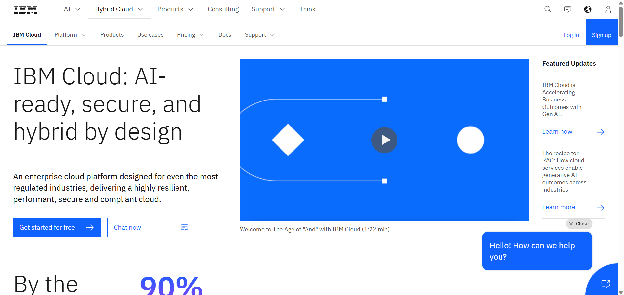
Best for: hybrid deployments, regulated industries, and organisations with existing IBM infrastructure to integrate against.
IBM Cloud is the choice when the constraint is not price but architecture. Red Hat OpenShift integration and IBM Cloud Satellite give consistent environments across on-premises and cloud, which matters if you are running a genuinely hybrid estate. The watsonx portfolio covers model development and governance, and IBM offers hardware nobody else does – Power Systems, Z mainframes and access to quantum computing.
Limitations:
- Oriented toward large enterprises. The console and the purchasing process both assume a procurement team.
- Fewer global regions than Azure, which constrains latency-sensitive deployments outside major markets.
- Not a natural fit for a small team that wants a GPU quickly.
Pricing: IBM publishes a cost estimator rather than a simple GPU rate card, and enterprise pricing is negotiated. Free Lite tiers are available for a number of services. We could not verify a comparable self-serve GPU hourly rate on August 31, 2026.
6. OVHcloud
Via OVHcloud
Best for: European data residency requirements, and workloads where bare metal makes more sense than virtualised compute.
OVHcloud is a European provider operating its own data centers, which is the entire point for teams with a data sovereignty requirement – data stays under EU jurisdiction, outside the reach of the US CLOUD Act. The platform is built on OpenStack, so the APIs are familiar and Terraform works out of the box, which reduces lock-in relative to a proprietary cloud. Bare-metal dedicated servers sit alongside cloud instances, and mixing the two is straightforward.
Limitations:
- A much narrower service catalogue than Azure. No equivalent to Cognitive Services or the analytics stack.
- Reports of an inconsistent dashboard experience and variable support responsiveness are common enough to mention.
- Regional presence concentrates on Europe, Canada and selected APAC locations.
Pricing: OVHcloud publishes flat rates in euros with generous, often unmetered, bandwidth included and anti-DDoS protection as standard – the pricing model is transparent, which is the main thing. Rates vary by region and product line; check the public cloud pricing page for current GPU figures.
7. Oracle Cloud Infrastructure
Via Oracle Cloud Infrastructure
Best for: teams already running Oracle databases or applications, and multi-node HPC workloads that need fast interconnect.
OCI has built a credible position in high-performance computing on the strength of bare-metal GPU shapes and RDMA cluster networking, which is where it is most competitive. Current GPU shapes include H100 and H200 bare-metal instances alongside L40S, A100 and A10 configurations. Autonomous Database is a genuine differentiator for teams with Oracle workloads, and the first 10TB of egress per month is free – unusually generous among the large clouds.
Limitations:
- Smaller community and fewer third-party integrations than AWS or Azure, which shows up when you are troubleshooting.
- Fewer global regions.
- The sales motion is enterprise-oriented and can be heavy-handed for a small team.
Pricing: Oracle's price list renders GPU rates dynamically and does not expose a static published figure we could verify on August 31, 2026, so we are not quoting one. OCI does offer an Always Free tier and trial credits, and startup discounts are available. Check the OCI price list directly.
8. Vultr
Via Vultr
Best for: teams who want broad geographic coverage from an independent provider, and who can commit to a contract term.
Vultr operates in more than 20 locations worldwide and offers both cloud GPU instances and bare metal, with a clean console and a solid API. It has invested heavily in AMD Instinct hardware alongside NVIDIA, and its Blackwell and Grace Hopper capacity is more current than most providers this size.
Limitations:
- Check which price you are reading. Vultr's most attractive rates are contract or preemptible pricing, not on-demand. The H100 figure is 24-month contract pricing; the B200 figure is a 48-month contract; the MI300X and MI355X figures are preemptible instances that can be reclaimed.
- No serverless GPU tier, so no scale-to-zero.
- Support is primarily ticket-based, and the compliance and integration ecosystem is narrower than the hyperscalers'.
Pricing (verified August 31, 2026): genuine on-demand rates are an A100 PCIe 80GB at $2.397/hr, an L40S at $1.671/GPU/hr, an A40 at $1.712/hr and a GH200 at $1.990/GPU/hr. For comparison, an A100 PCIe here is $1.59/hr, an L40S is $1.09/hr and an A40 is $0.49/hr. Vultr's H100 at $1.990/GPU/hr is attractive but requires a 24-month commitment; 36-month prepaid brings the A100 PCIe down to $1.290/GPU/hr. Their MI300X at $1.850/GPU/hr undercuts our {{gpu:mi300x}}/hr, but it is a preemptible instance that can be reclaimed, where ours is not.
How to choose
The eight above split into three groups.
If you need a full cloud, AWS, GCP, Oracle and IBM are the realistic destinations. You are moving for a specific reason – TPUs, Oracle database integration, a hybrid estate, cheaper egress – not for simplicity, because none of them are simpler than Azure.
If you want a smaller, comprehensible platform with GPUs attached, DigitalOcean, OVHcloud and Vultr fit. Each has a real edge: DigitalOcean on AMD range and ease of use, OVHcloud on EU data residency, Vultr on geographic spread and contract rates.
If GPU compute is the whole requirement, a specialist is usually cheaper and faster to get running. That is the case for Runpod: per-second billing, published rates, a serverless tier that scales to zero, smaller GPUs for models that do not need 80GB, and no quota request between you and a running instance.
Most teams end up with more than one. Keeping application infrastructure on a general-purpose cloud and moving GPU workloads to a specialist is a common and sensible pattern – and because there are no egress fees on Runpod, moving data between the two does not carry a penalty.
FAQ
What is the best Azure alternative for machine learning specifically?
It depends on what part of Azure Machine Learning you rely on. If you use it mainly for managed notebooks and training runs, GCP's Vertex AI and AWS SageMaker are the closest equivalents. If what you actually need is GPU compute with a deployment path, a specialist platform like Runpod covers training, fine-tuning and inference endpoints at lower cost and with far less configuration – but you would be replacing the managed-service layer with your own tooling.
Which Azure alternative is cheapest for GPU workloads?
Specialist GPU providers generally undercut both the hyperscalers and the mid-sized clouds, because they are not carrying the cost of a full service catalogue. Among the providers above with published, verified on-demand rates, Runpod's Secure Cloud rates sit below DigitalOcean's on every directly comparable card and below Vultr's on every card except their preemptible AMD instances. Be careful comparing headline figures, though: some published rates require multi-year commitments or can be reclaimed mid-job.
Are there Azure alternatives that offer AMD GPUs?
Yes. AMD Instinct accelerators are increasingly common outside the hyperscalers. Runpod offers the MI300X with 192GB of VRAM on Secure Cloud at {{gpu:mi300x}}/hr in configurations up to eight GPUs. DigitalOcean carries the widest current range – MI300X, MI325X, MI350X and MI355X – and Vultr offers MI300X and MI355X, though its headline AMD rates are preemptible. If your workload runs on ROCm rather than CUDA, all three are worth pricing.
Can I run Azure ML workloads elsewhere without rewriting everything?
If your training code is standard PyTorch or TensorFlow in a container, it moves with little change – that is the normal case. What does not move is anything bound to Azure-specific services: Azure ML pipelines, registered datasets, managed endpoints and Azure Blob paths all need replacing. Containerised workloads are the easy migration; deeply integrated ones are not.
Do I have to move everything off Azure?
No, and most teams do not. The common pattern is to leave application infrastructure, databases and identity where they are, and move only the GPU workloads to a provider that prices them better. Check egress costs before splitting a workload across two providers, since that is where the saving usually gets eaten.
How much can moving GPU workloads off a hyperscaler actually save?
The honest answer is that it depends on your utilisation pattern, and anyone quoting a single percentage is guessing. The two structural savings are per-second billing, which matters most for bursty workloads, and scale-to-zero on serverless endpoints, which removes idle GPU hours entirely. If your GPUs run at high utilisation around the clock, a reserved instance on a hyperscaler may well compete. If they sit idle between jobs, the gap is large.
Get started
Runpod offers on-demand GPUs with no minimum spend and no quota request, billed by the second. See current pricing, or deploy a Pod to test your own workload.
Related articles
- The 8 Best Paperspace Alternatives That'll Actually Save You Money in 2026
- Best Lambda Labs Alternatives: 6 Cloud GPU Providers Compared
- Vast.ai Alternatives: Runpod vs Vast AI Compared (2026)
- Top 7 SageMaker Alternatives for 2026
- Top 10 Modal Alternatives for 2026
- Top 10 Hyperstack Alternatives for 2026
Author profile: The Runpod Team


